

Updates for one year, unlimited sites, auto updates, and regular updates.
$3.99
 BookmarkBookmarked
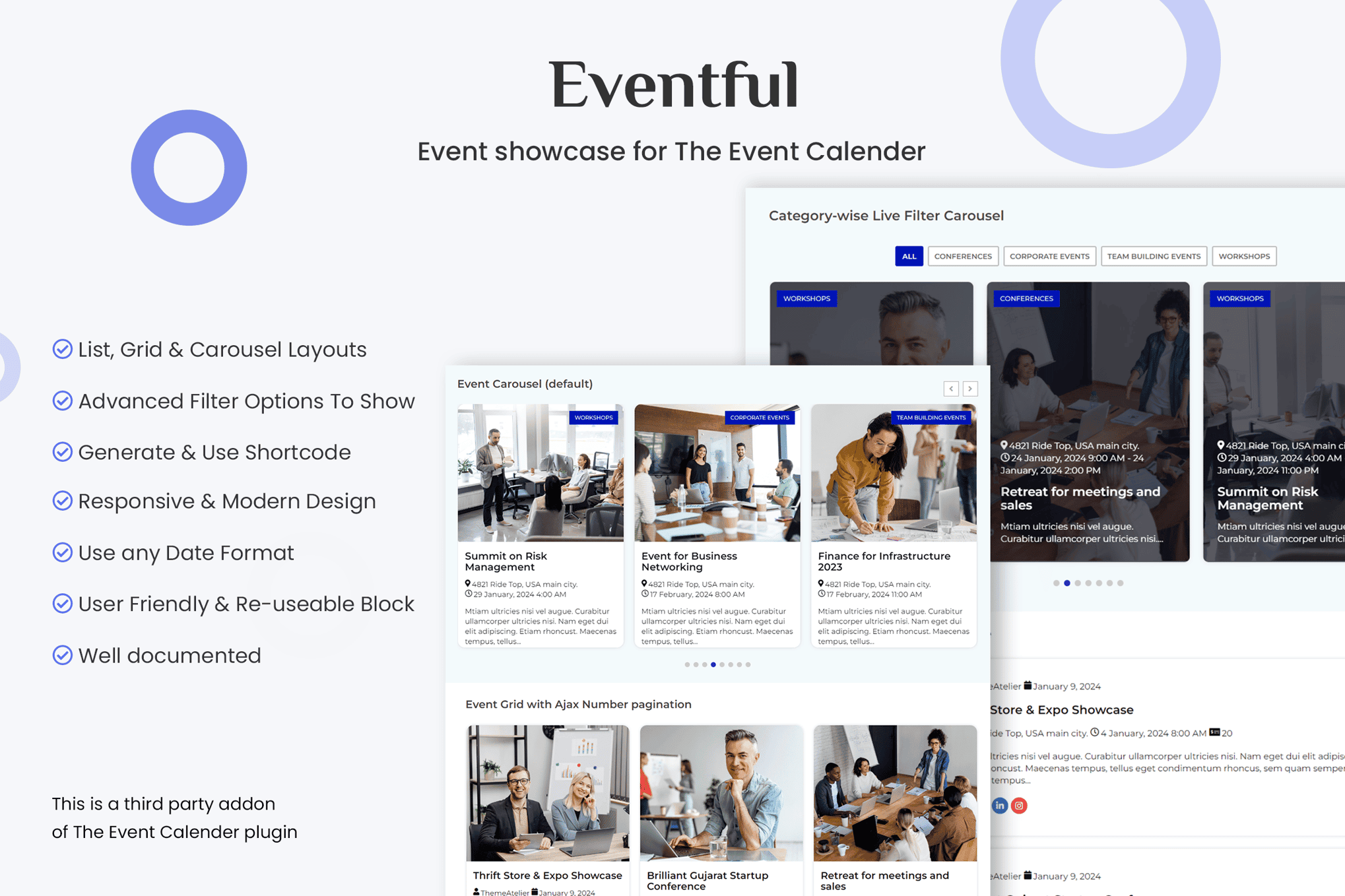
 Events Showcase For The Events Calendar is a specialized WordPress add-on designed to extend the functionality of The Events Calendar plugin. It provides users with advanced display options, allowing them to transform standard event listings into visually engaging, modern layouts. By bridging the gap between raw event data and aesthetic presentation, this plugin enables site administrators to showcase their schedules, workshops, and gatherings in a way that captures visitor attention and improves user engagement.
The primary purpose of Events Showcase For The Events Calendar is to solve the common problem of rigid, default calendar layouts. While The Events Calendar is a powerful engine for managing event data, its default views may not always align with the specific branding or design requirements of every website. This plugin introduces a variety of display styles, such as grids, carousels, and masonry layouts, which allow events to stand out more effectively on homepages or dedicated landing pages.
By utilizing these enhanced layouts, site owners can ensure that their most important events are front and center. The plugin is built to be responsive, ensuring that these visual enhancements look professional on desktop computers, tablets, and smartphones. This is critical for event-based businesses where mobile traffic often accounts for a significant portion of user interaction.
The plugin offers a suite of customization tools that do not require deep technical knowledge. Users can select from various pre-built templates that dictate how event information—such as dates, times, locations, and featured images—is presented to the end user. This flexibility allows for a cohesive look that matches the existing theme of the WordPress site.
Events Showcase For The Events Calendar is particularly useful for organizations that rely heavily on event attendance. For example, educational institutions can use the grid layout to display a semester’s worth of workshops, allowing students to filter by department or topic. Similarly, local community centers can utilize the carousel view to highlight upcoming weekend events on their homepage, driving higher click-through rates compared to a static, traditional calendar view.
Businesses hosting webinars or virtual conferences also benefit from the plugin’s ability to highlight featured events. By placing a “Featured Events” slider at the top of a page, organizers can draw immediate attention to high-priority sessions. The ease of updating these displays means that as events pass, the showcase can be refreshed quickly, keeping the website content dynamic and relevant.
Beyond aesthetics, the plugin focuses on the user journey. By providing clearer, more attractive ways to view event information, the plugin reduces the friction between a user discovering an event and registering for it. When events are presented in a clean, organized manner, users are more likely to spend time browsing the schedule, which can lead to increased registrations and better overall event attendance.
The integration with The Events Calendar ensures that all data remains synchronized. When an administrator updates an event’s time or location within the main plugin, those changes are automatically reflected in the showcase views. This eliminates the need for double-entry and reduces the risk of displaying outdated information to potential attendees.
As an add-on, the plugin is designed to work seamlessly alongside The Events Calendar. Installation follows the standard WordPress plugin process, and once activated, users can begin configuring their display settings immediately. Because it relies on the existing event data structure, there is no need to re-input event details; the plugin simply acts as a new “lens” through which the existing data is viewed.
Compatibility is a core focus, with the plugin being tested against popular WordPress themes and page builders. This ensures that users can implement these new layouts without worrying about conflicts that might break their site’s layout or functionality. For developers, the plugin often provides hooks and filters that allow for deeper customization if specific design requirements go beyond the standard settings provided in the dashboard.
If you are looking for other ways to display your calendar data, there are several established options in the WordPress ecosystem:
In conclusion, Events Showcase For The Events Calendar is a valuable tool for any WordPress user who wants to elevate the presentation of their event schedule. By combining ease of use with powerful visual customization, it helps bridge the gap between functional event management and high-quality web design. Whether you are managing a small community calendar or a large-scale corporate event schedule, the ability to present your information in a clean, responsive, and engaging format is essential for maximizing attendance and user satisfaction.


