

Updates for lifetime, unlimited sites, unlimited downloads, and regular updates.
$3.99
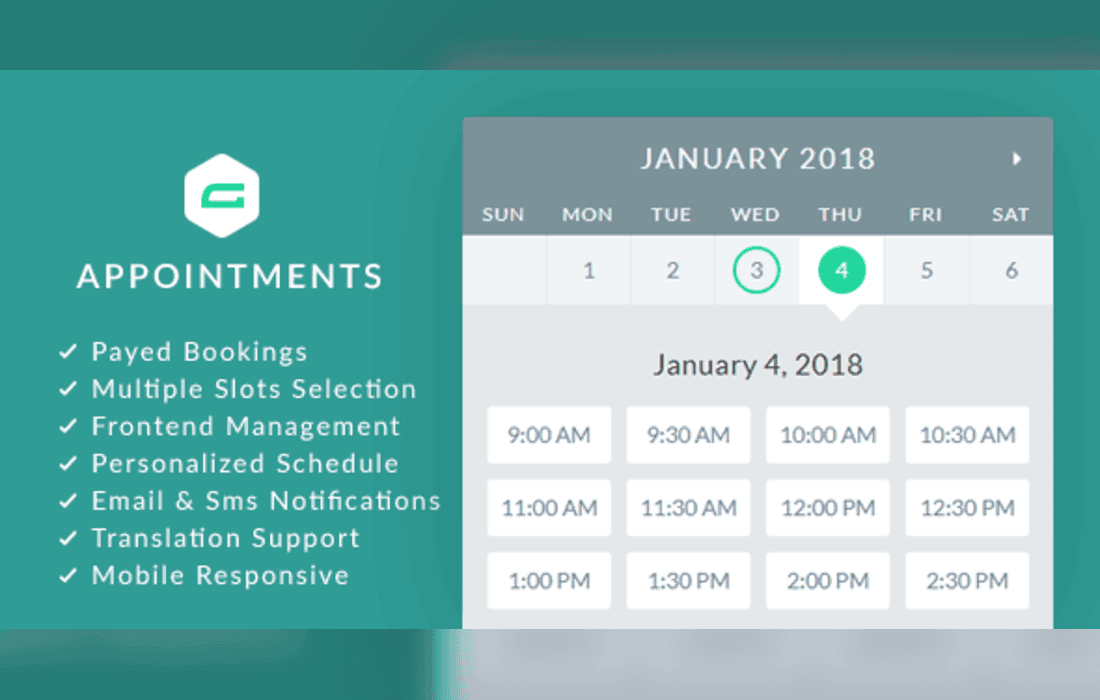
 BookmarkBookmarked
gAppointments is a specialized WordPress plugin designed to bridge the gap between the powerful form-building capabilities of Gravity Forms and the practical requirements of appointment scheduling. By transforming standard Gravity Forms into dynamic booking interfaces, this addon allows businesses to manage reservations, consultations, and service appointments directly within their existing WordPress dashboard. It is engineered for users who already rely on Gravity Forms for data collection and wish to streamline their workflow by integrating scheduling logic without the need for complex third-party external platforms.
At its heart, gAppointments functions as an extension that adds a scheduling layer to the Gravity Forms ecosystem. Instead of simply collecting text-based information, the plugin enables form fields to interact with a calendar-based logic system. This allows site administrators to define service durations, staff availability, and buffer times, which are then reflected in the front-end form. When a user selects a service and a time slot, the plugin handles the logic to ensure that the appointment is recorded and the time slot is marked as occupied, preventing double-bookings.
The integration with Gravity Forms is seamless, as it utilizes the familiar form builder interface. Users do not need to learn a new, separate plugin interface to create their booking forms; instead, they add specific gAppointments fields to their existing forms. This approach maintains consistency in form styling and validation, ensuring that the booking process feels like a natural part of the website’s user experience.
The plugin provides a robust set of tools for managing the complexities of appointment-based businesses. One of the most significant features is the ability to manage multiple service providers or staff members. Administrators can define individual schedules for each staff member, including their working hours, lunch breaks, and days off. The system automatically cross-references these schedules with incoming booking requests, ensuring that appointments are only offered when the relevant staff member is available.
Another critical aspect is the management of service types. Businesses often offer a variety of services with different time requirements. gAppointments allows for the configuration of specific service durations, which the plugin uses to calculate the end time of an appointment. This ensures that the calendar remains accurate and that the booking system accounts for the exact amount of time required for each specific service.
Buffer times are also a standard feature, allowing businesses to add a mandatory gap between appointments. This is particularly useful for service providers who need time to prepare for the next client, clean their workspace, or travel between locations. By configuring these buffers, administrators can protect their staff from back-to-back scheduling that could lead to delays or burnout.
The front-end experience is designed to be intuitive for the end user. When a customer visits a booking page, they are presented with a clean interface where they can select their desired service and view available time slots. The plugin dynamically updates the available slots based on the parameters set in the back-end, providing real-time feedback to the user. This reduces the friction typically associated with manual booking processes, where users might otherwise have to email or call to confirm availability.
Because the plugin operates within Gravity Forms, it inherits the responsive nature of the form builder. This means that booking forms are mobile-friendly by default, allowing customers to book appointments from their smartphones or tablets with ease. The ability to customize the form fields also means that businesses can collect additional information-such as customer preferences, medical history, or project details-at the exact moment the appointment is booked, centralizing all necessary data in one entry.
For the site administrator, gAppointments offers a comprehensive dashboard view of all scheduled appointments. This allows for quick monitoring of the daily or weekly schedule. Administrators can view, edit, or cancel appointments directly from the WordPress admin area. This centralized control is essential for managing last-minute changes or unexpected staff absences.
The plugin also leverages the entry management system of Gravity Forms. Every appointment booked through the system is saved as a form entry. This allows administrators to use the built-in Gravity Forms search and filter tools to find specific appointments, export booking data to CSV or Excel for accounting purposes, or trigger automated notifications. Since Gravity Forms supports various notification add-ons, administrators can easily set up email or SMS alerts to confirm appointments with clients or notify staff members of new bookings.
gAppointments is highly versatile and suitable for a wide range of industries. Common use cases include:
One of the primary advantages of using gAppointments is the ability to leverage the existing Gravity Forms ecosystem. Because the plugin is built as an addon, it is compatible with many other Gravity Forms extensions. For instance, if a business needs to collect payment at the time of booking, they can integrate gAppointments with payment gateways like Stripe or PayPal, which are supported by Gravity Forms. This allows for a complete “book and pay” workflow without requiring additional complex software.
Furthermore, developers who are comfortable with PHP and WordPress hooks can extend the functionality of gAppointments. The plugin is designed with developers in mind, offering various filters and actions that allow for custom logic, such as modifying the availability display, adding custom validation rules, or integrating with external CRM systems via webhooks.
If you are looking for alternatives to gAppointments, there are several other well-regarded solutions in the WordPress ecosystem that provide appointment booking functionality:


