

Updates for one year, unlimited sites, auto updates, and regular updates.
$3.99
 BookmarkBookmarked
The User Registration Calculations plugin is a specialized WordPress extension designed to bridge the gap between standard user onboarding and dynamic data processing. By enabling real-time mathematical operations during the registration process, this tool allows site administrators to collect, calculate, and store custom user data based on input fields. Whether you are running a membership site that requires tiered pricing calculations, a fitness portal that needs to compute body mass indices, or an educational platform that calculates scores based on registration inputs, this plugin provides the necessary logic to transform static registration forms into interactive data-driven experiences.
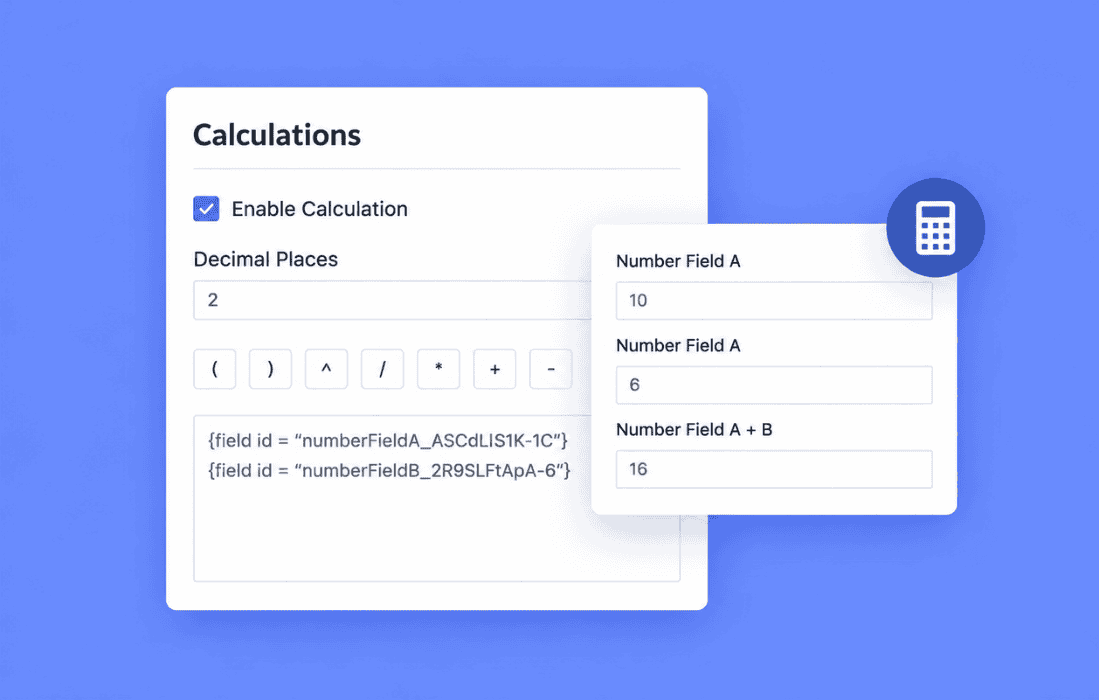
At its heart, the plugin functions by intercepting the data submitted through standard registration forms and applying user-defined formulas. Administrators can create complex equations using basic arithmetic operators, including addition, subtraction, multiplication, and division. This functionality is particularly useful for sites that require immediate feedback or categorization based on numerical inputs provided by the user during the sign-up process.
The plugin integrates seamlessly with the registration workflow, ensuring that calculations occur instantly upon form submission. Once the formula is executed, the resulting value can be saved as user meta, allowing other parts of your WordPress site to access this data for display, filtering, or conditional logic. This creates a highly personalized experience where the user’s profile is populated with meaningful, calculated metrics from the very first moment they join your community.
The User Registration Calculations plugin is built with flexibility in mind, offering several features that simplify the management of complex registration data:
The versatility of this plugin allows it to be applied across a wide range of industries and website types. Below are some common scenarios where User Registration Calculations can significantly enhance your site’s functionality:
Membership and Subscription Platforms
For sites offering tiered memberships, you may need to calculate a user’s initial deposit or a prorated fee based on the date of registration or specific user-provided inputs. By using this plugin, you can automate the calculation of these fees, ensuring that the user is presented with the correct amount to pay immediately after registration.
Fitness and Health Portals
Health-focused websites often require users to input their height, weight, or age during sign-up. The plugin can be configured to calculate a user’s Body Mass Index (BMI) or Basal Metabolic Rate (BMR) automatically. This data can then be displayed on the user’s dashboard, providing immediate value and engagement from the moment they create an account.
Educational and Assessment Sites
If your registration process includes a diagnostic test or a placement quiz, you can use the plugin to sum up the scores of various fields. This allows you to automatically assign a user to a specific skill level or course track based on their performance, streamlining the onboarding process for both the administrator and the user.
Financial and Investment Calculators
For platforms that deal with financial planning, users might need to input their annual income or investment goals. The plugin can calculate projected savings or tax brackets based on these inputs, allowing the site to tailor the user’s experience and content recommendations based on their specific financial profile.
The plugin is designed to be lightweight and efficient, minimizing the impact on your site’s performance. It utilizes standard WordPress hooks and filters, ensuring compatibility with the majority of themes and other registration-related plugins. Because it stores data in the standard user meta table, the information remains accessible to any other plugin that can query user meta, providing a high degree of interoperability.
Administrators do not need to be expert developers to utilize the plugin. The interface is designed to be accessible to those with a basic understanding of WordPress administration. By following the provided documentation, you can set up your first calculation in minutes, defining the input fields, the mathematical formula, and the destination meta key for the result.
To get the most out of the User Registration Calculations plugin, it is recommended to follow a few best practices. First, always ensure that your registration form fields are properly labeled and validated. If a user enters non-numeric data into a field intended for a calculation, the plugin’s validation logic should catch this; however, clear instructions on the front end will improve the user experience and reduce support requests.
Second, consider the security implications of storing user data. Always ensure that the data being calculated and stored is handled in accordance with your site’s privacy policy and relevant data protection regulations. Since the plugin stores data in the WordPress database, it is also advisable to perform regular backups of your user meta tables to prevent data loss.
Finally, test your formulas thoroughly in a staging environment before deploying them to your live site. Verify that the calculations produce the expected results across a variety of input scenarios, including edge cases such as zero or negative values, to ensure the robustness of your registration process.
For advanced users, the plugin offers hooks that allow for further customization. If you have specific requirements that go beyond the standard formula builder, you can tap into the plugin’s internal functions to add custom logic or integrate with third-party APIs. This makes the plugin a powerful foundation for developers who need to build highly specific registration workflows without reinventing the wheel.
By leveraging the power of WordPress’s modular architecture, the User Registration Calculations plugin serves as a vital tool for site owners who need to move beyond simple data collection. It transforms the registration form from a static entry point into an active component of your site’s business logic, helping you capture, process, and utilize user data more effectively than ever before.


