

Updates for lifetime, unlimited sites, unlimited downloads, and regular updates.
$3.99
 BookmarkBookmarked
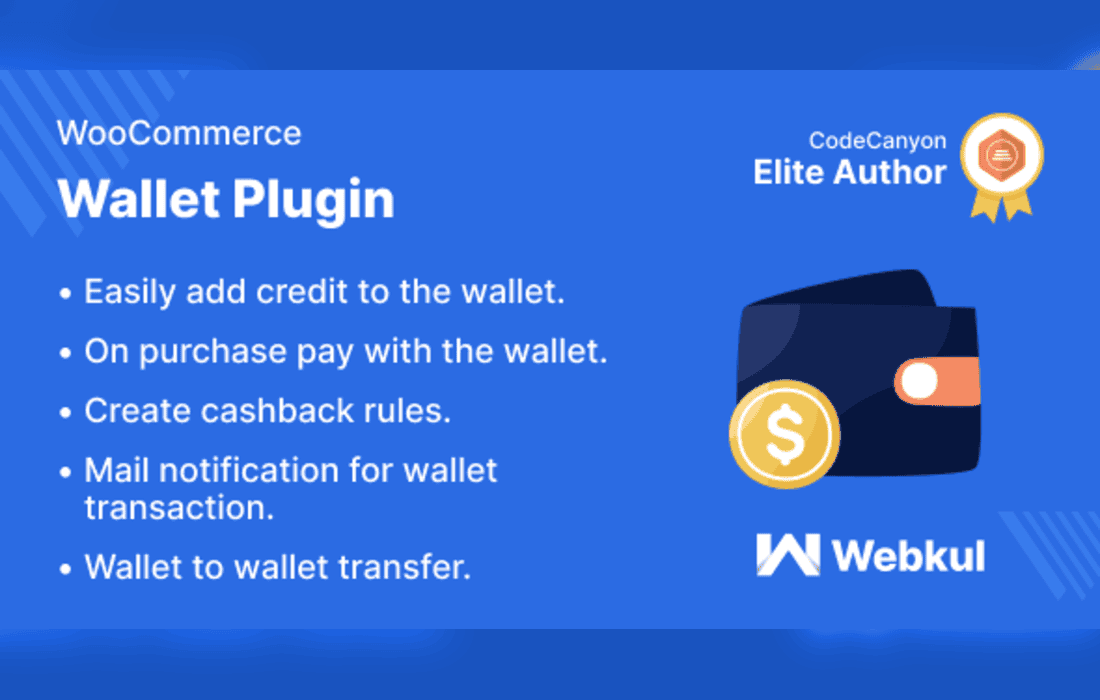
WooCommerce Wallet System Plugin gives a WooCommerce store a prepaid digital wallet. Shoppers add funds to their wallet, spend that balance at checkout, and can receive cashback, bonuses and refunds into it. The store owner manages balances, transactions, withdrawals and reports from the admin area. The plugin suits stores that want to reward repeat customers, take in-person payments by QR code, or offer a stored-value option alongside their usual payment methods.
A shopper adds funds by entering an amount and paying through the checkout options the store offers. At checkout, the shopper decides on each order whether to use the wallet balance or another payment option. When the balance falls short, the store can offer a buy-now-pay-later arrangement for the remainder, and the amount left over is recorded as credit that is repaid later.
Refunds can be routed back into the wallet, including refunds for orders that were originally paid by another method. Auto top-up can be set to run whenever the balance drops below a chosen threshold, and coupon codes can be redeemed to add funds to the wallet.
Withdrawals are requested by entering payout details, choosing a method and specifying an amount. Shoppers can follow their balance and activity on the Wallet Central dashboard, and statements can be downloaded as PDF or CSV files. Wallet credit can also come from rewards, including referral codes, welcome bonuses, daily logins and approved comments.
Shoppers can also transfer cashback to other registered shoppers, and they can send requests for payment to other customers. Wallet funds can be used to pay for virtual products when the store owner allows it. Email notifications cover all wallet activity, so customers are kept informed about changes to their balance.
For counters and event stalls, the QR code route lets a shopper’s balance be used in person. Each registered user can be given a code that is unique to them, and the built-in scanner reads that code during the sale. Staff should confirm the amount with the shopper before completing each sale, so that both parties see the same figure.
Store owners can adjust balances for individual customers, or upload a CSV file to change many balances at once. Manual debits and credits are available. The plugin can set credit floors and per-debit caps, and it can apply minimum and maximum amounts to top-ups, transfers and withdrawals.
A wallet can be disabled for a particular user, and transfers can be locked for that user on their own. These controls make it possible to handle an account problem without changing the arrangements for every other customer.
Several controls are best configured before customers begin to use the wallet. Minimum and maximum amounts for top-ups, transfers and withdrawals keep individual movements within sensible bounds. Credit floors and per-debit caps limit how far a balance can be drawn down, while outstanding-order caps restrict how much buy-now-pay-later credit can be open at once. Withdrawal approvals and verification settings complete the picture by determining who must sign off a payout and what evidence is needed first.
Cashback can be calculated on cart totals that fall within a chosen range. It can apply to the whole cart, to individual products, or to both. Cashback is reversed automatically when an order is refunded or cancelled, and the rules can be restricted by customer role, by payment gateway, or by the top-up order that funded the wallet.
Bonuses can be configured for welcome credit, top-ups, daily logins and comments. Referral codes are offered as a further reward route, so a store can combine several ways of earning wallet credit within one system.
Refunds are one of the points where a wallet most often needs careful handling, so the rules for them should be settled before launch. Refunds can be routed to the wallet even when the original payment was made another way. Cashback earned on an order is reversed when that order is refunded or cancelled.
Verification can be applied selectively. The store chooses which actions require it, so identity checks can be applied to chosen actions, such as withdrawals, instead of to every purchase. Uploaded documents are reviewed by the store owner, so the process should be explained clearly to customers before they are asked to send anything.
The transaction list shows IDs, references, transaction types, amounts and dates. Entries can be bulk deleted, exported to PDF quickly, reviewed through analytics, and summarised in CSV or PDF reports.
Withdrawal requests can be approved from the admin area, and approved payouts can be sent to Stripe automatically. Customers can upload identity documents for review, and the store owner can choose which actions require verification, such as withdrawals, transfers or fund requests.
Credit limits and repayment terms for buy-now-pay-later use are set by the store owner. An outstanding-order cap can limit how many orders may remain unsettled at one time, which keeps the arrangement within limits the store has chosen.
Coupons can be given expiry dates, usage limits and per-user limits, and each redemption is logged. Selected payment gateways can be hidden from the top-up checkout. Email alerts can be sent for withdrawal requests, to several recipients if needed, and for failed auto top-ups.
The plugin’s colours, labels and fonts can be restyled from its settings without writing code, which helps the wallet match the look of the store. The current release also adds REST endpoints for wallets and transactions, which mobile applications and third-party systems can use to read wallet data.
Access to the REST endpoints is managed through keys, and the endpoints are described as HTTPS-only, rate limited and built for safe retries. Optional audit logs can record activity for review.
The listing states support for WooCommerce 7.x through 10.x and WordPress 6.7.x through 7.0.x. The plugin supports high-performance order storage, block-based cart and checkout pages, and WordPress Multisite. On classic themes, a balance widget is available, and on block themes a Gutenberg block is provided.
The browsers listed by the vendor are Firefox, Safari, Chrome and Edge. Version statements should be checked on the product listing before installation, because WooCommerce and WordPress release updates regularly.
Stores running a loyalty or reward programme are a natural fit, because cashback, bonuses, referral codes and daily login rewards all feed the same wallet. Events, pop-up shops and market stalls that take payment in person may find the QR code option useful.
The plugin also suits stores that expect to manage large numbers of balances. The CSV upload, bulk deletion and report exports are the tools most relevant to stores with many customers. Developers building mobile applications can connect to the REST endpoints rather than building their own wallet logic.
A retailer running a reward campaign might offer a welcome bonus to new registrations and cashback on orders within a chosen cart total range. The store owner can then review the transaction reports to see which rule is generating repeat orders, and adjust the range accordingly.
An event organiser taking payments at a stall could give each attendee a unique QR code, then use the wallet to settle purchases on site. Refunds for unused purchases could be routed back into the wallet, so the balance stays with the attendee for later use.
Install and activate WooCommerce and the wallet plugin, then review the top-up, gateway and transaction limit settings. Next, configure the cashback and bonus rules, decide which actions require verification, and set up email alerts for withdrawal requests.
Test the full flow with a test order before opening the wallet to customers. Check adding funds, paying at checkout, refunding to the wallet, requesting a withdrawal and reading the statement. Review each rule in the transaction list to confirm that the expected entries are created.
Simple rules are easier for customers to understand and easier for staff to check. Explaining the cashback range, the bonus triggers and the expiry dates of coupons in plain language on the store’s pages helps customers know what to expect. Regular review of the reports shows which rules are generating the most activity, and it highlights any rules that need adjusting.
Because email notifications cover all wallet activity, the wording of the store’s own pages should match what customers will receive in those messages. A short explanation of how the wallet works, what a withdrawal involves and when verification may be requested can prevent confusion before it starts.


