

Updates for one year, unlimited sites, auto updates, and regular updates.
$3.99
 BookmarkBookmarked
The Undo My Vote add-on extends BWL Pro Voting Manager so that voters can withdraw a vote they have already cast. An Undo control appears inside the voting box, and you decide whether it is shown and how many times each user may use it. This page explains how the option looks to voters, which settings control it, how it fits the main voting features, and what to check before relying on it.
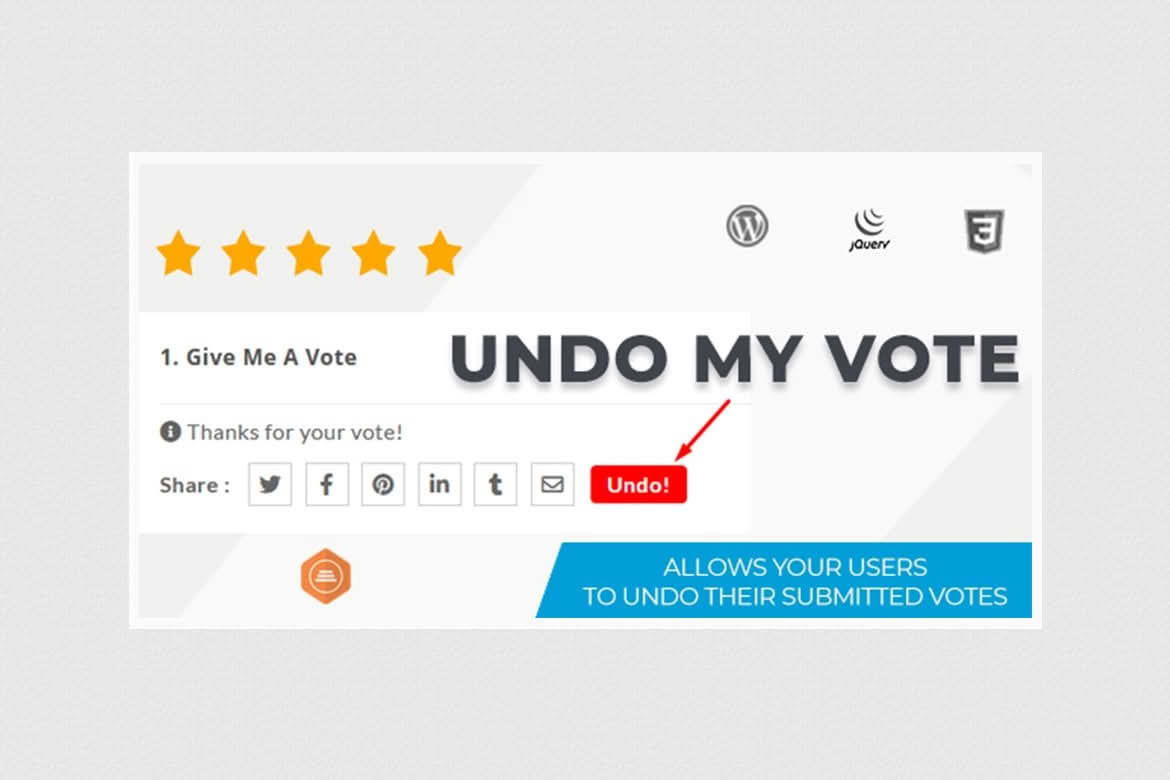
Once the add-on is installed, it places an Undo button inside the voting box automatically. The button appears only when the undo setting is turned on, so the feature stays hidden until you choose to offer it. A voter who changes their mind can click Undo to withdraw the vote they submitted, subject to the limit you set. The vendor describes the integration as automatic, with no complex settings.
From a voter’s point of view, the feature should be obvious. The Undo control sits in the same box as the vote buttons, so there is no separate page to find and no form to complete. Pair the feature with a short note near the voting box, so that visitors know a change of mind is possible before they vote rather than after.
The add-on adds a setting named Enable Undo Vote Option, which controls whether the Undo button is displayed. A second control caps how many times each user can undo a vote across the whole site. The default cap is five undos per user, and administrators can change that figure in the options panel. Undo can be switched on or off, so you can trial the feature before making it available to everyone.
The default cap of five undos per user is a starting point rather than a recommendation. A lower cap suits votes where the result carries weight and the owner wants each vote to stand once cast. A higher cap suits low-stakes voting, where people may want to correct several choices in one session. Whichever figure you choose, explain it briefly on the page, so that voters understand why they can no longer undo a vote.
BWL Pro Voting Manager adds like and dislike voting to posts, pages and custom post types. Each voting box shows like and dislike buttons, a total count, a progress bar and individual counts. The dislike button can be disabled site-wide if you want like-only voting. Progress bars are flat by default, can use one of ten preset colours, or can be hidden, and counts can be shown as percentages rather than raw numbers.
When a visitor dislikes a post, the voting box can present a feedback form. Submissions are emailed to an address you choose, and administrators can review or delete them. The documentation describes only like and dislike votes, so the plugin is not a poll or star-rating tool, and comments cannot be voted on.
Voting can be restricted to logged-in users, and a role filter limits it to the roles you select. Repeat voting can be managed in several ways. An optional IP filter caps how many votes a single IP address can submit, a repeat-voting interval sets how many votes are allowed within a period, and a single-vote option limits each voter to one post vote per day. Users see messages when they have already voted, when they reach a limit, or when they need to log in.
If the login requirement is off, guests will probably be able to vote, although the documentation does not state this directly. Test guest behaviour on a copy of your site if your audience includes visitors who are not signed in.
Undo sits alongside the other controls that govern voting, including the logged-in requirement, the role filter, the IP filter, the repeat-voting interval and the single-vote option. Those rules decide whether a vote can be cast in the first place, while the undo limit decides how often a vote can be taken back. Because the two sets of rules interact, test the combinations you intend to use rather than assuming they behave independently.
Each post has its own voting settings. You can hide the voting box, close voting with a “Voting Closed” message, or pause submissions while keeping results visible. Start and end dates open and close voting automatically, and notices can show when voting has not started yet or has expired. The box can sit before or after the post content, and bar styles and colours can be chosen per post.
Administrators have quick edit and bulk edit tools, which can reset counts or show and hide voting across many posts at once. List columns show counts, feedback and voting status, and a report panel offers filters, date ranges, manual votes and CSV export.
Results can be shown in several places. The [bwl_pvm /] shortcode displays the current post’s voting box anywhere, and adding the animation attribute enables the animated bar. The [bpvm_results /] shortcode shows like and dislike counts inside post loops. The [pvm_lists] shortcode, which takes an ids attribute, displays results for specific post IDs. The [pvm_taxonomy_filter] shortcode shows the top-voted posts within a chosen category or other taxonomy, and the [bpvm_filter] shortcode ranks posts by likes or dislikes over a day, a week, a month, a year or a custom date range. A sidebar widget shows the most-liked and most-disliked posts, and shortcodes can also be output in theme code with the do_shortcode function.
After a few test votes and undos, open the report panel and check how the results appear there, including any filters, date ranges and CSV exports you intend to use. Confirm that the figures match what visitors see in the voting box and in any results shortcode. If the numbers disagree, record the steps that produced the difference, so that the problem can be reproduced and explained.
The add-on cannot run on its own. BWL Pro Voting Manager must be installed and active. The main plugin’s documentation lists WordPress 6.0 or newer, PHP 8.1 or newer and MySQL 8.0 or newer. Check the current minimum version of the main plugin before you install.
The add-on is translation-ready. A template .po file sits in the lang folder, and you can edit it with Poedit. The text domain is bpvm-umv, and the language file name combines that domain with a locale code, such as de_DE for German. Save each translation with the correct locale so that WordPress can load it for visitors using that language.
Before you replace the add-on’s folder with a newer copy, back up any files you have edited and any language files you have created. Moving between releases means replacing everything in the add-on’s folder, so custom edits are lost unless you restore them afterwards. Keep a short note of what you changed so you can reapply it quickly.
How vote totals behave after an undo should be checked on a copy of your site before you rely on the counts. Create a test post, cast a vote, undo it, and then check the totals, the progress bar and any results shortcode on the page. Repeat the test until the undo limit is reached, and confirm the message a voter sees at that point. Finally, check the feature with a signed-in account and with a signed-out browser session if your audience includes both.
The add-on suits sites where voters sometimes choose the wrong option or change their mind after voting, and where the owner wants a limit on how often that can happen. It works alongside the like and dislike voting that the main plugin provides, and it suits owners who want the change to be simple to set up.


