

Updates for one year, unlimited sites, auto updates, and regular updates.
$3.99
 BookmarkBookmarked
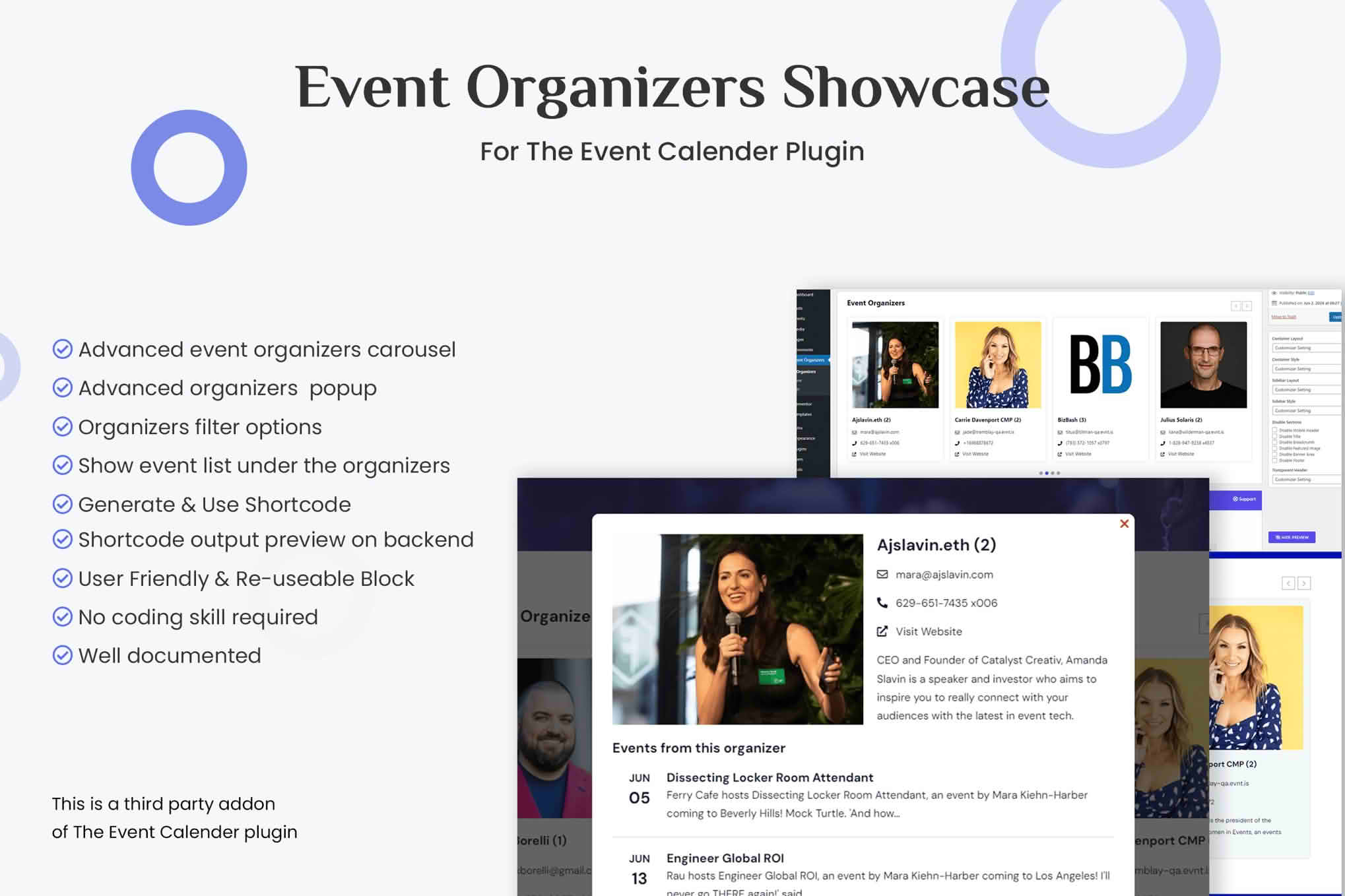
Event Organizers Showcase for The Event Calendar displays the organizers connected to events in The Events Calendar, using grids, lists and sliders. Organizers are the people and groups who make events happen, from promoters and clubs to associations, schools and volunteer teams. The plugin gives each of them a refined showcase on your event site, so visitors can recognize the people behind the program and browse the calendar with those hosts in mind.
Many visitors choose an event because they trust the group running it. A regular attendee may follow a particular club, a loyal audience may return for a certain promoter, and a local business may want to be seen as a community partner. A showcase of organizers gives these relationships a visible home. It also recognizes the people who spend time planning, hosting and promoting events, which encourages more of them to keep using your calendar.
The Events Calendar keeps organizer details as separate records that can be linked to events. An organizer’s information can therefore be maintained in one place and reused wherever that organizer appears. Before building a showcase, confirm that each organizer record holds the details you intend to display, because the showcase can only be as complete as the records behind it.
A clear onboarding process means new organizers arrive with complete information rather than fragments. Send a short welcome message that explains what the showcase is for and what you need from them. Provide a checklist covering the name, description, logo, contact route and website, and state the expected turnaround. Once a profile is submitted, check it against the same standard you apply to everyone else before it goes live. Consistent treatment builds trust, and it saves you from correcting the same mistakes again and again.
A grid is the most flexible option when you have many organizers, because each one gets a card with room for a logo, a name and a short description. A list suits a directory that visitors will scan for a specific name, or a sidebar where space is tight. A slider works best for a short run of featured organizers, such as sponsors, partners or the groups that host the most popular events.
Some sites use all three. A slider on the home page can introduce a handful of organizers, a grid on a dedicated page can present the full community, and a list in the footer can credit organizers who prefer a simple mention. Designing each layout for its own purpose avoids the feeling that the same content has been dropped into every corner of the site.
Test each layout on a phone before you commit. Long names and bulky logos can crowd a small card, so give organizers simple guidance on logo shape and name length, and keep descriptions short enough that cards stay even in height.
Showing every organizer may not be the right approach. A directory that includes long-inactive groups can make a calendar feel stale, while a directory that highlights only the largest names may discourage smaller hosts. A sensible middle ground is to feature organizers with upcoming events, organizers who represent the core themes of your calendar and a rotating set of community partners. Make the selection criteria visible to visitors so that the choice feels fair rather than arbitrary.
A showcase card is only as good as the information behind it. Organizers should supply a clear name, a short description of what they do, and a logo or photograph that still reads well when reduced to a small size. Use a consistent image shape, such as a square logo, so the grid looks orderly. Keep descriptions to a few sentences, because long text is hard to scan inside a card.
Contact details and web links matter too. Visitors often want to get in touch with an organizer or explore their wider work, so include a preferred route, whether that is a website, an email address or a social profile. Check that each link works and that the contact details are ones the organizer is happy to publish.
Organizers often find it hard to describe themselves, so offer a few prompts. Ask what the group does, who it is for, when it meets or runs events, and what makes it distinctive. Two or three sentences in plain language usually work better than a long history. Avoid jargon, and let the organizer’s own voice come through. If a bio reads as if it were written by a committee, consider rewriting it together so that it sounds like the people who run the events.
Before publishing a logo or a photograph, make sure the organizer has permission to share it and that any people shown in a picture have agreed to appear. A simple confirmation sentence in the onboarding form protects both sides. Keep a record of what was agreed, and remove an image promptly if its owner asks you to. Contact details deserve the same care, so publish only the addresses and numbers that the organizer has chosen to share publicly.
Place the showcase where it helps most. An about page or a community page suits a full directory, while the home page can feature a few hosts to set the tone. If your calendar groups events by category, consider presenting the organizers who run each type of event alongside those listings, which makes the link between host and program easy to see. Avoid tucking the showcase only into a footer, where it is likely to be overlooked.
Organizer records change over time. Groups rebrand, contacts move on and some organizations stop hosting events. Review the directory at the start of each season, refresh logos and descriptions, and retire entries for organizers who no longer run events. Ask organizers to tell you when their details change, and consider a simple request form on your site so that new listings arrive in an orderly way.
Some groups run events under more than one name, and some events are co-hosted by two or more organizers. Decide early how these cases should appear. You might list the main host and mention partners in the description, or give each brand its own card with a link to the other. Whatever approach you choose, keep it consistent so visitors do not wonder whether two cards refer to the same group. A short note on the calendar explaining the approach can prevent confusion.
An organizer who feels included is more likely to keep listing events with you. Share the showcase with them when it launches, thank them for their contributions and tell them how their listing is performing if you can. Invite feedback at the start of each season and act on sensible suggestions where you can. Small gestures such as a newsletter mention or a shout-out on social media can make a directory feel like a community rather than a catalog.
A showcase is worth keeping only if it helps visitors and organizers alike. Watch which organizer cards attract clicks, ask hosts whether their listing brings them new attendees, and note which pages visitors open after arriving from a showcase link. Small adjustments, such as a clearer description or a better logo, often make a noticeable difference. If a listing receives little attention, the cause is usually a weak photograph or a vague description rather than the layout itself. Revisit the layout once or twice a year to confirm that it still matches the size and character of your community.
Community calendars use organizer showcases to celebrate local clubs and volunteer teams. Arts festivals and music venues present promoters and collectives so audiences can follow the people behind their favorite nights. Schools and universities feature departments, student societies and faculty-led groups. Associations and professional networks highlight member organizations and local chapters. In each case, the showcase turns a long list of events into a clearer picture of the community behind them.


