

Updates for one year, unlimited sites, auto updates, and regular updates.
$3.99
 BookmarkBookmarked
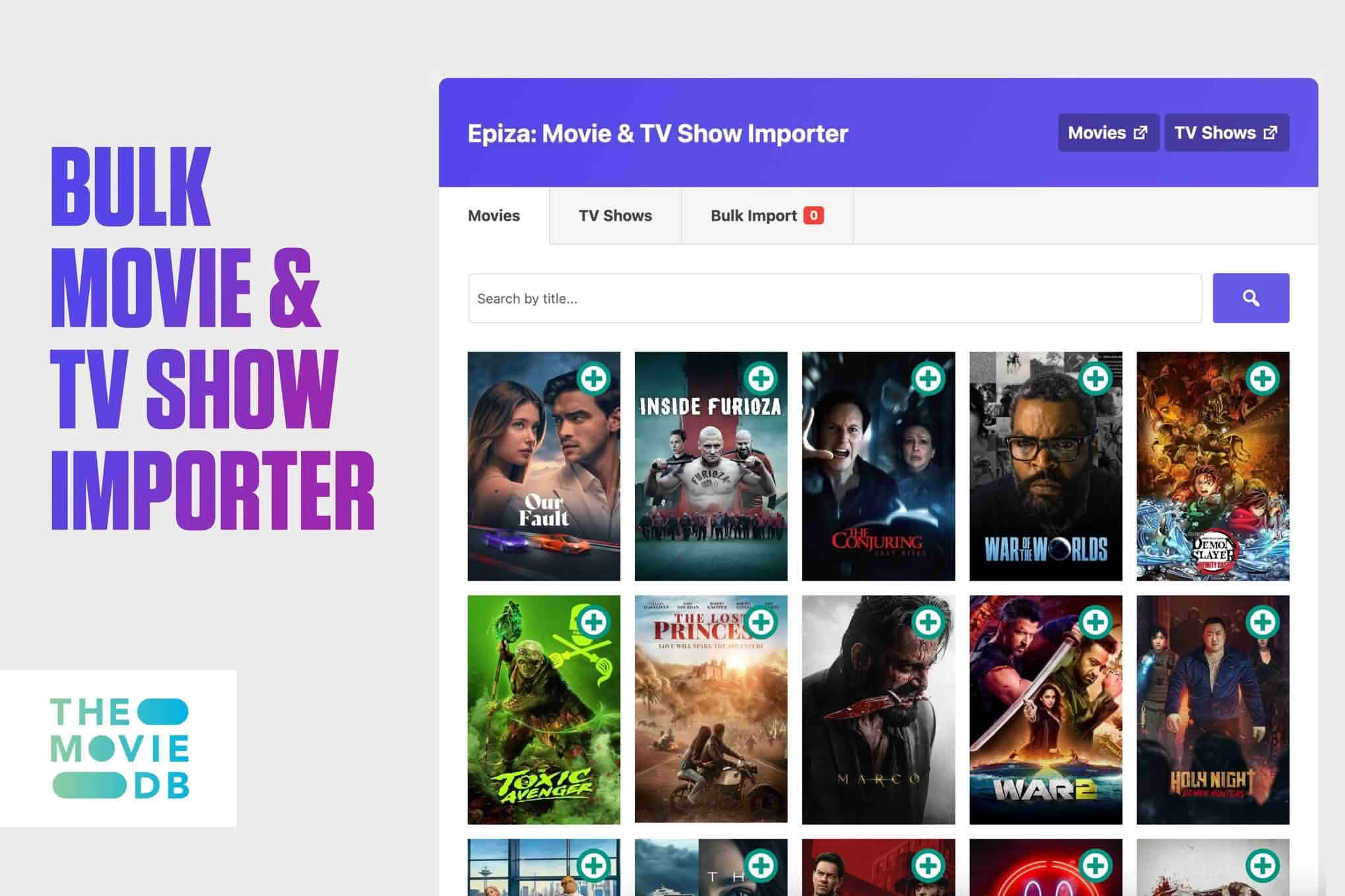
Epiza brings movies and television series into WordPress in bulk, so a film or series website can be filled quickly. It gathers titles, posters, cast lists and other details and places them into posts, giving every entry a ready-made starting point. Rather than typing each record by hand, you can concentrate on the editorial work that makes your site worth visiting.
A catalogue of films or television series can contain hundreds of entries, and each one carries a set of facts that visitors expect to find. Creating those entries one at a time is slow, and small differences in formatting can make a large site look uneven. A bulk approach keeps the work moving and gives the whole catalogue a consistent foundation.
Speed is only part of the benefit. When each entry begins with the same kinds of information, you can focus on the questions that matter most to readers, such as which titles deserve attention first, which series suit a particular audience, and how the catalogue should be grouped.
Large catalogues also reward patience. A site that starts with a broad set of entries and then deepens its coverage over several months often feels more alive than one that tries to publish everything on day one, because each new addition gives returning readers a reason to look again.
Each imported entry carries the basics a visitor expects from a film or series page: a title, a poster, the cast and a set of additional details. Having those elements in place from the outset means you can spend your time on the parts of the site that set it apart, such as commentary, comparisons and recommendations.
It helps to decide in advance how much of each entry you intend to keep as it arrives and how much you will rewrite. Some site owners publish imported details largely as they are, while others use them as raw material for their own synopses and notes. Either approach can work, provided the result is accurate and readable.
Before you run a large import, decide how entries should be grouped. Many film sites organise titles by genre, decade, country of origin or format, and settling on those groupings early prevents a great deal of rework later.
Think about how visitors will look for titles, too. Clear navigation, consistent naming and sensible archive pages make a large catalogue feel manageable, even when it grows into thousands of entries. Breadcrumb trails, related-title sections and A to Z indexes are common tools that help readers move through a big collection without feeling lost.
A good structure also helps search. When titles sit in clearly named sections, search engines can understand how the site is organised, and visitors arriving from a search can find their way around more easily.
Imported information is a strong starting point, but it benefits from a human read-through. Check that titles appear the way you expect, read through the details for a sample of entries, and add your own notes where they add real value. A short review pass after each import helps you spot problems early.
Images deserve attention as well. Before you publish artwork that you did not create, check the terms that apply to it, and keep a note of where each image came from so that you can answer questions later. If a poster looks blurred, cropped awkwardly or mismatched with the rest of the catalogue, it is worth replacing or setting aside.
Build a simple checklist for reviewers. Include points such as confirming the title and release year, checking that cast names are spelled correctly, reading the synopsis for clarity and making sure the category assignments make sense. A checklist keeps quality consistent when several people share the work.
A catalogue that only repeats factual details will struggle to stand out, so the most successful film and series sites add a voice of their own. Short reviews, comparisons between similar titles and notes on why a series matters all give readers a reason to stay. Original writing also helps your pages feel distinct from every other site that might show the same basic information.
Consider writing a short introduction for the most important entries and for each category page. A few sentences that explain what makes a title notable can transform a plain listing into a useful guide, and that extra effort tends to reward the reader with longer visits and more recommendations.
Be careful to avoid reproducing long passages from other sites. Original sentences keep your site useful to readers who are deciding what to watch next, and they keep your pages distinct from copies found elsewhere.
A catalogue becomes valuable when it answers the questions visitors actually ask. They may want to know what is new, which titles resemble a favourite, or which performers appear in a particular series. Cast information can help readers move between related entries, since a visitor who enjoys one production may want to see other work by the same people.
You can build themed collections on top of your imports, such as seasonal picks, director retrospectives or family-friendly lists. Those curated groupings add a personal voice that a raw listing of titles cannot provide, and they give returning visitors a fresh way into the catalogue.
Films and series change constantly. New releases arrive, seasons are added and details are corrected, so a bulk import is best treated as the start of an ongoing process rather than a one-off task. A regular review schedule keeps entries current and gives visitors a reason to trust the information you publish.
When you revisit entries, begin with the pages that attract the most visitors, then work outward through the rest of the catalogue. Keeping a log of what you changed and when makes it easier to track problems and to explain edits to colleagues or contributors.
Posters are often the first thing a visitor notices, so presentation deserves attention. Keep poster sizes and aspect ratios consistent across a category, so that grids and lists look orderly. Mismatched images can make even a well-organised catalogue look unfinished.
Compress images before they reach the public site, and provide descriptive alternative text so that screen reader users understand what each poster shows. Those small steps improve speed and accessibility at the same time, and they make the catalogue easier to maintain.
Film catalogues contain plenty of titles that share a name. Remakes, sequels and unrelated productions with the same title can confuse readers and search engines alike, so it helps to settle on a clear convention early. Many sites add the release year in brackets after the title, and that simple habit separates entries that would otherwise look identical. Before publishing a batch, search your catalogue for duplicates and review any entries that appear to match.
Series present a similar challenge, because the same show may have several seasons, regional titles or alternative names. Decide whether each season gets its own entry or whether seasons sit beneath one overview page, and apply that choice consistently so that readers always know where to look.
Tone shapes how a catalogue feels. A family-oriented guide might favour warm, plain language, while an archive of cult cinema can afford a more opinionated voice. Whatever you choose, apply it consistently across category pages, short synopses and any editorial notes, so that readers recognise the site wherever they land.
A short style sheet helps when several people contribute. Cover capitalisation, title formats and the way you phrase any age guidance or running-time information you add by hand. Those few decisions save time and keep the catalogue reading like the work of one editor, even when many people have written it.
Independent critics, fan communities and niche guides to a particular genre can use a bulk catalogue to build a dedicated resource quickly. Libraries, film societies and educational sites can apply the same approach to organise collections for members, students or researchers.
Whatever your audience, Epiza gives you a faster route to a populated catalogue, and the editorial decisions that follow are where your site gains its own character.


