

Updates for one year, unlimited sites, auto updates, and regular updates.
$3.99
 BookmarkBookmarked
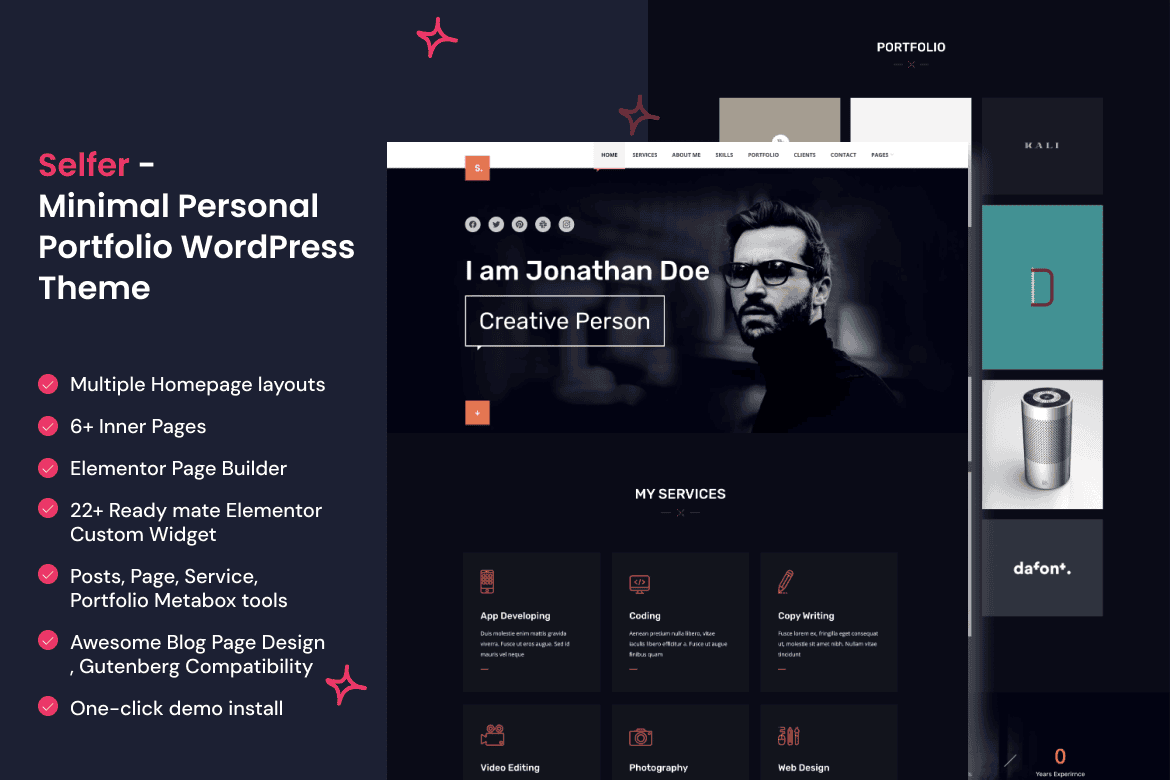
Selfer is a personal portfolio theme for designers, developers, freelancers, architects and other creative people who want a striking online showcase. Its dark background and smooth interaction animations set it apart from typical portfolio templates.
A portfolio site has one core job: make a strong first impression and let a visitor see the work quickly. Selfer is built for that. It is a responsive, mobile-first design that works well for a single creator presenting a body of work, and it also supports multi-page sites with separate areas for projects, services and writing. It suits anyone whose work is visual or technical and who wants a professional presence without building a site from scratch.
The dark background is the most distinctive part of the design. It gives the site a bold, gallery-like feel that suits visual work, and it leaves room for images and type to stand out. Smooth interaction animations respond to what the visitor does, so moving around the site feels natural rather than abrupt.
The layouts are fully responsive and designed mobile first, so a portfolio looks as considered on a phone as it does on a laptop. Several homepage layouts are included, and a page preloader can be enabled to give the site a polished entrance when it first loads.
Freelance designers and independent creatives can use Selfer as a personal homepage that presents their best work and invites clients to get in touch. The one-page layouts suit a creator who wants everything on a single scrolling page, while the multi-page option works for someone who needs room for case studies.
Developers and coders can show projects, write about their technical approach through the blog, and link to their work from the portfolio pages. Architects can present completed buildings and concepts in a dark, image-led layout that keeps the focus on the drawings and photographs rather than the frame around them.
Selfer is compatible with Elementor and Gutenberg, so you can build pages with a visual builder or the native WordPress block editor. Contact Form 7 is supported for contact forms, and the theme’s responsive design carries across devices without extra configuration.
Colors and skins can be changed to match a personal brand, and typography can be adjusted in detail. Layout changes are handled in Elementor, while site-wide styling runs through the WordPress Customizer. A child theme is included for anyone who wants to go further with custom code, so changes can be kept separate from the parent theme’s files.
Because the homepage layouts are different starting points, you can pick the one closest to how you want to present yourself and then reshape it. Sections can be added, removed or reordered, which keeps the site useful as your work and your career change.


