

Updates for lifetime, unlimited sites, unlimited downloads, and regular updates.
$3.99
 BookmarkBookmarked
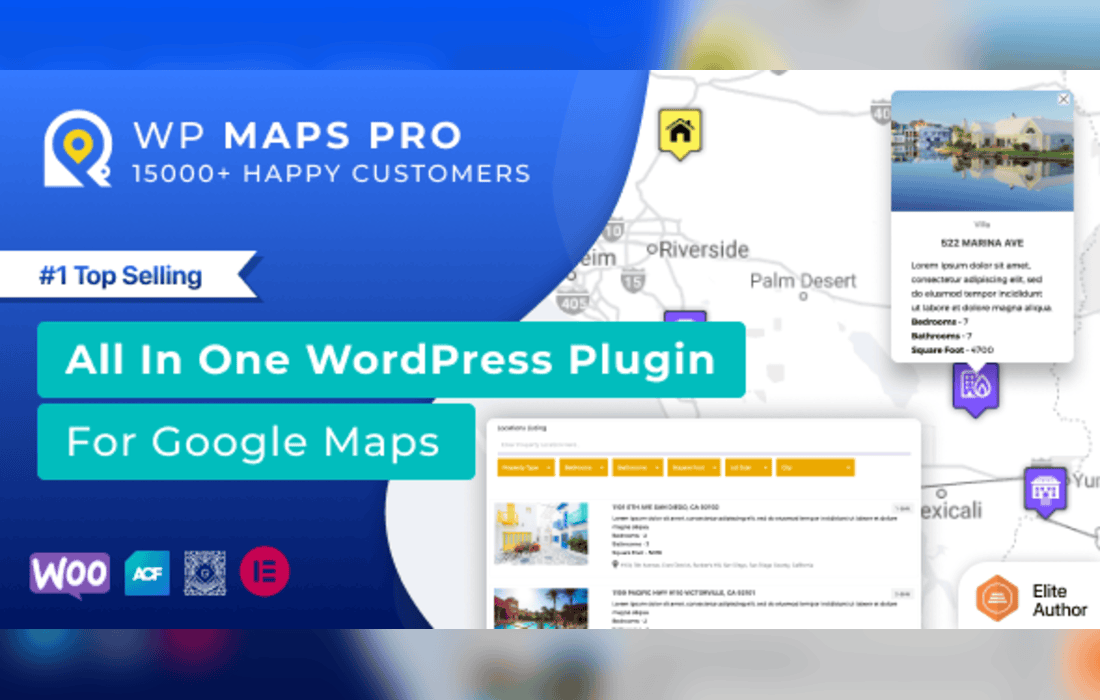
The Advanced Google Maps plugin for WordPress is a comprehensive and robust mapping solution designed to help website administrators seamlessly integrate interactive, highly customized Google Maps directly into their WordPress pages, posts, and custom post types. Whether you are running a real estate directory, a global enterprise website, a travel blog, or a local business storefront, displaying geographic data effectively is crucial for user engagement. This plugin bridges the gap between raw mapping APIs and user-friendly WordPress management, allowing site owners to bypass complex coding while unlocking the full potential of Google Maps. By leveraging advanced markers, filtering capabilities, custom styling, and responsive design, the plugin ensures that geographical information looks professional and functions flawlessly across all desktop and mobile devices.
To deliver a superior mapping experience, the plugin comes packed with a wide variety of tools and configuration options. Rather than settling for the default, plain maps provided out-of-the-box by standard implementations, this plugin empowers users to tailor every single aspect of their maps to match their unique brand identity and functional requirements.
Custom Markers and Information Windows
One of the standout capabilities of the Advanced Google Maps plugin is its extensive support for custom markers. Standard red pins can often blend into a busy map or fail to convey specific categories of information. With this plugin, administrators can upload custom icons or choose from a rich library of graphics to represent different types of locations. Clicking on a marker reveals an information window, often called a tooltip or infobox. These information windows can be fully customized using a WYSIWYG editor to display rich text, high-resolution images, video links, contact details, and custom action buttons, ensuring your visitors get all the context they need without leaving the map view.
Advanced Filtering and Search Functionality
When dealing with dozens, hundreds, or even thousands of map locations, user experience depends heavily on efficient navigation. The Advanced Google Maps plugin incorporates powerful search and filtering mechanisms. Users can search for locations by proximity, zip code, city, or specific keywords. Furthermore, category-based filters allow visitors to toggle specific types of locations on and off instantly, making it effortless to narrow down search results on large directories or multi-branch store finders.
Styling and Map Themes
Visual consistency is vital for modern web design. The plugin supports custom map styles, enabling users to transform the appearance of the standard Google Map to match their website color scheme. From sleek, dark-mode maps and minimalist grayscale designs to vibrant, colorful retro themes, administrators can easily paste custom JSON style arrays or use built-in style presets to create a visually striking map that complements the overall aesthetic of the WordPress theme.
Geocoding and Bulk Import Tools
Managing large datasets manually can be a tedious and time-consuming process. The plugin streamlines administrative workflows by including robust import and export functionalities. Site owners can upload CSV, XML, or spreadsheet files containing location data, addresses, latitudes, longitudes, and metadata. The built-in geocoding engine automatically processes physical addresses and plots them accurately onto the map, saving countless hours of manual coordinate searching.
Because of its flexible architecture and extensive feature set, the Advanced Google Maps plugin caters to a wide spectrum of industries and website types. Understanding how different sectors utilize this tool highlights its versatility.
Real estate agencies frequently use advanced mapping plugins to display property listings geographically. Prospective buyers can filter properties by price range, number of bedrooms, and property type directly on the map, viewing exact neighborhoods, nearby schools, and local amenities before scheduling a visit. Similarly, directory and listing websites-such as restaurant finders, tourist guides, and yellow-page portals-rely heavily on the plugin’s radius search and categorization tools to help users discover nearby points of interest based on their current GPS coordinates.
Multi-location businesses, including retail franchises, hotel chains, and service providers, utilize the store locator functionality. Customers can type in their current location to find the nearest physical branch, view operating hours, get step-by-step driving directions, and link directly to contact pages. Event organizers also find value in the plugin by mapping out various stages, parking lots, ticket booths, and hotels for conferences, music festivals, and sports tournaments.
A common concern with embedding complex maps on websites is the potential impact on page loading speeds and mobile usability. The Advanced Google Maps plugin is engineered with performance optimization in mind. It features intelligent marker clustering, which groups nearby markers together into a single cluster icon when zoomed out. This prevents the browser from lagging due to DOM overload when rendering hundreds of elements simultaneously, and markers dynamically expand as the user zooms in.
Furthermore, the plugin is fully responsive and touch-friendly. Maps automatically scale to fit the container width and height on smartphones, tablets, and desktop monitors. Touch gestures-such as pinch-to-zoom and two-finger dragging-work smoothly on mobile devices, ensuring that on-the-go users experience no friction when interacting with your site’s spatial data.


