

Updates for one year, unlimited sites, auto updates, and regular updates.
$3.99
 BookmarkBookmarked
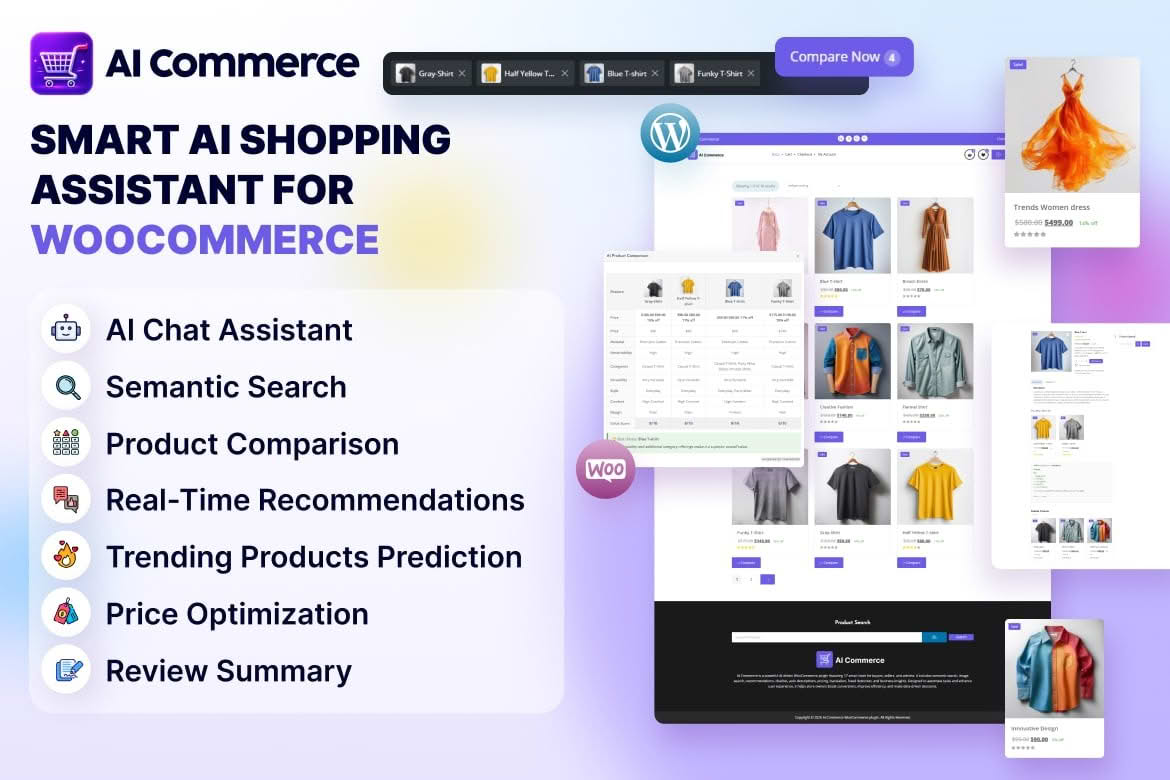
AI Commerce brings a set of artificial intelligence tools into one WooCommerce plugin. The tools are powered by OpenAI and cover five areas: smarter product discovery, personalised recommendations, fraud checks, seller helpers and business insights. This page explains what each area is meant to do, how the pieces might fit into a store’s routine, and what to confirm before you switch anything on for real customers.
Running an online shop involves several separate jobs at once. Shoppers need to find what they came for and see sensible suggestions along the way. Staff need help with the everyday work of managing products and orders. The owner needs a clear view of how the business is doing. AI Commerce gathers tools for these jobs into one plugin, so you can manage them together rather than assembling several unrelated services.
In practice, the first two areas face shoppers, while the remaining three face the people who run the store. That split is a useful way to decide what to test first and who needs to be involved in each decision.
Thinking about the five areas in terms of who uses them makes preparation simpler. Shoppers meet discovery and recommendations on the storefront, so page design and product information shape how well those tools land. The team handling orders is the group most affected by fraud checks, while the people who manage listings and day-to-day sales are the natural users of the seller helpers. Owners and managers are the audience for business insights, and they should agree in advance on which decisions the insights are expected to inform.
Product discovery is about helping a shopper move from a loose idea to a specific item. Catalogues with hundreds of products depend on search and browsing working well, and a shopper who struggles to find what they came for is less likely to buy. The discovery tools in AI Commerce are meant to make that journey shorter, so relevant products surface more readily. Because the tools are powered by OpenAI, their results tend to depend on the quality of your product information, so clear titles, complete descriptions and sensible categories are worth the effort before you start.
Recommendations suggest products a shopper might want next, instead of showing every visitor the same selection. The personalised recommendation tools are intended to make those suggestions fit each shopper more closely. Before you go live, check where recommendations appear on product and cart pages and how they look on a phone. Make sure suggested items are in stock and visible, so that shoppers are never sent to products they cannot buy. Review a sample of recommendations by hand before trusting them across the whole catalogue.
Fraud checks look for signs of risk in activity on the store, so that suspicious orders can be reviewed before they are processed. The aim is to protect your revenue and your customers’ trust at the same time. A check that flags an order can change what happens next, so confirm how the plugin responds to flagged orders before you turn the feature on. Decide in advance who reviews flags, how that person contacts the customer, and what evidence is needed before an order is cancelled.
Seller helpers are aimed at the people who run the shop day to day rather than at shoppers. Their purpose is to take some of the routine effort out of seller tasks, so that staff can spend more of their time on decisions that need judgement. Because these helpers serve sellers, the people who will use them every day are the best judges of whether they fit the way the store runs, so involve them early in testing.
Business insights give the store owner a view of how the shop is performing. They are intended to make trends easier to spot, so that decisions about stock and marketing rest on evidence rather than guesswork. Treat any insight as a prompt to investigate rather than a final answer, and compare it with your own sales records before acting on it. It helps to note which insight led to which decision, so you can judge later whether it was useful.
Features powered by an external model usually send the relevant data to that provider in order to produce a result. Before you enable AI Commerce, decide which data the features need, confirm how the connection to the provider is configured, and review how your privacy policy describes third-party processing. If you serve customers in regions with strict data rules, check how those rules apply to any information that leaves your site for AI processing.
A provider’s service can also change over time. Write a short fallback procedure for what you will do if a feature stops working, such as switching it off and returning to your normal store routine. Keep your own copy of essential product and order information, so the store keeps running without the AI features. That procedure takes little time to write and saves a great deal of trouble if it is ever needed.
Customers are more comfortable with automated tools when a store is open about them. Mention in your privacy policy that AI services may process certain store information, and describe the purpose in plain language. Limit what you share to what each feature actually needs, and keep a record of which areas are switched on. If a customer asks how a decision affecting their order was reached, you should be able to explain the general process, even if the underlying model is complex.
Test AI Commerce on a staging copy of the store before enabling it on the live site. Start with a single area, observe its effect on the pages it touches, and only then turn on the next one. Record a baseline of key figures, such as conversion rate and order volume, so that you can judge each change fairly. Keep manual review of fraud flags in place until you have enough experience to trust the results. A sensible sequence looks like this:
Decide what success looks like before you enable each area. For discovery, that might mean fewer searches that end without a click, or more visits that reach a product page. For recommendations, look at whether suggested products are added to carts, and for fraud checks, look at the share of flagged orders that actually need action. Review these measures on a regular schedule, and be prepared to switch an area off if its results do not justify the effort of reviewing it.
AI Commerce suits WooCommerce owners who want several AI capabilities in one place and who are willing to check results carefully. It is less suited to stores that want full manual control over every decision, or to owners who do not want order or customer information processed by an external AI provider. Smaller shops may find that the insights and seller helpers matter most, while larger catalogues may gain most from discovery and recommendations. Your own goals should decide which area comes first.
Ask which WooCommerce and PHP versions the plugin is designed for, and whether it works with your theme and checkout. Ask whether the five areas can be used separately, because that affects how you roll the plugin out. Confirm what happens to customer data sent for AI processing, and how long the provider keeps it. Also ask what happens to the plugin’s data when you deactivate it, and whether anything it stores remains in your database. Finally, check how fraud flags are shown to staff, and make sure someone is clearly responsible for reviewing them.


