

Updates for one year, unlimited sites, auto updates, and regular updates.
$3.99
 BookmarkBookmarked
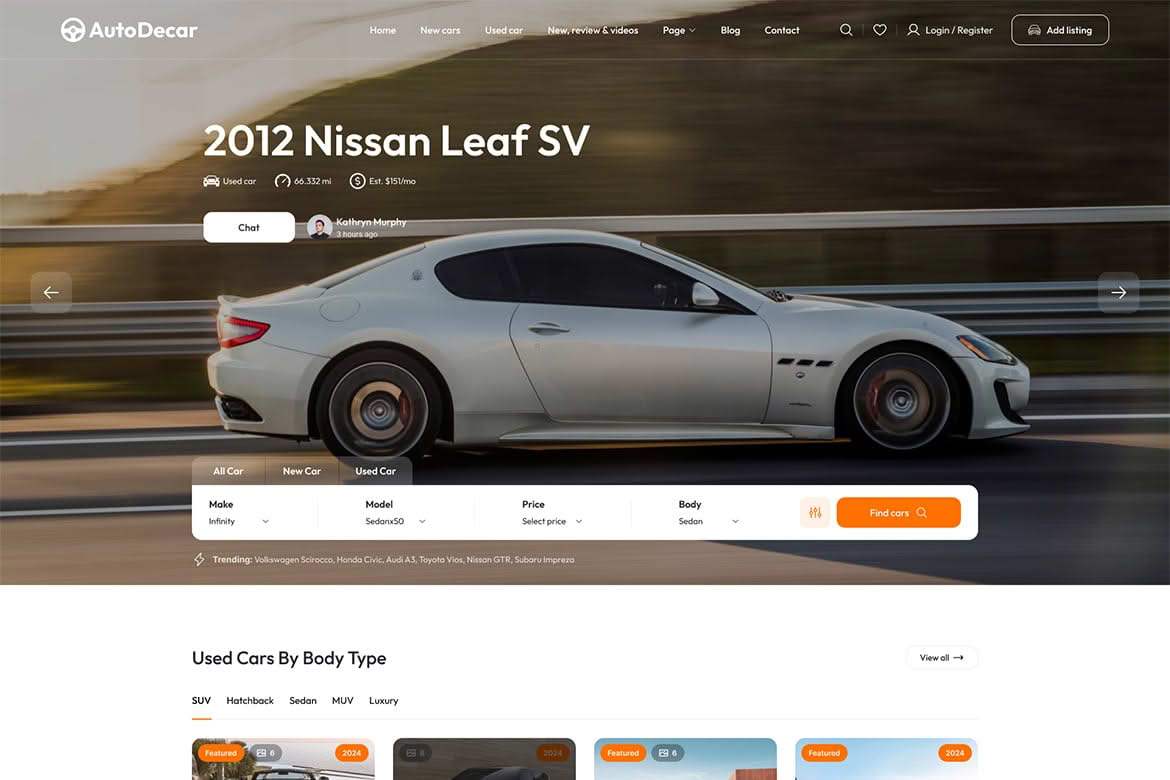
AutoDeal is a car dealer and vehicle listing WordPress theme for dealerships, agencies and trade sites that need a searchable, map-aware inventory with a smooth experience for buyers.
AutoDeal is built for businesses that present cars and other vehicles to buyers online. It suits dealerships, agencies that handle sales on behalf of clients, and trade sites where many sellers post their stock. The theme focuses on the path from search to enquiry: buyers can narrow results quickly, compare vehicles side by side and find dealers on a map. Site owners can manage vehicles from the WordPress backend, or allow sellers to submit their own from the front end.
AutoDeal provides ten homepage layouts and more than 30 inner pages, so a site can be arranged for a single showroom or a larger marketplace with many dealers. Results can be displayed as a grid, a list, a sidebar layout, or with a map placed above or beside the results, and each vehicle has one of four detail layouts. The design is fully responsive, adapting to phones, tablets and desktops. Sticky header support keeps the navigation in view when a visitor works through a long set of results, and retina-ready graphics keep vehicle photography sharp on high-resolution screens.
Filters update in real time as criteria are chosen, without reloading the page. The advanced search utility can be arranged by the site owner, who decides which fields appear, whether they show as dropdowns or sliders, and what order they follow. The map view runs alongside results, with nearby vehicles grouped into clusters so that dense areas remain readable.
A single dealership can use AutoDeal to show its stock with a half-map layout that lets buyers see where each car is located, while the comparison and favorites features help them narrow choices. A group of dealers or a regional trade site can use the dealer directory and frontend submissions so that each business manages its own vehicles without access to the admin area. A vehicle marketplace that connects buyers with private sellers can use the review step before publication to keep submissions consistent. Agencies building sites for automotive clients will also appreciate the one-click demo installation, which speeds up the start of a project.
AutoDeal works with Elementor, its drag-and-drop page builder, and is compatible with Bootstrap, the Gutenberg block editor, WPBakery Page Builder and WPML. Contact Form 7 provides forms and popups, MailChimp integration connects newsletter sign-ups, and Google login support lets visitors sign in with their Google account. The theme is child-theme ready, so custom code can sit apart from the theme’s own files.
The advanced search panel is the most visible customization tool, but the theme also offers page options, custom CSS support and unlimited color schemes. Site owners can replace demo content through Elementor, choose from the Google fonts library for typography, and decide which search fields appear. Child-theme readiness gives developers a safe way to extend the theme, so later theme updates do not overwrite their changes.


