

Updates for one year, unlimited sites, auto updates, and regular updates.
$3.99
 BookmarkBookmarked
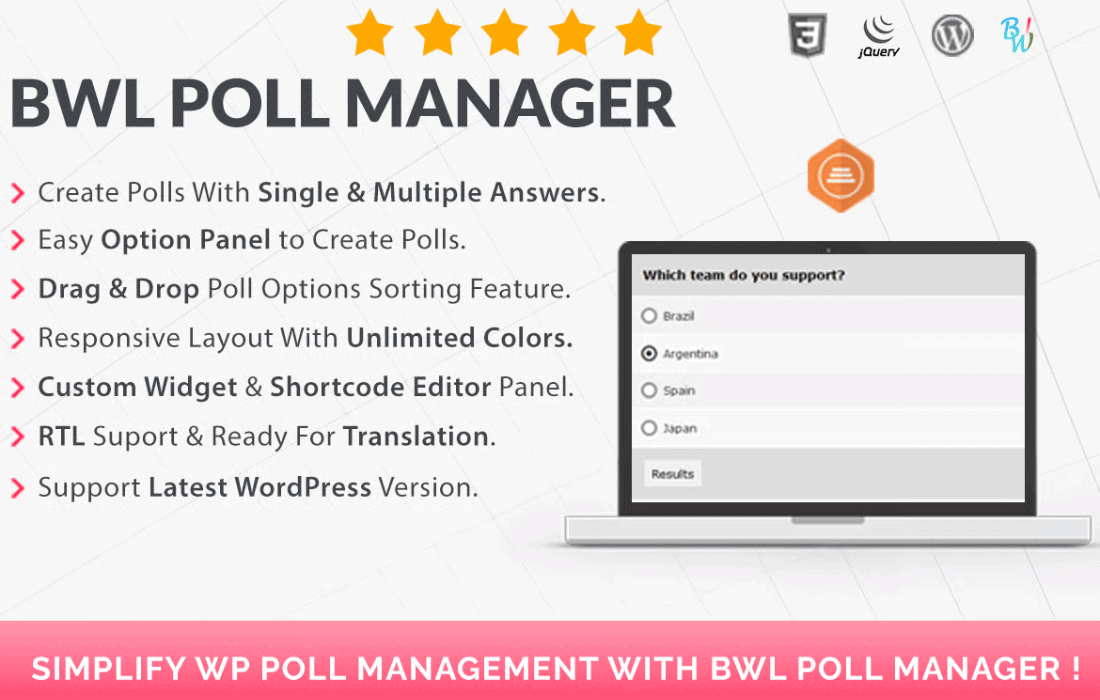
 BWL Poll Manager is a comprehensive and feature-rich WordPress plugin designed to provide website owners with a robust system for creating, managing, and displaying interactive polls. In the modern digital landscape, user engagement is a critical metric for success, and polling serves as one of the most effective ways to capture visitor opinions, conduct market research, and increase time-on-site. This plugin simplifies the technical complexities of implementing a voting system, offering a user-friendly interface that caters to both novice WordPress users and experienced developers. By integrating seamlessly into the WordPress dashboard, it allows for the rapid deployment of polls across various sections of a website, including posts, pages, and sidebar widget areas.
The core strength of the BWL Poll Manager lies in its intuitive poll creation engine. Users are not limited to simple binary choices; the plugin supports a wide array of question types and answer formats. Administrators can create unlimited polls, each with its own unique set of configurations. The backend interface is designed to mirror the native WordPress environment, ensuring a minimal learning curve. When building a poll, you can easily add, remove, or reorder questions and answers. This flexibility is essential for businesses that need to pivot their data collection strategies quickly.
Beyond basic creation, the management aspect of the plugin provides a centralized hub where all active and archived polls are stored. From this dashboard, administrators can monitor the status of each poll, view real-time vote counts, and perform bulk actions. The ability to categorize polls also helps in organizing content for websites that run multiple campaigns simultaneously, such as news outlets or large-scale community forums.
To ensure the integrity of the data collected, BWL Poll Manager incorporates several layers of security and voting restrictions. One of the primary challenges with online polling is the risk of duplicate voting or “ballot stuffing.” This plugin addresses this by offering multiple verification methods.
These security measures are customizable on a per-poll basis. For instance, a casual “Question of the Day” might only require cookie tracking, while a high-stakes community vote might necessitate user registration and IP logging.
Aesthetics play a vital role in user participation. BWL Poll Manager provides an extensive suite of customization options that allow the polls to blend perfectly with any WordPress theme. Users can choose from various pre-defined skins or use the built-in color picker to match the poll’s buttons, bars, and text to their brand’s color palette.
The plugin is built with a mobile-first approach, ensuring that polls are fully responsive. Whether a visitor is accessing the site via a desktop, tablet, or smartphone, the poll interface adjusts its layout to provide an optimal touch-friendly experience. This responsiveness is crucial, as a significant portion of web traffic now originates from mobile devices, and a poorly formatted poll can lead to high bounce rates.
Collecting votes is only half the process; presenting that data in an understandable format is equally important. BWL Poll Manager excels in data visualization, offering several ways to display results to both administrators and the public.
Administrators have access to detailed reports in the backend, often featuring graphical representations such as bar charts or pie charts. These visuals make it easy to identify trends at a glance. On the frontend, you can choose when and how to show results to the voters. Options include showing results immediately after a vote is cast, showing them only after the poll has expired, or keeping them hidden entirely for internal research purposes. The transition animations for the result bars add a layer of professional polish to the user experience.
Integration is made simple through the use of a powerful shortcode generator. Instead of manually writing code, users can use a point-and-click interface to generate shortcodes with specific parameters, such as poll ID, display style, and result visibility. These shortcodes can be pasted into any post or page editor.
For those who prefer a more automated approach, the plugin includes a dedicated WordPress widget. This allows administrators to drag and drop a poll into sidebars, footers, or any other widget-ready area defined by their theme. The widget settings allow for the display of a specific poll or a random poll from a selected category, keeping the content fresh for returning visitors.
Efficiency is key for busy site managers. BWL Poll Manager includes scheduling features that allow users to set “Start” and “End” dates for their polls. This is particularly useful for time-sensitive contests or seasonal feedback. Once a poll reaches its expiration date, the plugin can automatically close the voting and display a custom message or the final results. This “set it and forget it” functionality ensures that the website remains up-to-date without constant manual intervention.
The plugin goes beyond simple voting by facilitating a two-way communication channel. Some configurations allow users to leave comments or feedback alongside their votes, providing qualitative data to supplement the quantitative results. This can be invaluable for product development or editorial planning. Additionally, the social sharing features encourage users to share the poll on platforms like Facebook or Twitter, potentially driving viral traffic back to the website.
BWL Poll Manager is developed following WordPress coding standards, which ensures compatibility with the latest versions of WordPress and other popular plugins. It is designed to be lightweight, minimizing the impact on page load speeds. The plugin is also translation-ready, supporting localization for global websites. For sites that operate in languages written from right to left, the plugin includes full RTL (Right-to-Left) support, ensuring that the layout and text alignment remain correct.
The versatility of this plugin makes it suitable for a wide range of industries and website types.
Setting up the BWL Poll Manager is straightforward. After uploading the plugin files through the WordPress admin dashboard, users can activate the license and immediately begin creating their first poll. The plugin includes a comprehensive documentation file that guides users through every setting, from basic installation to advanced CSS customizations. For developers, the plugin offers hooks and filters that allow for deeper integration and custom functionality, making it a flexible tool for bespoke web projects.
By choosing BWL Poll Manager, WordPress administrators gain a tool that balances power with simplicity. It eliminates the need for third-party subscription-based polling services, keeping all data hosted locally on the website’s server. This not only improves data privacy but also gives the site owner full control over the branding and user experience. With its robust security, beautiful visualizations, and ease of deployment, it stands as a premier choice for anyone looking to add professional-grade polling to their WordPress site.
If you are exploring options for polling and survey tools within the WordPress ecosystem, there are several other reputable plugins available that offer varying degrees of functionality.


