

Updates for one year, unlimited sites, auto updates, and regular updates.
$3.99
 BookmarkBookmarked
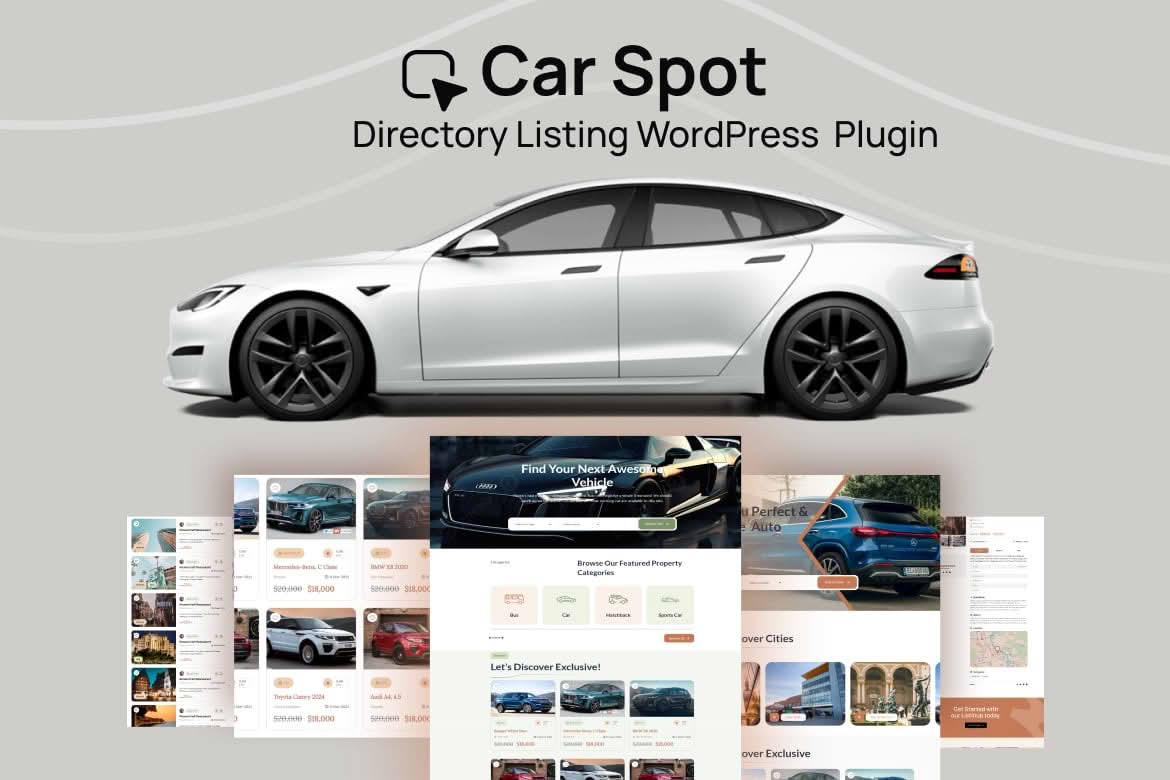
Car buyers and sellers both look for trustworthy places to browse vehicles, and a well-organised directory can become the place people return to. CarSpot is a car directory and listing plugin for WordPress. It turns your site into a space where users submit vehicle listings, browse what others have posted, and manage their own accounts. You can build the whole thing without writing code, using the tools that come with the plugin.
At its core, CarSpot gives a WordPress site the structure of a vehicle marketplace. Visitors arrive, search or filter the inventory, open a listing, and contact the seller through the messaging tools. Sellers register, add their vehicles, and keep those listings current from a dashboard. Administrators decide how the directory is organised, which information each listing carries, and which listing packages members can purchase.
Submitting a vehicle should feel straightforward, and the plugin includes a drag-and-drop, sortable form builder for listings. You decide which fields appear, arrange them in the order that suits your audience, and adjust the layout as your directory grows. Because the builder works visually, you can reshape a submission form without digging into code.
Listings are not limited to a single location or category. The plugin supports multiple locations, categories, and tags, so one vehicle can be described in several useful ways. A used hatchback might sit under a make, a body style, and a city at the same time, which helps buyers narrow their search without wading through unrelated stock.
If you already keep vehicle data in a spreadsheet, the CSV import feature can save considerable time. Rather than entering listings one at a time, you can bring a batch into the directory in a single operation. Check that your spreadsheet columns line up with the fields you have configured before importing, so the information lands in the right places and you avoid repairs afterwards.
Every directory has its own vocabulary. A dealership might care most about mileage and transmission, while a classic car club may focus on engine size, restoration history, and provenance. The custom fields builder lets you group the details you need by category, and you can drag fields into the order that makes sense to visitors. Grouping fields this way can make a longer form easier for sellers to work through.
Buyers rarely browse a directory from start to finish. They search for a particular make or model, then narrow the results using filters that match their priorities. CarSpot includes search and filters so visitors can move through the inventory in a way that suits them.
A directory is only as good as its search experience, so think carefully about which fields you want buyers to use. Details that describe a vehicle clearly, such as make, model, year, mileage, and location, usually serve visitors better than loose descriptions. Encourage sellers to complete those fields accurately, because accurate data is what makes filters worth using.
Location matters when buyers are weighing a long drive, so the directory supports maps from two providers, OpenStreetMap and Google Maps. The right choice depends on your audience and the look you want. Whichever option you pick, make sure listings display their location clearly, so visitors can judge the distance before they make contact.
Sellers and buyers manage their accounts from a front-end dashboard labelled My account. From there, members can update account settings, change passwords, upload profile and banner images, manage their own listings, and save listings and authors for later. Notifications about listings and messages keep people informed without requiring them to check the site constantly.
Registration runs through user sign-up, and the plugin can create user roles for each package. That arrangement lets you separate what different members can do, so the experience matches the option they have chosen. Keep the sign-up path short so interested people do not abandon it halfway through.
Listing packages are central to how a directory can generate income from submissions, and CarSpot is designed around them. Each package can carry its own user role, so the permissions a member receives follow the option they select. Payments can be taken through PayPal Express Checkout, Stripe, or WooCommerce payment gateways, which gives you room to choose the methods that suit your audience.
When you prepare your packages, focus on the benefits each one offers members and describe those benefits in plain language. Clear wording helps people understand what they are choosing, and it makes the directory easier to explain to new sellers who may not have used a vehicle listing service before.
CarSpot includes a set of email templates covering the messages a directory tends to send. These include welcome messages, password recovery emails, order notices, listing notifications, replies to contact forms, and alerts for administrators. Having them ready means members hear from you at the right moments, and you are not writing each message from scratch.
Read each template before launch and adjust the wording to match your brand. Check that every link points to the correct page, and send yourself test messages so you can see how they look in a few common email clients.
Colour and page settings let you shape the look of the directory without rebuilding it from the ground up. Set a palette that suits your brand, decide how key pages are presented, and arrange the homepage so that your strongest content gets attention. The front page can also include a slider, which gives you another way to showcase featured material.
Many WordPress sites are built with a page builder, and CarSpot accommodates that approach. It includes an Elementor widget, and it also provides a Gutenberg block for sites that rely on the native block editor. Choose the option that matches your existing workflow, so editing habits stay consistent across the site.
If your directory must serve visitors in more than one language, the plugin works with several translation tools, including WPML, Polylang, GTranslate, and Loco. Settle your language structure before you enter a large number of listings, because translating an established directory is far easier when the fields and categories are already stable.
The plugin is also compatible with Bootstrap 5.x, a front-end framework that many developers use for responsive layouts. If your theme already depends on Bootstrap, check how the directory styling interacts with it before going live.
The plugin lists the WordPress and WooCommerce versions it supports, along with the browsers it covers. Because those version ranges can change, review them before installation and test the directory on a staging copy that uses the same theme and plugins as your live site.
A live demo is available, which is useful for getting a sense of the layout before you start your own build. Treat the demo as a reference point, then adapt the design to your own market and the vehicle categories you intend to focus on.
A car directory succeeds when it gives buyers confidence and gives sellers a reason to stay active. Start with a clear scope. Decide whether you will focus on new vehicles, used cars, classic models, commercial fleets, or a mix, because each segment asks for different fields and filters. A narrow focus often produces a more useful directory than a catch-all site.
Next, set expectations for listing quality. Strong listings include clear photographs, accurate details, and honest notes about condition. Consider publishing a short guide for sellers that explains what a good listing looks like. The guide does not need to be long, but it should give new members a practical starting point.


