

Updates for one year, unlimited sites, auto updates, and regular updates.
$3.99
 BookmarkBookmarked
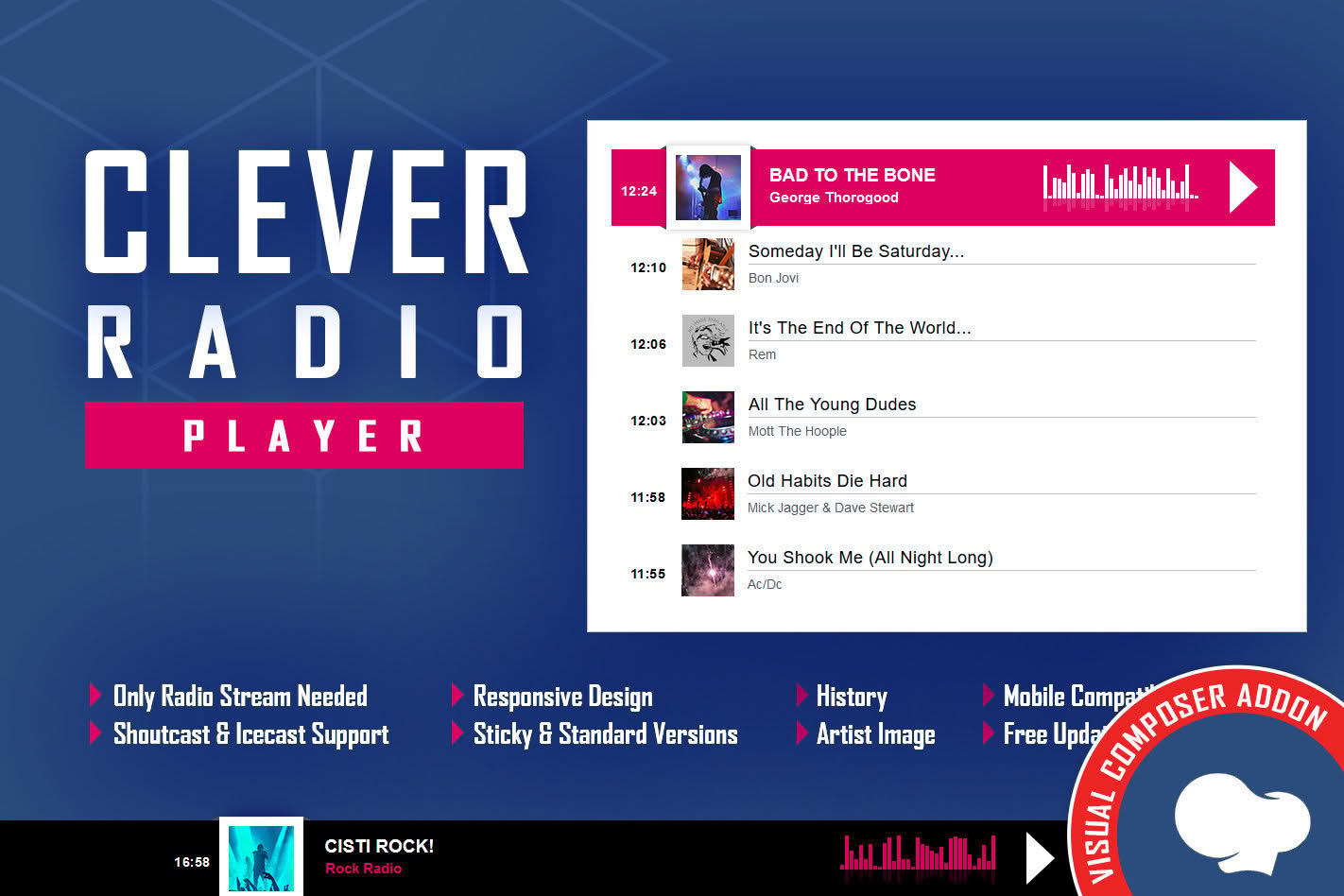
 The CLEVER – HTML5 Radio Player With History is a specialized WordPress plugin designed to integrate a fully functional, responsive radio streaming interface directly into your website. Built specifically as an add-on for the Visual Composer (now WPBakery Page Builder) environment, this tool allows site administrators to broadcast live audio streams with a professional aesthetic while providing listeners with a seamless playback experience. By leveraging HTML5 technology, the player ensures compatibility across modern browsers and mobile devices, making it an essential utility for radio stations, podcasters, and music-focused websites looking to enhance their multimedia presence.
At its heart, the CLEVER plugin is engineered to bridge the gap between complex streaming server configurations and user-friendly website design. Because it functions as an add-on for Visual Composer, users do not need to possess advanced coding knowledge to deploy a high-quality audio player. The integration process involves dragging and dropping the player element into any page or post layout, where it can then be customized via the builder’s interface.
The plugin supports standard streaming formats, allowing it to connect to various radio server architectures. By utilizing HTML5, the player avoids the pitfalls of older, deprecated technologies like Flash, ensuring that the audio stream remains accessible to users on iPhones, Android devices, and desktop computers alike. This responsiveness is critical for radio stations that rely on mobile traffic, as it guarantees that the “Play” button remains functional regardless of the user’s hardware.
One of the standout components of the CLEVER plugin is its integrated history functionality. For many radio listeners, identifying a song that was played ten or twenty minutes ago is a common pain point. The history feature automatically logs the tracks broadcast through the stream, providing a chronological list that users can reference directly within the player interface. This adds significant value to the listener experience, as it transforms a passive listening session into an interactive one where users can keep track of their favorite discoveries.
The visual presentation of the CLEVER player is designed to be sleek and unobtrusive, fitting into a wide variety of website themes. Because it is built for Visual Composer, the plugin inherits the flexibility of the builder‚Äôs settings. Users can typically adjust the player’s dimensions, colors, and layout configurations to ensure that the radio component matches the branding of the host website. This level of customization is vital for maintaining a cohesive user interface, ensuring that the player looks like a native part of the site rather than a third-party injection.
The versatility of the CLEVER plugin makes it suitable for several distinct types of website owners:
When implementing the CLEVER – HTML5 Radio Player, it is important to ensure that your streaming server is configured correctly. The plugin acts as a client-side interface, meaning it requires a stable source URL (such as an Icecast or Shoutcast stream) to function. Users should verify that their stream is accessible via HTTPS if their website is secured with an SSL certificate, as modern browsers often block “mixed content” (HTTP streams on an HTTPS site). The plugin‚Äôs reliance on HTML5 standards means that as long as the stream is compatible with the browser’s native audio engine, the player will handle the playback seamlessly.
Because the plugin is optimized for the Visual Composer ecosystem, it is designed to be lightweight. It does not typically require heavy database queries, which helps in maintaining fast page load times‚Äîa crucial factor for SEO and user retention. By offloading the audio decoding to the browser’s native HTML5 capabilities, the plugin minimizes the CPU impact on the user’s device, which is particularly beneficial for mobile listeners who are conscious of battery life.
If you are looking for alternatives that offer similar functionality for WordPress radio streaming, the following plugins are well-regarded in the ecosystem:
In summary, the CLEVER – HTML5 Radio Player With History is a highly targeted solution for WordPress users who prioritize ease of use and visual integration. By combining the power of Visual Composer with a reliable HTML5 streaming engine and a user-friendly history tracker, it provides a comprehensive package for anyone looking to bring live audio to their digital audience. Whether you are running a professional broadcast or a personal hobbyist stream, the plugin offers the necessary features to keep your listeners engaged and informed.


