

Updates for one year, unlimited sites, auto updates, and regular updates.
$3.99
 BookmarkBookmarked
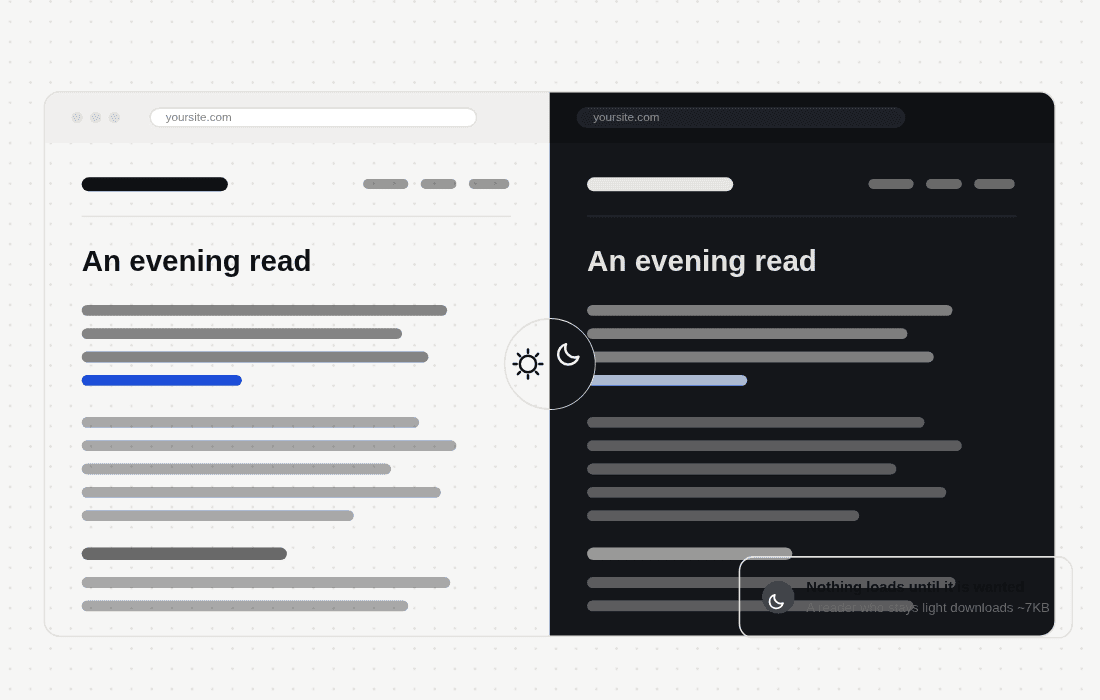
 Dark Mode by Traslatability is a specialized WordPress plugin designed to provide website visitors with a seamless, toggleable dark mode experience. By integrating a sophisticated color-shifting interface, the plugin enhances user accessibility and visual comfort, allowing readers to switch between light and dark themes with a single click. This functionality is increasingly essential for modern web design, as it reduces eye strain and caters to user preferences for interface aesthetics across various devices and lighting conditions.
In the contemporary digital landscape, user experience is defined by flexibility and personalization. Dark mode has transitioned from a niche feature to a standard expectation for many internet users. By implementing Dark Mode by Traslatability, site owners can ensure their content remains readable and visually appealing regardless of the ambient light in the user’s environment. This is particularly beneficial for long-form content, such as blogs, news sites, and documentation portals, where extended reading sessions can lead to digital eye fatigue.
The plugin is engineered to be lightweight and efficient, ensuring that the addition of dark mode does not negatively impact the loading speed or performance of the WordPress site. It provides a user-friendly interface that allows site administrators to deploy a dark mode toggle without requiring extensive coding knowledge or complex configuration.
The versatility of this plugin makes it suitable for a wide range of website types. Below are several scenarios where implementing this functionality provides significant value to both the site owner and the end user.
Educational and Documentation Sites
For websites that host extensive tutorials, technical documentation, or educational materials, dark mode is a critical feature. Students and professionals often spend hours reading through complex information. Providing a dark mode option allows these users to customize their environment, potentially increasing the time they spend on the site and improving their overall engagement with the content.
Personal Blogs and Portfolio Sites
Bloggers and creatives often prioritize aesthetics. Dark mode can provide a more sophisticated, “premium” feel to a website. By allowing visitors to toggle between themes, creators can showcase their content in a way that aligns with the user’s personal aesthetic preferences, which can help in building a stronger connection with the audience.
News and Media Outlets
High-traffic media sites often see visitors accessing content at all hours of the day and night. Providing a dark mode option is a courtesy to users who may be browsing in low-light environments, such as late at night or in dimly lit rooms. This simple addition can significantly improve the user experience and reduce bounce rates associated with visual discomfort.
Getting started with Dark Mode by Traslatability is a straightforward process. Once the plugin is installed and activated via the WordPress dashboard, administrators are typically presented with a settings panel. This panel allows for the configuration of the toggle button, including its position on the screen and its visual style. Because the plugin is designed for ease of use, most users will find that the default settings work perfectly for their site immediately upon activation.
For those who wish to fine-tune the experience, the settings allow for adjustments that ensure the dark mode colors align with the site’s brand identity. This ensures that the dark mode is not just a generic inversion of colors, but a curated visual experience that maintains the integrity of the site’s design language.
When implementing any plugin that modifies the visual output of a site, it is important to consider compatibility. Dark Mode by Traslatability is built to be compatible with a broad spectrum of WordPress themes. However, in cases where a theme uses highly custom CSS or non-standard color definitions, the plugin provides a robust framework for handling these elements. The plugin’s architecture prioritizes stability, ensuring that the transition between light and dark modes is smooth and free of visual glitches or layout shifts.
Furthermore, the plugin is regularly updated to maintain compatibility with the latest versions of WordPress. This commitment to maintenance ensures that site owners can rely on the plugin for long-term use without worrying about security vulnerabilities or conflicts with core updates.
User retention is a primary goal for any website owner. By offering features that cater to user comfort, such as dark mode, site owners demonstrate a commitment to the user experience. This can lead to increased loyalty, as visitors are more likely to return to a site that respects their preferences and provides a comfortable reading environment. Dark Mode by Traslatability serves as a simple yet effective tool in the broader strategy of optimizing a website for user satisfaction.
If you are exploring options for dark mode functionality on your WordPress site, there are several other well-regarded plugins available in the WordPress ecosystem. These alternatives offer varying levels of complexity and customization:
Each of these plugins, including Dark Mode by Traslatability, provides a unique approach to solving the challenge of interface color management. When choosing the right tool for your site, consider the specific needs of your audience, the complexity of your current theme, and the level of customization you require to achieve your desired visual outcome.
Dark Mode by Traslatability stands out as a reliable and efficient solution for WordPress users looking to implement a dark mode feature. By focusing on performance, ease of use, and visual accessibility, it addresses the core needs of modern web users. Whether you are running a personal blog, a technical documentation site, or a high-traffic media portal, the addition of a dark mode toggle can significantly enhance the user experience, making your content more accessible and enjoyable to consume in any lighting condition. Its straightforward installation and minimal impact on site performance make it an excellent choice for both beginners and experienced web administrators alike.

Traslatability