

Updates for lifetime, unlimited sites, unlimited downloads, and regular updates.
$3.99
 BookmarkBookmarked
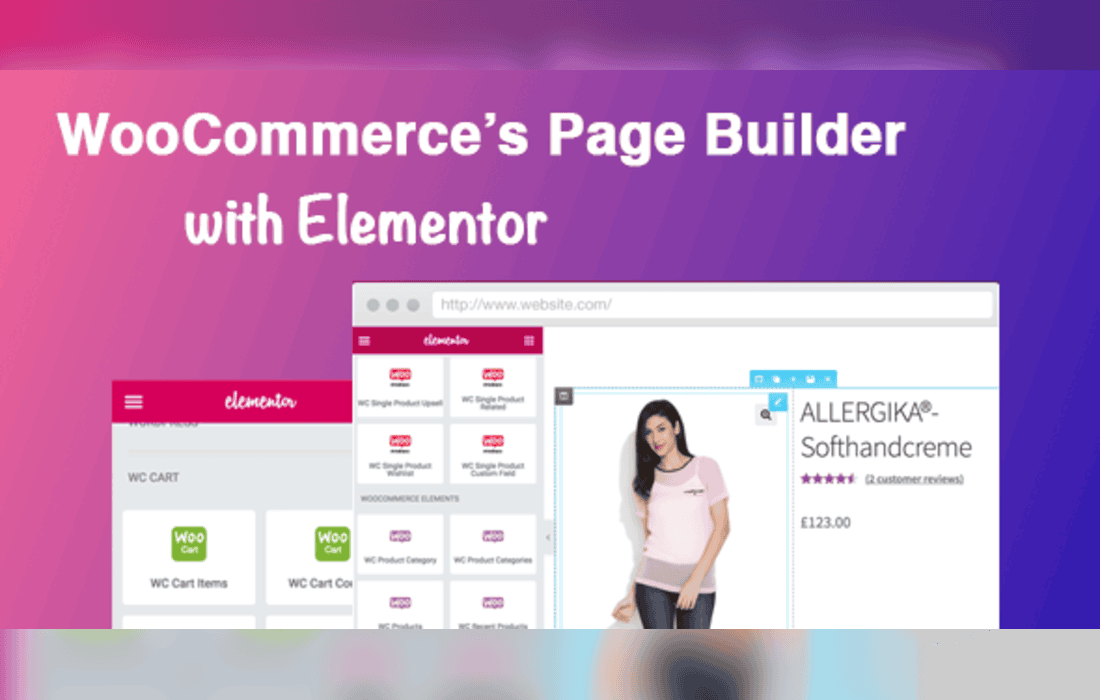
DHWC Elementor – WooCommerce Page Builder with Elementor is a specialized WordPress plugin designed to bridge the gap between the popular Elementor page builder and the WooCommerce e-commerce ecosystem. By providing a suite of dedicated widgets and design controls, it empowers store owners and developers to create custom, high-converting shopping experiences without requiring deep knowledge of PHP or complex theme template files. This plugin serves as a comprehensive toolkit for those looking to move beyond the default WooCommerce layouts and establish a unique brand identity through visual design.
At its heart, DHWC Elementor acts as an extension library for the Elementor interface. Once installed, it populates the Elementor sidebar with a variety of WooCommerce-specific widgets. These widgets are engineered to pull dynamic data from your shop-such as product titles, prices, ratings, and “Add to Cart” buttons-and allow you to style them using Elementor‚Äôs native design controls. This means you can adjust typography, spacing, borders, and hover effects on a per-element basis, ensuring that every aspect of your product page aligns with your overall site aesthetic.
The plugin is particularly useful for users who find the standard WooCommerce template structure too rigid. By utilizing the drag-and-drop interface, you can rearrange the hierarchy of your product pages. For example, you might choose to place the product short description above the price, or move the product gallery to the right side of the screen. Because these changes are handled through the Elementor editor, you can see your modifications in real-time, significantly reducing the time spent on design iterations.
The plugin focuses on providing granular control over the most critical areas of a WooCommerce store. Below are the primary areas where DHWC Elementor provides enhanced functionality:
This plugin is an ideal solution for a variety of users, ranging from small business owners to professional web agencies. For a small business owner, it provides a cost-effective way to build a professional-looking store without hiring a developer. The intuitive nature of the Elementor interface means that once the initial design is set, updating product layouts or promotional banners becomes a simple task that can be handled in-house.
For web agencies and freelancers, DHWC Elementor acts as a productivity booster. Instead of writing custom CSS or creating child theme templates to override WooCommerce defaults, developers can use the plugin to build custom templates for clients. This modular approach allows for faster project turnaround times and makes it easier to maintain the site in the long run, as the design remains tied to the Elementor interface rather than scattered across various template files.
Beyond just aesthetics, the plugin helps in optimizing the user journey. By creating custom layouts, you can ensure that the most important information-such as the price, availability, and the purchase button-is always front and center. You can also use the plugin to create landing pages for specific products, where you can strip away unnecessary elements like sidebars or headers to focus the customer’s attention entirely on the product and the conversion path.
The integration with Elementor also means that you can take advantage of Elementor’s responsive design settings. You can define different layouts for mobile, tablet, and desktop devices, ensuring that your store provides a seamless shopping experience regardless of the device the customer is using. This is crucial in the modern e-commerce landscape, where a significant portion of traffic originates from mobile devices.
DHWC Elementor is built to respect the standard WooCommerce hooks and filters, which ensures that it remains compatible with most well-coded WooCommerce themes. Because it functions as an add-on to Elementor, it inherits the stability and performance standards of the parent plugin. Users should ensure that they are running the latest versions of both WordPress, WooCommerce, and Elementor to maintain optimal compatibility and security.
The plugin is designed to be lightweight, focusing on adding functionality rather than bloating the site with unnecessary scripts. By keeping the code clean, it helps maintain faster page load times, which is a critical factor for both user experience and search engine optimization. When configuring the plugin, users are encouraged to utilize the built-in settings to enable only the widgets they need, further optimizing the performance of the Elementor editor.
To get the most out of DHWC Elementor, it is recommended to start by defining your design system. Before diving into the page builder, decide on your color palette, typography, and button styles. Once these are established, you can apply them consistently across all your custom WooCommerce templates. This consistency helps build trust with your customers and creates a more cohesive brand image.
Additionally, always test your custom layouts on various screen sizes. While the plugin provides responsive controls, it is easy to overlook how elements might stack on smaller screens. Regularly checking the “Responsive Mode” in Elementor will help you catch potential layout issues before they affect your customers. Finally, consider using the plugin in conjunction with a performance-optimized theme to ensure that your store remains fast and responsive even with complex, custom-built pages.
If you are exploring other options for WooCommerce page building within the Elementor ecosystem, the following plugins are well-regarded in the WordPress community:


