

Updates for one year, unlimited sites, auto updates, and regular updates.
$3.99
 BookmarkBookmarked
 Note: The Product is Activated.
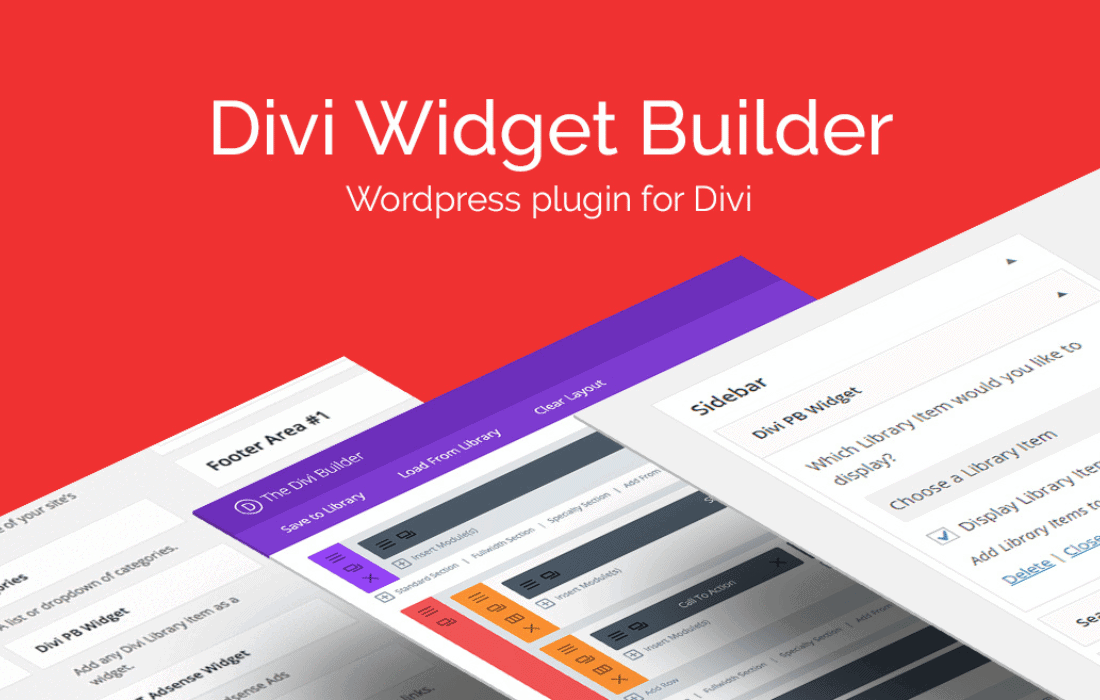
The Divi Widget Builder is a powerful utility designed specifically for the WordPress ecosystem, aimed at users who utilize the Divi Theme or the Divi Builder plugin. This tool serves as a bridge between the robust, visual design capabilities of the Divi Builder and the traditional, often restrictive widget areas of a WordPress website. By allowing users to treat any Divi Library layout as a functional widget, it effectively removes the design limitations typically associated with sidebars, footers, and other widget-ready zones. This integration ensures that the design language used across the main content of a site can be seamlessly extended to the peripheral areas, providing a cohesive user experience and professional aesthetic.
Traditionally, WordPress widgets have been limited to basic blocks of content, such as recent posts, search bars, or simple text areas. While the introduction of the Block Editor (Gutenberg) improved this to some extent, many users found that the styling options remained disconnected from their primary page builder. For Divi users, this meant a jarring transition between the highly customized layouts of their pages and the standard, often plain appearance of their sidebars. The Divi Widget Builder addresses this discrepancy by enabling the full suite of Divi modules—ranging from sliders and galleries to contact forms and countdown timers—to be placed within any area registered as a widget zone in the WordPress theme.
This evolution is significant because it shifts the role of the sidebar from a secondary information container to a primary design element. Instead of settling for a simple list of links, a web designer can now create a visually striking author bio with social media icons, a stylized newsletter signup form that matches the site’s branding perfectly, or a dynamic call-to-action that uses Divi’s advanced hover effects and animations. The ability to design these elements within the familiar Divi interface, rather than through custom CSS or limited widget settings, saves time and increases the creative potential for developers and site owners alike.
The primary function of the Divi Widget Builder is its seamless integration with the Divi Library. The Divi Library acts as a central repository for saved layouts, sections, rows, and modules. The plugin works by adding a new widget type to the WordPress “Widgets” menu. Once this widget is placed into a sidebar or footer area, the user can select any item from their Divi Library to be displayed in that location. This simple workflow unlocks a massive range of possibilities.
One of the most effective use cases for the Divi Widget Builder is in the realm of digital marketing. Sidebars are prime real estate for lead generation, but they are often ignored by visitors because they look like “ads.” By using the Divi Builder to design these areas, you can create “native” looking content that blends perfectly with your site‚Äôs aesthetic, thereby increasing engagement. For example, instead of a standard email signup box, you can design a multi-column layout within the sidebar that includes a testimonial, a high-quality image of a lead magnet, and a stylized button.
Furthermore, the ability to use Divi‚Äôs “Condition” settings (if supported by the version of Divi being used) or simply creating different sidebars for different categories allows for highly targeted marketing. You can create a specific Divi Library layout for your “Recipes” category and another for your “Travel” category, ensuring that the widgets the user sees are always relevant to the content they are currently consuming. This level of personalization is difficult to achieve with standard WordPress widgets but becomes straightforward when leveraging the Divi ecosystem.
The workflow for using the Divi Widget Builder is designed to be intuitive for anyone already familiar with the Divi environment. The process generally follows a three-step approach: creation, assignment, and management.
Step 1: Creation in the Divi Library. The user navigates to the Divi Library in the WordPress dashboard and creates a new layout. Here, they can choose to build a full layout, a single section, or a specific row. It is often recommended to use a single “Section” with a “Row” set to 100% width to ensure the content fits properly within the narrow constraints of a sidebar. Inside this row, the user adds the desired modules and styles them using the standard Divi design tabs (Content, Design, and Advanced).
Step 2: Assignment in the Widget Menu. Once the layout is saved, the user moves to the “Appearance > Widgets” section of WordPress. They will find a new widget titled “Divi Widget” or similar. After dragging this widget into a sidebar (such as the Main Sidebar or Footer Area 1), a dropdown menu appears. This menu lists all the items currently saved in the Divi Library. The user simply selects the desired layout and saves the widget.
Step 3: Management and Updates. If the content needs to be changed, the user does not need to touch the Widget menu again. They simply return to the Divi Library, edit the layout, and save their changes. The widget on the front end of the site updates instantly. This separation of content design and placement makes site maintenance significantly more efficient, especially for large websites with numerous widget areas.
While the Divi Widget Builder offers unlimited design freedom, it is important to remember that sidebars and footer columns are typically narrow. When designing layouts in the Divi Library intended for widget use, certain best practices should be followed to ensure visual clarity and usability. For instance, using multiple columns within a sidebar widget can often lead to cramped content. It is usually better to use a single-column row and stack modules vertically.
Additionally, designers should pay close attention to padding and margins. Divi sections often come with default top and bottom padding that might be too large for a sidebar. Adjusting these settings to be more compact ensures that the widget does not take up unnecessary vertical space. Font sizes should also be audited; a heading that looks perfect in the main body of a page might be overwhelmingly large when placed in a 300-pixel-wide sidebar. Fortunately, Divi’s design settings allow for these adjustments to be made specifically for the library item without affecting the rest of the site.
A common concern with using page builders for small elements like widgets is the impact on page load speeds. However, the Divi Widget Builder is generally optimized to only load the necessary CSS for the modules used within the widget. Because Divi has moved toward a more modular framework in recent years, it is quite efficient at rendering these library items. Users should still practice good web hygiene by optimizing images used in widgets and avoiding an excessive number of complex animations in the sidebar, which can distract the user and consume browser resources.
In terms of compatibility, the plugin is designed to work with any well-coded WordPress theme that supports standard widget areas, though it is most commonly used with the Divi Theme or the Extra Theme. It also maintains compatibility with popular plugins like WooCommerce. For instance, you could create a custom “Featured Product” widget using the Divi Shop module and place it in the sidebar of your blog posts to drive sales from your informational content.
For developers who want to push the boundaries even further, the Divi Widget Builder supports the use of custom CSS IDs and Classes. Within the Divi Library layout, you can assign a specific ID to a module. This allows for highly targeted CSS styling that can be added to the Divi Theme Options or a child theme stylesheet. This is particularly useful for fine-tuning the appearance of widgets in specific locations, such as adding a unique border or background effect that is only triggered when the layout is used as a widget.
Furthermore, because the layouts are part of the Divi ecosystem, they can utilize Divi‚Äôs “Advanced” tab settings, including custom CSS for the Main Element, Before, and After pseudo-elements. This gives designers the same level of control over a small sidebar button as they would have over a full-width hero section on the homepage.
Standard WordPress navigation widgets are often difficult to style. With the Divi Widget Builder, you can use the Divi Menu module or the Sidebar Navigation module to create highly customized menus. You can add icons next to menu items, use custom fonts, and even incorporate images directly into the navigation area. This is especially useful for “Service” pages where you might want a secondary navigation menu in the sidebar that highlights different offerings with unique icons and descriptions.
Social proof is a vital component of modern web design. Using the Divi Widget Builder, you can easily integrate testimonials or “As Seen In” logo grids into your sidebar. By using the Testimonial module, you can create a rotating slider of customer feedback that sits alongside your blog posts. This constant presence of social proof can significantly improve the credibility of your site in the eyes of new visitors. Similarly, using the Social Media Follow module allows you to create a much more attractive social media block than the standard icons provided by most themes, complete with custom colors, shapes, and hover effects.
If you are looking for tools that offer similar functionality or complement the Divi design experience, there are several well-known options within the community. These plugins either provide similar widget-building capabilities or expand the ways you can use Divi layouts across your site.
The Divi Widget Builder is an essential tool for any designer or site owner looking to break free from the constraints of traditional WordPress widget areas. By leveraging the power of the Divi Library and the intuitive visual interface of the Divi Builder, it allows for the creation of sophisticated, responsive, and high-converting sidebar and footer content. Whether you are looking to improve your site’s marketing efforts, enhance its aesthetic consistency, or simply make site management more efficient, this plugin provides a robust and user-friendly solution. It represents the modern approach to WordPress design: one where every inch of the screen is a canvas for creativity, and where technical limitations no longer dictate the quality of the user experience.

WP Zone