

Updates for one year, unlimited sites, auto updates, and regular updates.
$3.99
 BookmarkBookmarked
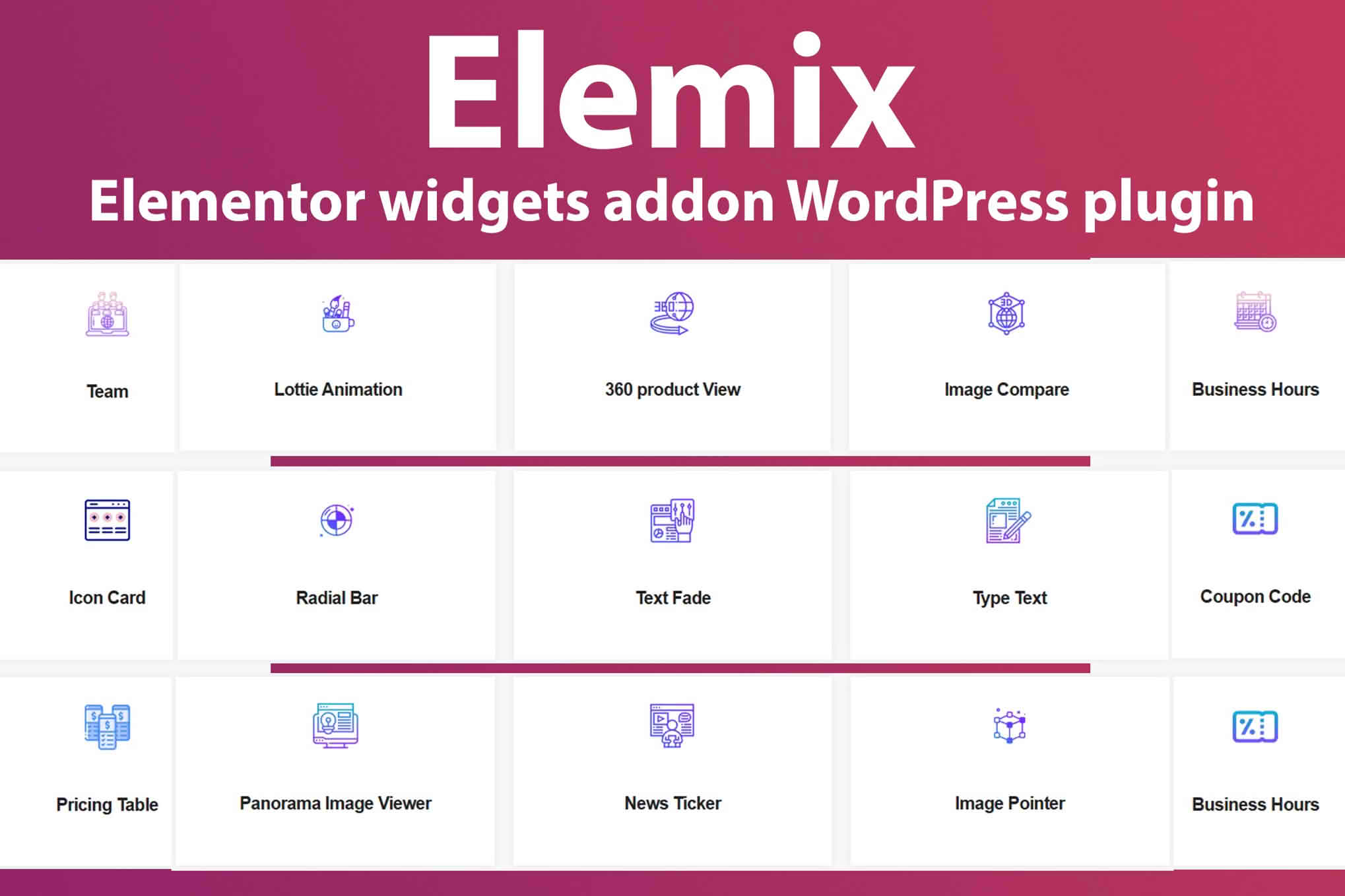
Elemix is a set of Elementor widgets built for creating animated and interactive sections without writing code. Rather than assembling every effect by hand, you drag widgets into your Elementor layout and adjust their settings, which gives you a fast route to eye-catching content. The collection covers animated text, Lottie animations, image comparison, 360-degree product viewing and panorama viewing, so one plugin can handle many of the visual elements that would otherwise require custom work.
Elemix is built around Elementor, the drag-and-drop page builder, and its widgets appear in the Elementor editor alongside the elements you already use. Because each widget is an Elementor element, you can add it to a page you have already built instead of rebuilding that page from scratch.
Working with a widget follows the same rhythm as any other Elementor element. You place it, open its settings panel and check the result in the editor before you publish the page.
The collection includes a range of content widgets for presenting information in a structured way. Each one is described below by its name and the kind of content it is meant to display.
Used together, these widgets let a homepage combine a people section, a set of customer quotes and a clear summary of opening times without any custom markup.
Animation is where the collection stands out. Elemix gives you access to more than 1,000 JSON-based animations from LottieFiles, which you can place on a page as motion graphics. An online editor for Lottie animation styles is also included, giving you a way to refine how an animation looks.
Two text animations are included as well. Type Text animates a line of copy, and Text Fade in Fade out brings text into view before fading it away. These effects suit headlines, taglines and short calls to attention, where a small amount of motion draws the eye without crowding the rest of the page.
Animation works best when it has a purpose. Choose one or two focal points on each page, such as a headline or a visual introduction, and let them carry the motion. When every element moves at once, visitors have difficulty knowing where to look, and the page can feel busier than intended.
Timing also matters. Text that fades or types across the screen should remain readable long enough for a visitor to take it in, so avoid animations that disappear before a typical reader could finish a sentence. Test each animated section on a tablet and on a phone, because motion that feels smooth on a large monitor can look cramped on a small screen.
Four interactive widgets encourage visitors to explore content rather than scroll past it. The image comparison widget presents two pictures that visitors can compare directly. The 360-degree product viewer lets people look at an item from every side. The image pointer widget marks points of interest on a picture, and the panorama image viewer displays a wide scene in an interactive frame.
The 360-degree viewer has been given navigation-button styling, and it accepts images from gallery or repeater uploads. Both refinements are recorded in the plugin’s changelog.
The viewers reward careful photography. For a 360-degree product view, keep the lighting even, use a plain background and shoot from a fixed position so that each frame lines up with the next. Consistent framing across a product range makes the set easier to compare and gives visitors a clearer impression of each item.
Panoramas benefit from a level camera, sharp focus and plenty of resolution, because the viewer may show a large portion of the image at once. For image comparison, match the crop, framing and exposure of the two pictures, since differences that come from camera settings can distract from the change you want visitors to notice. Image pointers work best when the points of interest are clearly visible and easy to identify.
Testimonials are more persuasive when they are specific. A quote that describes a particular result or experience reads as more credible than general praise, so encourage clients to say what they valued. Always ask permission before publishing a quote, and include a name and role that the person has approved.
Team sections are easier to scan when each person has a photograph of a similar size and style, a short role description and a consistent layout. If you have many team members, group them by department so that visitors can find the right contact quickly.
Responsiveness settings let you control how widgets adapt to different screen sizes, so a layout can look deliberate on a large monitor and on a phone alike. Elemix is described as working with Elementor-based themes in general, which means you can keep the theme you prefer and add the widgets on top of it.
The plugin is ready for translation, so its text can be translated into other languages. Online documentation is also available for anyone setting up a widget for the first time.
Motion can be uncomfortable for some visitors, so it is good practice to make sure that essential information never depends on an animation alone. Provide the same message in plain text, keep contrast strong and avoid flashing effects. Visitors who prefer reduced motion settings on their devices should still be able to read and use the page comfortably.
Each animation adds weight to a page. Keep the number of heavy elements on a single screen moderate, compress images before uploading them, and test load times on a slower connection. A page that feels responsive holds attention better, and it is kinder to visitors who are on mobile data.
Elemix is designed to sit alongside your theme, so the best results come from testing the widgets on a staging copy before making them live. Check how headers, footers and global colours interact with the widgets, and confirm that your theme’s typography carries through to the text inside each section.
Keep a record of the settings you choose for animations and viewers. A simple document that notes timing values, image sizes and content sources helps colleagues make consistent changes later and avoids repeating the same trial and error.
The listing shows compatibility with WordPress 6.5 through 6.8. It names both Elementor and Elementor Pro as environments the plugin works with, but it does not state a minimum Elementor version. The changelog also records PHP 8 compatibility, so you can confirm your server environment before installing.
Browser compatibility is listed for Firefox, Safari, Opera, Chrome and Edge, and the listing also names Internet Explorer 10 and 11.
Websites change, and so do the products, staff and opening times that many of these widgets display. Build a routine for reviewing animated sections when you change a theme, add a new Elementor release to your site or redesign a major page. A quick check after every significant change catches problems before visitors do.
Designers and agencies that build many sites with Elementor can use Elemix to apply a consistent set of effects across client projects. Small business owners who want a polished homepage without custom development can add testimonials, opening times and animated headlines within the same editor they already use.
Tourism sites, museums and product showcases can use the viewers to let visitors explore images from more angles, while news and community sites can use the ticker to keep headlines in view.
Whatever your project, Elemix gives you a practical way to add motion and interaction to Elementor pages, using the editor you already work in.


