

Updates for one year, unlimited sites, auto updates, and regular updates.
$3.99
 BookmarkBookmarked
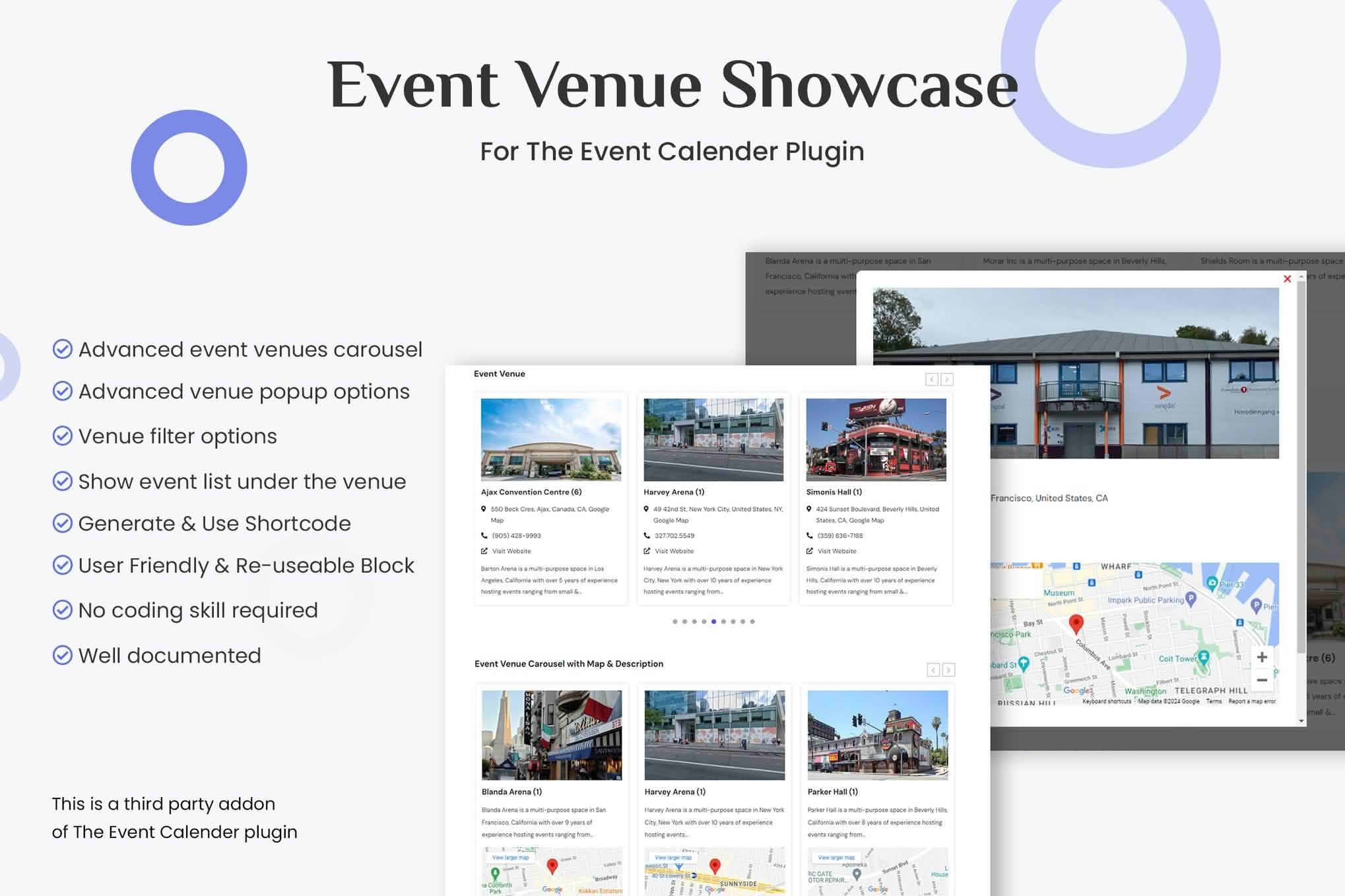
Event Venue Showcase for The Event Calendar presents the venues recorded in The Events Calendar as grids, lists and carousels. Visitors who browse an events site usually ask two questions: what is on, and where will it happen. This plugin focuses on the second question by giving venues a showcase of their own, so people can see the spaces that host your events, get a sense of their character and decide whether to visit before they set out.
A venue is often the reason a visit gets planned. Concert halls, galleries, community centers, sports grounds and conference facilities all draw people who want to know the room, the neighborhood and what surrounds it. When a venue has its own listing, visitors can judge its character at a glance, and the places behind the events become visible in their own right. For organizations that run programs across several locations, a venue showcase also makes the geography of those programs easy to understand.
The Events Calendar keeps venue details as records separate from the events themselves. An event is linked to a venue, and the same venue can host many events across a season or a year. That separation is useful for a showcase because a venue listing can be prepared once and referenced wherever it is needed. Keeping venue records accurate therefore matters more than many other details on the site.
Every venue entry should answer a short list of practical questions. Start with the name and a one-line summary that tells visitors what kind of space it is. Add the main rooms or areas, the approximate capacity of each, and any facilities that people commonly ask about, such as wheelchair access, toilets, catering rules or a cloakroom. Include a clear way to reach the building, whether by public transport, on foot or by car, and note any parking limits. A final line that points to the venue’s own contact details helps visitors who still have questions after reading.
A grid is the natural choice when there are many venues to compare. Each venue becomes a card with room for a photograph and a name, so visitors can scan a whole set of spaces at once. A list is better for a compact directory, particularly when names matter more than pictures, such as on a reference page. A carousel suits a handful of venues that deserve attention, for example on a home page that highlights flagship spaces.
The right format depends on the audience. A grid helps people who are browsing for inspiration, a list helps people who already know which venue they want, and a carousel catches the eye of visitors who arrive with no particular venue in mind. Many sites use more than one format, with a carousel on the home page, a grid on the venues page and a list in the footer or on a printable sheet.
On small screens, a multi-column grid is usually best reduced to fewer columns so that each venue photograph keeps a useful size. Test the layout on a phone before you settle on the column count.
Not every venue on record needs to be on display. Closed or rarely used locations can clutter a showcase, so decide the scope before you build the page. You might show only venues with upcoming events, only the venues in a particular area or only the flagship spaces. Whatever you choose, the showcase should reflect that decision clearly, so visitors understand why some locations appear and others do not.
A venue listing is most useful when it answers the questions people ask before attending. Describe the main spaces and their capacities, the nearest transport options, the accessibility features and any rules that apply on the day, such as bag policies or age limits. Short paragraphs work better than long ones, and a sentence about the atmosphere of a room can make the difference between a listing that informs and one that invites a visit.
Photographs carry much of the weight. Use images that show the room as it looks during an event rather than an empty space, and include at least one picture of the entrance so people can recognize the building. Write descriptive alternative text for each image, since that text helps visitors who use screen readers understand what the picture contributes to the listing.
Some venues only operate for part of the year, such as outdoor amphitheaters, pop-up galleries or halls that are used for festivals. Be explicit about the dates a space is available, and consider a note that explains how the venue changes with the seasons. Weather-dependent locations deserve a short paragraph about what happens when conditions are poor, so visitors can prepare with confidence rather than arrive to find an event moved or cancelled without warning.
A venue often carries a history that visitors enjoy hearing about, such as when the building was constructed, who has performed there or what the room was originally used for. A few sentences of background give a listing personality without padding it out. Keep these details accurate and brief, and check them with the people who know the building best. A short, honest story is more persuasive than a long promotional passage, and it gives repeat visitors a reason to notice what has changed.
A venue showcase becomes more valuable when it leads somewhere. It is worth linking each venue to the events taking place there, so a visitor who likes a space can see what is scheduled next. When a venue has nothing planned, a short message or a link back to the full calendar keeps the visitor moving rather than leaving them at a dead end.
Carousels need particular care. Autoplay can distract people who are reading the surrounding content or who rely on assistive technology, so consider whether movement is necessary at all. Check that navigation controls can be reached by keyboard, that text has enough contrast against photographs and that headings follow a logical order. These basics make a venue showcase usable for more people without making it look plainer.
An organization that runs events in many locations benefits from consistent standards. Agree on a naming pattern, a photograph style and a fixed set of facts that every venue entry must include. Consistency makes the showcase easier to scan, because visitors learn where to find capacity, access notes and contact details on every page. Assign one person to check new entries against the standard before they go live, and review the whole set when a venue changes hands or moves to a new building.
Venue pages show whether a space is attracting attention. Look at which venues receive the most visits, which ones lead visitors on to event pages and which ones are rarely opened at all. A venue that gets plenty of views but few event clicks may need a clearer link to upcoming programs, while a neglected venue might simply need a better photograph or a shorter description. Use these signals to decide where to spend your editing time over the coming season.
Arts organizations use venue pages to show the range of spaces they book. Universities and schools present lecture halls, labs and sports facilities so students and families can find them easily. Event rental companies and conference centers use the format to help planners compare rooms. Local governments, libraries and community groups can highlight the halls and grounds residents might hire for their own gatherings.
Venues change. Facilities are renovated, capacities shift and some locations close or move. Review venue records at least once a season, refresh descriptions and images, and remove or archive any entry that no longer applies. When a venue closes temporarily, say so on its entry and explain when it is expected to reopen. Visitors are far more forgiving of a clear notice than of a page that suggests a space is open when it is not.


