

Updates for one year, unlimited sites, auto updates, and regular updates.
$3.99
 BookmarkBookmarked
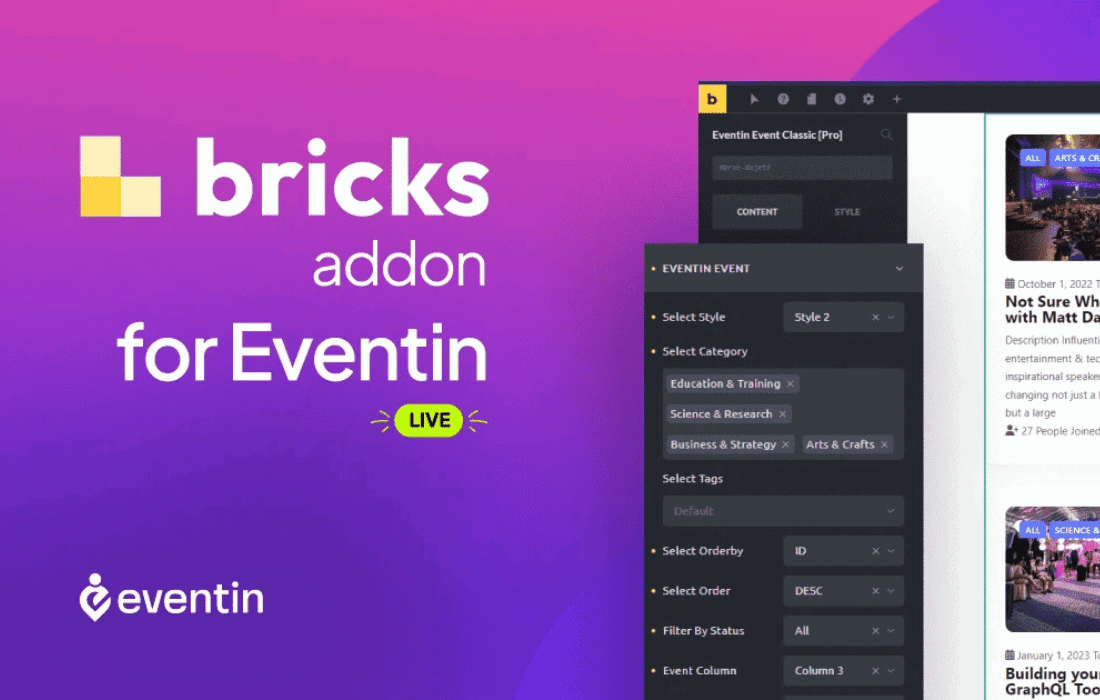
 The Eventin Bricks Addon is a specialized integration tool designed to bridge the gap between the Eventin event management system and the Bricks Builder page construction environment. By providing a dedicated set of elements within the Bricks editor, this addon allows website developers and designers to create highly customized, high-performance event websites without the need for complex shortcodes or manual CSS overrides. It leverages the power of Bricks Builder’s Vue.js-based interface to offer a real-time, drag-and-drop experience for displaying event schedules, speaker profiles, and ticketing information.
To understand the value of the Eventin Bricks Addon, one must first look at the two core components it connects. Eventin is a comprehensive event management solution for WordPress, known for its ability to handle everything from simple one-day meetups to complex multi-day conferences with multiple tracks and speakers. It includes features like Zoom integration, WooCommerce-based ticketing, and attendee management. Bricks Builder, on the other hand, is a modern site builder that has gained a massive following due to its focus on performance, clean code output, and a highly flexible design system.
Before the introduction of this addon, users wanting to display Eventin data within a Bricks-built site often had to rely on shortcodes. While functional, shortcodes do not allow for visual styling within the editor; the user would have to save the page and view the front end to see the results. The Eventin Bricks Addon changes this dynamic by introducing native Bricks elements. This means every aspect of the event display—from the typography of the event title to the padding around a speaker’s image—can be adjusted using the familiar Bricks sidebar controls, with changes appearing instantly in the viewport.
The addon populates the Bricks Builder element panel with several specialized widgets. These elements are designed to pull data dynamically from the Eventin database, ensuring that any changes made to an event in the backend are automatically reflected on the front-end design. Below are the primary elements typically included in the suite:
The true power of the Eventin Bricks Addon lies in the depth of customization it offers. Because these are native Bricks elements, they inherit the full suite of styling options available in the builder. This goes far beyond simple color changes. Users can implement advanced CSS layouts, such as CSS Grid or Flexbox, directly through the Bricks interface to rearrange how event data is presented.
For example, when styling the Event Grid, a designer can use the Bricks “Hover State” settings to create interactive effects. When a user hovers over an event card, the image could scale slightly, the box shadow could deepen, and a “Buy Ticket” button could slide into view. This level of interactive design was previously difficult to achieve with standard event plugin templates. Furthermore, the addon supports Bricks‚Äô Global Classes, meaning a designer can create a single style for an event card and apply it across the entire site, ensuring visual consistency and making global updates a matter of seconds.
Performance is a cornerstone of the Bricks Builder philosophy, and the Eventin Bricks Addon is built to respect that. The addon is optimized to ensure that it only loads the necessary scripts and styles when an event element is present on a page. This prevents the “plugin bloat” that often slows down WordPress sites. By using Bricks‚Äô dynamic data engine, the addon can also pull custom fields and specific event metadata into other Bricks elements, allowing for even more creative layouts.
For instance, a developer could use a standard Bricks Container and fill it with basic text elements, then use the “Dynamic Data” icon to map those text elements to Eventin fields like “Event Venue,” “Start Time,” or “Remaining Tickets.” This allows for the creation of completely bespoke event headers or sidebars that do not rely on the pre-built layouts of the addon elements themselves.
The Eventin Bricks Addon significantly streamlines the workflow for agencies and freelancers building sites for clients. By removing the friction between the data management (Eventin) and the design (Bricks), the time required to launch an event site is drastically reduced. Clients can be given access to the Eventin backend to add speakers and update schedules, while the designer remains confident that the front-end layout will remain intact and look professional.
The integration also simplifies the process of creating “Single Event” templates. Using the Bricks Template system, a designer can create a single layout for all events. By placing Eventin Bricks elements within this template, every new event created in the WordPress dashboard will automatically inhabit the custom design. This “design once, use everywhere” approach is essential for scalability.
The versatility of this integration makes it suitable for a wide range of industries and event types. Its flexibility ensures that the website can grow alongside the organization’s needs.
To utilize the Eventin Bricks Addon, users must have an active installation of both the Eventin plugin (either the free or Pro version, depending on the required event features) and the Bricks Builder theme. The addon is designed to be compatible with the latest versions of WordPress and follows standard coding practices to ensure compatibility with other popular plugins in the ecosystem, such as SEO tools and caching engines.
It is also worth noting that the addon is built to be developer-friendly. While it provides a no-code interface for designers, it does not restrict developers from adding custom code. Bricks’ ability to add custom CSS or JavaScript to specific elements remains fully functional, allowing for edge-case customizations that go beyond the built-in settings.
The Eventin Bricks Addon is an essential tool for any WordPress user who values both the robust event management capabilities of Eventin and the design precision of Bricks Builder. It eliminates the traditional barriers to styling event content, offering a seamless, visual, and high-performance way to build event-driven websites. By providing dedicated elements for every aspect of the event experience—from the initial countdown to the final schedule—it empowers creators to build sites that are not only functional but also visually stunning and highly engaging for the end-user.


