

Updates for one year, unlimited sites, auto updates, and regular updates.
$3.99
 BookmarkBookmarked
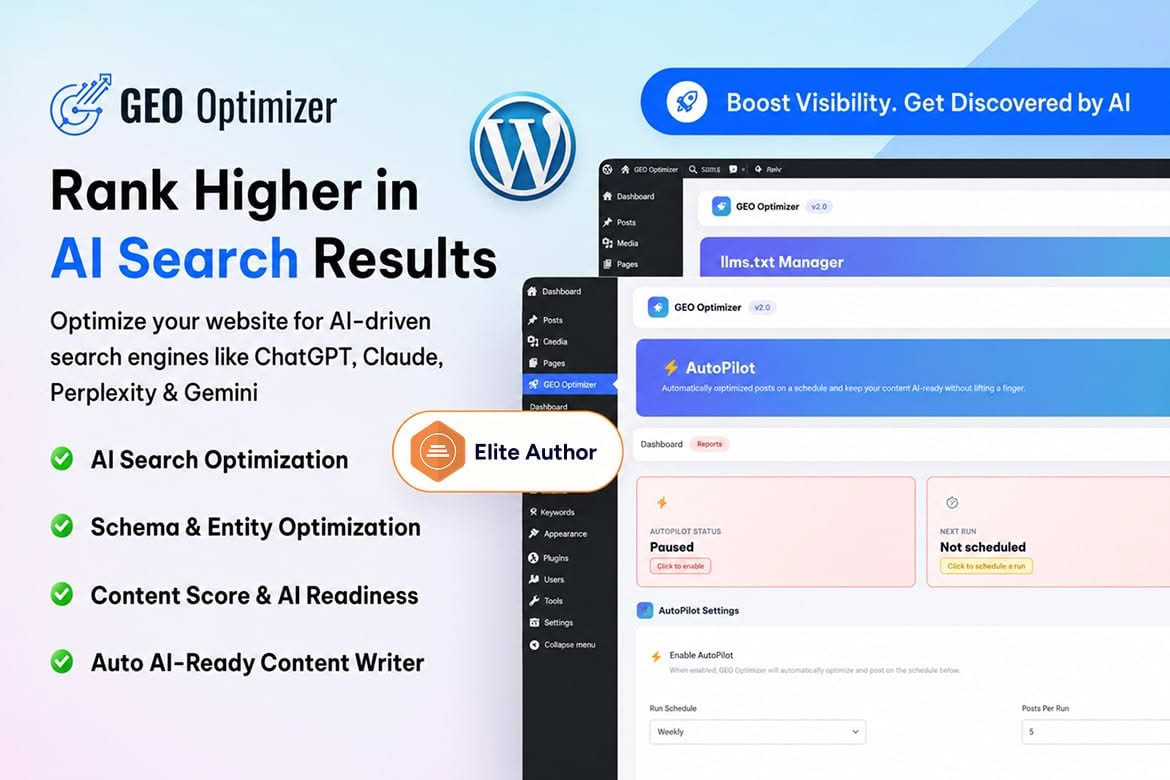
GEO Optimizer prepares your WordPress content for AI search engines such as ChatGPT, Claude and Perplexity. It adds the structure and signals these tools look for, and it offers optional automatic enhancement for posts that need an AI-ready upgrade. The aim is to make pages easier for assistants to read, extract and cite, while keeping the work inside the WordPress screens you already use.
Traditional search optimization concentrates on ranking pages in search results. Generative engine optimization, the approach this plugin follows, asks a different question: how easily can an AI system lift a passage from your page and cite it when it writes an answer? A page can rank well and still be awkward to quote, while a page with clear headings, direct answers and visible authorship leaves an assistant much less to guess about. GEO Optimizer focuses on those qualities.
The plugin outputs JSON-LD markup across posts and pages. That markup describes content as an Article, an Organization or a Person. The Person markup links an author to E-E-A-T signals, which refers to the experience, expertise, authoritativeness and trustworthiness qualities that search quality guidelines discuss. The structured data sits in the page head, so visitors never see it, while machines can read it straight away.
Any heading that ends with a question mark is automatically marked up as an FAQPage item. That rewards a writing pattern that suits AI assistants: a question in a heading, followed by a short and direct answer beneath it. Writers can plan articles around the questions their readers actually ask, and the markup follows from the headings they already write, with no separate form to complete.
A BreadcrumbList schema describes where each page sits within your site’s hierarchy. Assistants and crawlers can follow that trail to see how a page relates to its category and parent sections. On a site with deep archives or many product categories, a clear trail reduces guesswork about which section a page belongs to.
When a post has no meta description, the plugin can build one from the post excerpt. That fallback runs only when neither Yoast SEO nor Rank Math is active, so it stays out of the way of a dedicated SEO plugin. The plugin can also append a “Last updated” notice that includes a time element, which tells readers and machines when a page was last revised. The notice is optional, so you can leave it off if it does not suit your design.
A robots.txt setting permits six AI crawlers through a single switch: GPTBot, ClaudeBot, PerplexityBot, Google-Extended, Applebot-Extended and cohere-ai. Publishers take different positions on these crawlers. Some want their material available to AI systems, while others prefer to limit access. The switch puts that decision in one place, so you do not have to edit robots.txt by hand to change your position.
The plugin generates an llms.txt file and places it at the root of your site. The file lists key URLs for language-model crawlers, and it acts as the AI counterpart to sitemap.xml. A dedicated screen lets you generate the file and preview it, so you can confirm that the most important pages appear before the file is relied on.
An answer capsule is a short, styled block that states the direct answer to a question. A shortcode wraps any text in that capsule, so you can place a direct answer near the top of a section. The shortcode must be enabled in the settings before it will display, which keeps the feature switched off until you decide to use it. Capsules work best when they are brief, specific and written in plain language that a reader could quote without editing.
When you publish or edit content, the plugin pings Bing with your sitemap address, and it never sends more than one ping per hour. The pings help keep the Bing-based index used by ChatGPT current. The request is a single GET call that carries the public sitemap address and no personal details.
The GEO Audit screen checks AI readiness through a set of technical items, and each item is marked as a pass or a fail. Failing items point you toward the changes that matter most. The dashboard summarizes AI readiness with four stat cards and a table of recent posts, which makes it easy to see whether new articles meet the same standard as older ones.
The settings screen holds toggles for each technical feature and fields for your brand identity, so you can review every switch in one place before publishing.
Existing posts can be upgraded with one click. The writer inserts FAQ sections, answer capsules, authority cues and stronger headings, and you choose whether Claude or ChatGPT powers the work. An enhancement history records each change, and any post can be rolled back to the version it had before enhancement. Those safeguards let you try the feature on a handful of posts before applying it to a larger archive.
An AutoPilot option enhances your oldest posts in bulk on a schedule, so the archive improves without someone working through it by hand. The full version can also create an optimized post from a keyword, and it generates a featured image with DALL-E 3 for each new post. These features are optional, so you can keep your content under manual control if you prefer.
Start with posts that cover durable topics and already answer a clear question, because those pieces tend to stay relevant longer. Enhance a small batch, read the results on the live page, and then decide whether to continue. The enhancement history makes it simple to compare a post with its earlier version, and the rollback option gives you a clear way back if a change does not read well. Working in small steps keeps editorial judgment where it belongs, with the people who know the audience.
Assistants tend to lift passages that stand on their own, so open each section with the direct answer and follow with the supporting detail. Define specialist terms the first time they appear, and avoid pronouns that depend on a paragraph several lines earlier. Short paragraphs with one idea each make extraction easier for readers too, and they give your answer capsules a natural source. Keep a consistent voice across the site, because uneven writing makes it harder for anyone to judge which pages are the most authoritative.
Settle who owns the settings before anyone starts enhancing posts. The person who maintains brand identity fields should be the same person who reviews the GEO Audit results, because both shape how the site describes itself. Agree on which content types are in scope, and record which posts have been enhanced so that editors do not repeat the work. Revisit the llms.txt preview after large publishing batches, since new key pages may belong in the list. A simple monthly review keeps the setup accurate as the site grows.
Front-end output stays light. JSON-LD sits in the page head, the optional freshness paragraph is the only other visible addition, and no outbound requests occur when a page loads. Bing is the only external service in the base feature set. A single GET request sends the public sitemap address when content is published or updated, and that request contains no personal details.
The writing and image tools run on Claude or ChatGPT, so they depend on the AI provider you select. Review that provider’s terms and data handling before you enable those tools on a site that holds sensitive material.
GEO Optimizer is compatible with Yoast SEO and Rank Math. When either plugin is active, the meta description fallback stays off, while the schema output continues to layer on top. It requires WordPress 6.0 or later and PHP 7.4 or later. Try changes on a development copy first, particularly if your site uses a caching layer or a custom theme that controls the head section.
GEO Optimizer gives your content the structure, signals and crawler controls that AI assistants look for, and it leaves editorial decisions with you.


