

Updates for one year, unlimited sites, auto updates, and regular updates.
$3.99
 BookmarkBookmarked
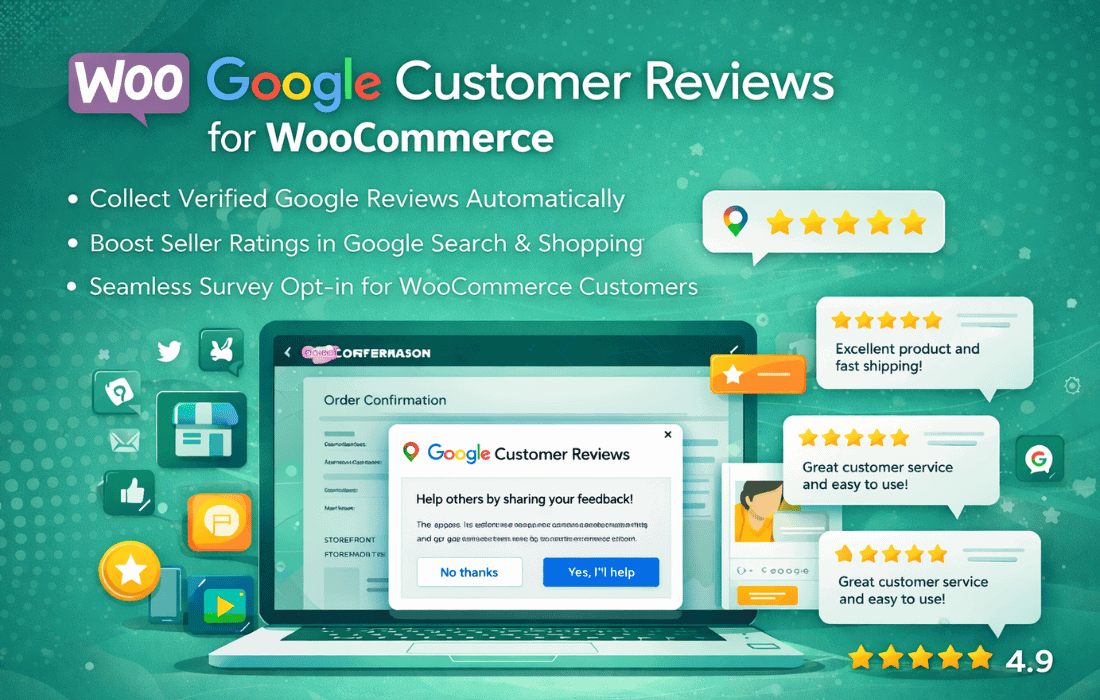
 The Google Customer Reviews for WooCommerce plugin is a specialized tool designed to bridge the gap between a WooCommerce-powered online store and the Google Customer Reviews program. By integrating this plugin, store owners can automate the process of collecting valuable feedback from customers after they have completed a purchase. This integration is essential for businesses looking to build credibility, as it allows them to display a Google-branded badge on their website and potentially earn seller ratings that appear across Google Search and Google Ads.
Before diving into the specific features of the plugin, it is important to understand the program it supports. Google Customer Reviews is a free service offered by Google that allows merchants to collect feedback from users who have made a purchase on their site. The program is managed through the Google Merchant Center and serves two primary purposes: collecting seller ratings and, optionally, collecting product reviews. Seller ratings are a reflection of the overall customer experience with a store, while product reviews focus on the specific items purchased.
The plugin simplifies the technical requirements of this program by automatically inserting the necessary JavaScript code into the WooCommerce checkout process. Without such a plugin, a developer would need to manually edit theme files to ensure the opt-in survey appears at the correct time and that the order data is passed accurately to Google’s servers. This plugin automates that entire workflow, ensuring compliance with Google’s strict technical guidelines.
The core feature of the Google Customer Reviews for WooCommerce plugin is the opt-in survey invitation. According to Google‚Äôs policies, merchants cannot automatically send review requests to customers; instead, customers must explicitly agree to receive an email from Google. The plugin handles this by displaying a standardized popup on the WooCommerce “Order Received” (thank you) page.
When a customer completes their transaction, the plugin triggers a small window that asks if they would like to participate in a survey regarding their shopping experience. If the customer clicks “Yes,” Google will send them an email once the estimated delivery date has passed. The plugin allows the site administrator to configure the estimated delivery lead time, ensuring that the email arrives after the customer has actually received their goods. This timing is critical because a review request sent too early can lead to negative feedback regarding shipping delays, while a request sent too late might be ignored by the customer.
One of the most significant visual benefits of using this plugin is the ability to display the Google Customer Reviews badge. This badge is a recognizable seal of trust that shows your site’s rating and the Google brand. The plugin provides settings to enable or disable this badge and to choose its position on the website. Common placements include the bottom-right or bottom-left corners of the screen.
The badge serves as social proof, informing potential customers that other shoppers have had positive experiences with the merchant. It is important to note that the badge will only display a numerical rating once the merchant has collected a sufficient number of reviews (typically 100 within a rolling 12-month period for a specific country). Until that threshold is met, the badge will simply state that the store is part of the Google Customer Reviews program, which still provides a level of professional legitimacy.
To function correctly, the plugin requires a Google Merchant Center account. The setup process involves entering the unique Merchant ID into the plugin settings. This ID links the WooCommerce store’s data to the correct Google account. The plugin ensures that all data transmitted—such as order IDs and customer email addresses—is formatted according to Google’s specifications. This seamless data transfer is vital for maintaining the integrity of the review system and ensuring that the merchant remains in good standing with Google’s terms of service.
While the primary focus of Google Customer Reviews is often the seller rating, the plugin also supports the collection of product-specific reviews. This is a powerful feature for e-commerce stores that want their product ratings to appear in Google Shopping results. To enable this, the plugin can be configured to send product data along with the order information.
A critical component of this feature is the use of Global Trade Item Numbers (GTINs). Google uses GTINs (such as UPC, EAN, or ISBN) to identify specific products across the web. The Google Customer Reviews for WooCommerce plugin can pull these identifiers from the WooCommerce product data and include them in the survey opt-in. This allows Google to associate the customer’s feedback with the specific product purchased, which can then contribute to the star ratings seen on Google Shopping listings. This feature is instrumental in increasing the click-through rate of product ads, as items with high star ratings are more likely to attract clicks from shoppers.
The plugin offers a variety of configuration options to ensure the integration matches the store’s needs. These settings are typically found within a dedicated menu in the WordPress dashboard or under the WooCommerce settings tab. Key customization options include:
Implementing the Google Customer Reviews for WooCommerce plugin can have a profound impact on a store’s marketing efforts. Seller ratings are one of the few ways to stand out in a crowded search results page. When a store earns enough reviews, its star rating can appear in text ads and on the Google Shopping tab. This visual indicator of quality often leads to higher conversion rates and a lower cost-per-click, as users are more inclined to trust a merchant with a proven track record.
Furthermore, the feedback collected through this system provides the merchant with direct insights into their business operations. If customers consistently mention issues with shipping or product quality in their Google reviews, the merchant can take corrective action. Because these reviews are managed by Google, they carry more weight with consumers than self-hosted reviews, which can sometimes be perceived as biased or curated.
A well-coded plugin for Google Customer Reviews is designed to be lightweight. Since it primarily works by injecting a small snippet of JavaScript on the “Thank You” page, it should not negatively impact the overall loading speed of the website. The badge itself is served from Google‚Äôs servers, which further minimizes the load on the host server. The plugin is built to handle the asynchronous loading of these scripts, ensuring that the user experience remains smooth and uninterrupted.
Privacy is a major concern for modern e-commerce, and this plugin is designed with compliance in mind. By using the official Google Customer Reviews opt-in method, the plugin ensures that no customer data is sent to Google without the user’s consent. The popup clearly explains that the customer is opting into a survey from Google, and the data shared is limited to what is necessary for the survey to function. This helps merchants stay compliant with various data protection regulations, such as GDPR, by providing a clear mechanism for user consent.
This plugin is beneficial for businesses of all sizes. For small businesses, it provides an automated way to build a reputation from scratch without needing a dedicated marketing team to solicit reviews manually. For larger enterprises, it offers a scalable solution that can handle high transaction volumes while maintaining a consistent brand presence across Google’s ecosystem. Whether a store sells a handful of niche items or thousands of SKUs, the ability to aggregate feedback through a trusted third party like Google is an invaluable asset.
If you are looking for alternatives or complementary tools for managing reviews and social proof on your WooCommerce site, the following plugins are well-regarded in the WordPress community:
When setting up the Google Customer Reviews for WooCommerce plugin, it is essential to ensure that the Merchant Center account is fully verified and that the website’s URL matches the one registered with Google. Merchants should also monitor their Merchant Center dashboard regularly to track the status of their reviews and ensure that the opt-in data is being received correctly. By maintaining a high standard of service and using this plugin to capture that success, WooCommerce store owners can significantly enhance their online presence and drive long-term growth.


