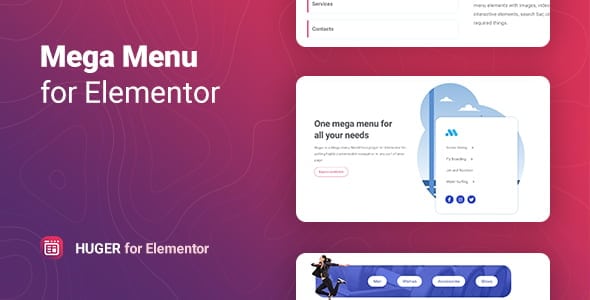
The ‘Huger | Mega Menu for Elementor’ plugin emerges as a sophisticated solution designed to transform the standard navigation experience on WordPress websites built with Elementor. As a powerful tool, it focuses on enabling users to create stunning, versatile, and fully customizable drop-down menus with remarkable ease. This add-on is crafted to not only introduce sleek navigation but also to significantly enhance the overall aesthetic and functional appeal of a website, ensuring visitors can find information quickly, leading to a seamless and enjoyable browsing journey across any type of site.
Understanding the Power of Mega Menus in Elementor
In the dynamic landscape of web design, navigation is paramount. A website’s menu is often the first point of interaction for visitors seeking specific information or exploring content. While standard WordPress menus offer basic functionality, they often fall short when a site grows in complexity, content, or visual ambition. This is where the concept of a mega menu, and specifically a dedicated Elementor add-on like Huger, becomes indispensable.
A mega menu transcends the limitations of traditional multi-level drop-down menus by allowing for a much richer, multi-column layout that can display a vast array of content beyond simple links. Imagine a menu that can showcase product categories with images, recent blog posts with thumbnails, contact forms, maps, or even promotional banners directly within its expanded panel. This capability is precisely what ‘Huger | Mega Menu for Elementor’ aims to deliver, transforming a mere list of links into an interactive and visually engaging gateway to your site’s content.
For Elementor users, the integration of such a powerful tool is particularly significant. Elementor, known for its intuitive drag-and-drop interface, empowers users to design virtually every aspect of their website without coding. A mega menu add-on built specifically for Elementor means that the same ease of use and visual design principles extend directly to menu creation. This synergy ensures that the menu design process is as fluid and creative as building any other page section, aligning perfectly with Elementor’s philosophy of visual site building.
The Core Promise: Stunning and Versatile Customization
The plugin summary highlights ‘Huger | Mega Menu for Elementor’ as a tool for creating “stunning and versatile menus” that are “fully customizable.” This promise underpins the entire functionality of the plugin, suggesting a comprehensive suite of features designed to offer unparalleled control over menu aesthetics and structure.
To deliver on the promise of “stunning” menus, Huger would typically provide extensive design options. This includes granular control over typography, allowing users to select fonts, sizes, weights, and colors for various menu elements, from top-level items to sub-menu links. Backgrounds can be customized with solid colors, gradients, or even images, providing a canvas for creative expression. Borders, shadows, and spacing adjustments further contribute to the visual polish, enabling designers to craft menus that perfectly align with their brand identity and website’s overall design language.
The “versatile” aspect implies the ability to adapt the menu to diverse content needs and design preferences. This would likely manifest through support for various layout structures within the mega menu panel. Users could expect to define multi-column layouts, allowing them to organize content logically and visually appealingly. Whether it’s a two-column layout for main categories and sub-categories, or a four-column grid showcasing different product lines, the flexibility in structuring content is key to versatility. Furthermore, the ability to integrate any Elementor widget directly into the mega menu content area is a hallmark of such a plugin, enabling the inclusion of rich media, dynamic content, and interactive elements that go far beyond simple text links.
The “fully customizable” nature, coupled with “ease” of use, points towards an intuitive design experience. This typically means leveraging Elementor’s familiar drag-and-drop interface. Users would likely design their mega menu content using the Elementor editor, just as they would design any page section. This approach significantly lowers the learning curve, allowing even novice users to create complex and visually rich menus without needing to delve into code or intricate settings panels.
Enhancing Navigation and User Experience
A primary objective of ‘Huger | Mega Menu for Elementor’ is to facilitate “sleek navigation” and ensure visitors “find information quickly, making their experience seamless and enjoyable.” These goals are achieved through a combination of thoughtful design capabilities and performance considerations.
- Intuitive Content Organization: By allowing for multi-column layouts and the integration of diverse content types, mega menus inherently improve content discoverability. Instead of endless nested sub-menus, visitors can see a broader overview of options at a glance. This visual hierarchy helps users quickly scan and identify the information they need, reducing clicks and frustration.
- Visual Cues and Engagement: The ability to incorporate images, icons, and even short videos within the menu panel provides powerful visual cues. For an e-commerce site, displaying product thumbnails next to category links can significantly enhance the user’s ability to navigate to desired items. For a blog, featured post images can entice clicks. These visual elements make the navigation process more engaging and less text-heavy.
- Responsive Design for All Devices: In today’s multi-device world, a “seamless and enjoyable experience” necessitates a fully responsive menu. Huger, as a modern Elementor add-on, would be expected to offer robust responsive controls, ensuring that mega menus adapt gracefully to different screen sizes, from large desktops to tablets and smartphones. This might involve options for collapsing the mega menu into an off-canvas or mobile-friendly accordion menu on smaller screens, maintaining usability without sacrificing design integrity.
- Performance Optimization: While not explicitly stated, a “seamless” experience implies good performance. A well-designed mega menu plugin for Elementor would typically be optimized to load efficiently, minimizing impact on page load times. This could involve techniques like lazy loading content within the mega menu or efficient CSS and JavaScript delivery, ensuring that the rich visual elements do not hinder site speed.
- Accessibility Considerations: An “enjoyable” experience should be inclusive. A comprehensive mega menu solution would ideally incorporate accessibility best practices, such as proper ARIA attributes for screen readers, keyboard navigation support, and sufficient color contrast options. These features ensure that the menu is usable by a wider audience, including those with disabilities.
Key Capabilities and Design Flexibility for Any Website
The summary states that ‘Huger | Mega Menu for Elementor’ is “perfect for any website.” This broad applicability is supported by a range of features that cater to diverse industry needs and design requirements.
Layout and Structure
- Flexible Column System: A core feature would be a highly flexible column system within the mega menu panel. Users could define the number of columns, their widths, and even nest columns for complex layouts. This allows for precise organization of content, whether it’s a simple list of links or a multi-faceted display of information.
- Full-Width and Boxed Layouts: The ability to choose between a full-width mega menu that spans the entire browser width or a boxed layout that aligns with the main content area provides design versatility. This ensures the menu can integrate seamlessly with various theme designs and aesthetic preferences.
- Vertical and Horizontal Options: While drop-down menus are typically horizontal, some designs might benefit from vertical mega menus, especially for side navigation or specific page layouts. A versatile plugin might offer options for both orientations.
Content Integration
- Elementor Widget Support: The most significant advantage of an Elementor-specific mega menu is the ability to use virtually any Elementor widget within the menu content area. This means users can drag and drop:
- Text Editors and Headings: For descriptive text and titles.
- Images and Image Carousels: For product showcases, team photos, or promotional banners.
- Icons and Icon Lists: For visual cues and organized lists.
- Buttons: For calls to action directly within the menu.
- Forms: For quick contact or subscription options.
- Maps: For location information.
- Shortcodes: To embed content from other plugins.
- Post Grids/Carousels: To display recent blog posts, portfolio items, or product listings dynamically.
- Custom Content Blocks: The plugin would likely allow users to design specific Elementor templates or sections and then assign them as the content for individual mega menu items. This modular approach enhances reusability and simplifies management of complex menu structures.
Styling and Animation
- Extensive Styling Controls: Beyond basic colors and typography, advanced styling options would include hover effects for menu items, custom padding and margins, border styles, box shadows, and background overlays. These controls enable the creation of truly unique and branded menu designs.
- Entrance and Exit Animations: To achieve “sleek navigation,” the plugin would likely offer various animation effects for the mega menu panel when it opens and closes. Fades, slides, and other subtle transitions can add a layer of sophistication and dynamism to the user experience.
- Icon and Badge Support: The ability to add icons next to menu items (e.g., a shopping cart icon for the “Shop” link) and badges (e.g., “New,” “Sale”) can significantly improve visual clarity and draw attention to important sections.
Advanced Functionality
- Sticky Menu Options: For enhanced accessibility and continuous navigation, the plugin might offer options to make the main menu sticky, so it remains visible as users scroll down the page.
- User Role Visibility: In some cases, it might be beneficial to show or hide specific menu items or entire mega menu content based on the user’s login status or role. This is particularly useful for membership sites or intranets.
- Search Bar Integration: Integrating a search bar directly into the mega menu can further help visitors “find information quickly,” providing an immediate search function without leaving the navigation area.
Practical Applications Across Industries
The versatility of ‘Huger | Mega Menu for Elementor’ makes it suitable for a wide array of websites, fulfilling its promise of being “perfect for any website.”
- E-commerce Websites:
- Product Categorization: Display main product categories with sub-categories, featured products, and even promotional banners directly in the menu.
- Visual Shopping: Include product images, prices, and “add to cart” buttons for quick browsing.
- Brand Showcases: Highlight specific brands or collections with their logos and


 BookmarkBookmarked


