

Updates for one year, unlimited sites, auto updates, and regular updates.
$3.99
 BookmarkBookmarked
The plugin is activated, Use the following key when prompted: 43AC798A2DA21A4A7C5B29C0BA38B6AC
The License Manager plugin for WordPress is a comprehensive solution designed to help developers, software vendors, and digital product creators manage the distribution, validation, and tracking of software licenses directly from their WordPress dashboard. By transforming a standard WordPress installation into a centralized licensing server, this tool enables creators to protect their intellectual property and ensure that only authorized users can access updates and premium features.
At the heart of the License Manager plugin is its robust engine for generating unique license keys. These keys serve as the primary authentication mechanism for your software products. The plugin allows for the creation of keys in various formats, which can be tailored to meet the specific security requirements of your software. Administrators can generate these keys in bulk or individually, providing flexibility for different sales volumes and distribution models.
Once generated, these keys can be assigned to specific products. This association ensures that a license key is only valid for the software it was intended for, preventing unauthorized cross-usage. The system is designed to handle the lifecycle of a license, from initial generation and activation to expiration and revocation, providing a complete audit trail for every key issued.
The true power of the License Manager lies in its ability to communicate with external software. The plugin features a built-in API that allows your WordPress site to act as a remote server for your software products. When a user enters their license key into your software, the application sends a request to your WordPress site. The License Manager then validates the key against its database and returns a response, confirming whether the license is active, expired, or invalid.
This API-driven approach is essential for implementing automated updates. By linking your licensing server to your software’s update mechanism, you can ensure that only users with active, valid licenses receive notifications and downloads for new versions of your product. This not only protects your revenue but also ensures that your customers are always running the most secure and feature-rich versions of your software.
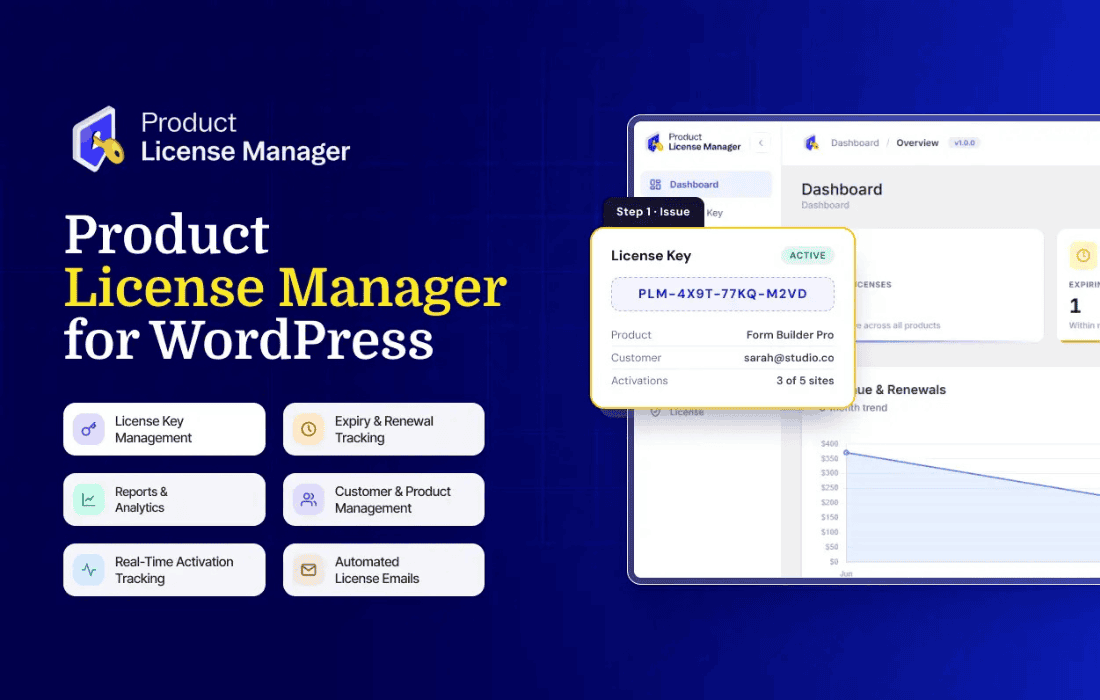
Managing a large volume of licenses can be a complex task, but the License Manager simplifies this through an intuitive administrative interface. The dashboard provides a clear overview of all generated keys, their current status, and the associated customer information. Administrators can easily search, filter, and sort licenses based on various criteria, such as expiration date, product association, or activation status.
The plugin also includes reporting features that provide insights into your licensing operations. You can track how many licenses have been activated, identify which products are the most popular, and monitor expiration trends. These metrics are invaluable for business planning, allowing you to make data-driven decisions regarding your product roadmap and customer support strategies.
Security is a paramount concern when dealing with software licensing. The License Manager incorporates several layers of protection to prevent key abuse and unauthorized access. It supports features such as domain locking, which restricts a license key to a specific website URL, ensuring that a single license cannot be used across an unlimited number of unauthorized installations. Furthermore, the plugin allows for the setting of activation limits, defining exactly how many times a single key can be used before it reaches its maximum capacity.
In the event of a suspected breach or a refund request, the plugin provides the ability to instantly revoke or blacklist a license key. This immediate action prevents further access to your software and updates, providing a quick and effective way to mitigate potential losses. The plugin is built with security best practices in mind, ensuring that the communication between your software and the licensing server remains secure and reliable.
The License Manager is an ideal tool for a wide range of digital creators. For theme and plugin developers, it provides a professional-grade infrastructure to manage premium product distribution. Instead of relying on third-party marketplaces that may take significant commissions, developers can use this plugin to maintain full control over their sales and licensing process.
For SaaS providers and software vendors, the plugin offers a scalable way to manage user access. Whether you are selling desktop applications, mobile apps, or specialized software tools, the ability to automate the validation process reduces the administrative burden on your support team. By automating the license verification process, you can focus on developing your product rather than manually managing access for every customer.
Recognizing that every business has unique requirements, the License Manager is designed with extensibility in mind. Developers can hook into the plugin’s functionality to create custom workflows, such as integrating the licensing process with a specific payment gateway or creating custom email notifications for license renewals. The plugin’s architecture allows for seamless integration with other WordPress plugins, enabling you to build a custom e-commerce ecosystem that fits your specific business model.
The plugin also supports the creation of custom license types. Whether you need to offer trial licenses, subscription-based keys, or lifetime access, the License Manager provides the flexibility to configure these parameters. This level of customization ensures that your licensing strategy can evolve alongside your business, allowing you to experiment with different pricing models and access tiers without needing to switch to a different platform.
Maintaining a licensing server requires reliability, and the License Manager is built to be a stable component of your WordPress environment. Regular updates ensure compatibility with the latest versions of WordPress and PHP, while the plugin’s clean code structure minimizes the risk of conflicts with other themes or plugins. By keeping your licensing infrastructure within your own WordPress site, you maintain complete ownership of your data and your customer relationships, avoiding the risks associated with relying on external, proprietary licensing services.


