

Updates for lifetime, unlimited sites, unlimited downloads, and regular updates.
$3.99
 BookmarkBookmarked
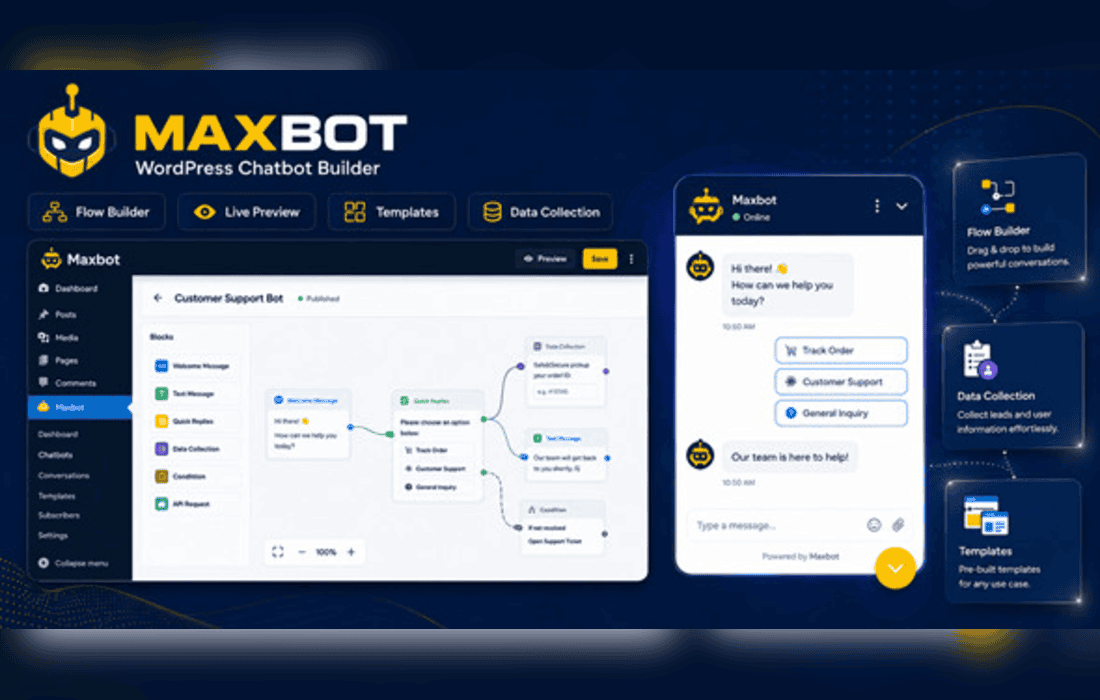
Maxbot – Chatbot Builder WordPress Plugin is a comprehensive solution designed to empower website owners to create, manage, and deploy automated conversational agents directly within their WordPress environment. By streamlining the interaction between businesses and their visitors, this plugin serves as a bridge for automated customer support, lead generation, and user engagement, all without requiring extensive programming knowledge or external third-party subscriptions.
The primary objective of Maxbot is to democratize the creation of chatbots. In an era where instant communication is a standard expectation for online users, Maxbot provides a visual interface that allows administrators to map out conversation flows. This design philosophy focuses on accessibility, ensuring that even users with minimal technical expertise can construct complex logic trees that guide visitors toward specific outcomes, such as answering frequently asked questions or capturing contact information.
The plugin operates by integrating seamlessly into the WordPress dashboard. Once installed, users gain access to a dedicated builder interface where they can define triggers, responses, and conditional logic. This internal architecture ensures that data remains within the WordPress ecosystem, providing a level of control and privacy that is often lost when relying on external SaaS chatbot platforms.
Maxbot is equipped with a suite of tools designed to handle the nuances of automated digital interaction. These features are built to be modular, allowing for scalability as the needs of a website grow.
The versatility of Maxbot allows it to be deployed across a wide variety of industries and website types. Below are several scenarios where the plugin provides significant value.
Automated Customer Support
For many businesses, a large percentage of support inquiries are repetitive. Maxbot can be configured to act as a first line of defense, answering common questions regarding shipping policies, return procedures, or service hours. By resolving these queries automatically, the plugin reduces the workload on human support staff, allowing them to focus on more complex issues that require personal attention.
Lead Generation and Qualification
Maxbot excels at qualifying leads before they ever reach a sales representative. By asking a series of qualifying questions, the bot can determine if a visitor is a potential customer or just browsing. This data can be used to segment leads, ensuring that the sales team spends their time on high-intent prospects.
Interactive Content and Engagement
Beyond support and sales, Maxbot can be used to create interactive experiences. For example, a travel blog might use a chatbot to help readers find the perfect destination based on their preferences, or an e-commerce site might use a bot to provide personalized product recommendations based on a user’s style choices.
Performance is a critical factor for any WordPress plugin. Maxbot is engineered to minimize its impact on page load times. By utilizing efficient database queries and asynchronous loading techniques, the plugin ensures that the presence of a chatbot does not negatively affect the site’s Core Web Vitals. Furthermore, because it is a self-hosted solution, it avoids the latency issues often associated with loading heavy third-party scripts from external servers.
Compatibility is another hallmark of the plugin. Maxbot is designed to work harmoniously with most popular WordPress themes and page builders. Whether a site is built using the block editor, Elementor, or Divi, the chatbot interface can be easily positioned and styled to match the existing brand identity of the website.
A chatbot should feel like an extension of the brand, not an intrusive third-party element. Maxbot provides extensive styling options, allowing users to modify the colors, fonts, and icons of the chat widget. This level of customization ensures that the bot aligns with the visual language of the website, fostering trust and consistency for the end user.
Beyond visual aesthetics, the tone of the chatbot can be adjusted to match the brand’s voice. Whether the brand is professional and corporate or casual and friendly, the text-based responses in the builder can be tailored to reflect that personality, making the interaction feel more authentic.
In an era of strict data protection regulations, keeping data local is a significant advantage. Maxbot allows site administrators to maintain full ownership of the data collected through the chatbot. Since the information is stored within the WordPress database, it is subject to the same security protocols and backup routines as the rest of the website content. This provides peace of mind for businesses that handle sensitive customer information and need to ensure compliance with privacy laws.
If you are exploring other options for chatbot functionality within the WordPress ecosystem, the following plugins are well-regarded in the industry:
Maxbot stands out as a dedicated, self-contained solution for those who prefer to manage their chatbot infrastructure entirely within their own WordPress installation. Its balance of ease-of-use and functional depth makes it a strong candidate for businesses looking to automate their communication without the complexity of external service dependencies.


