

Updates for one year, unlimited sites, auto updates, and regular updates.
$3.99
 BookmarkBookmarked
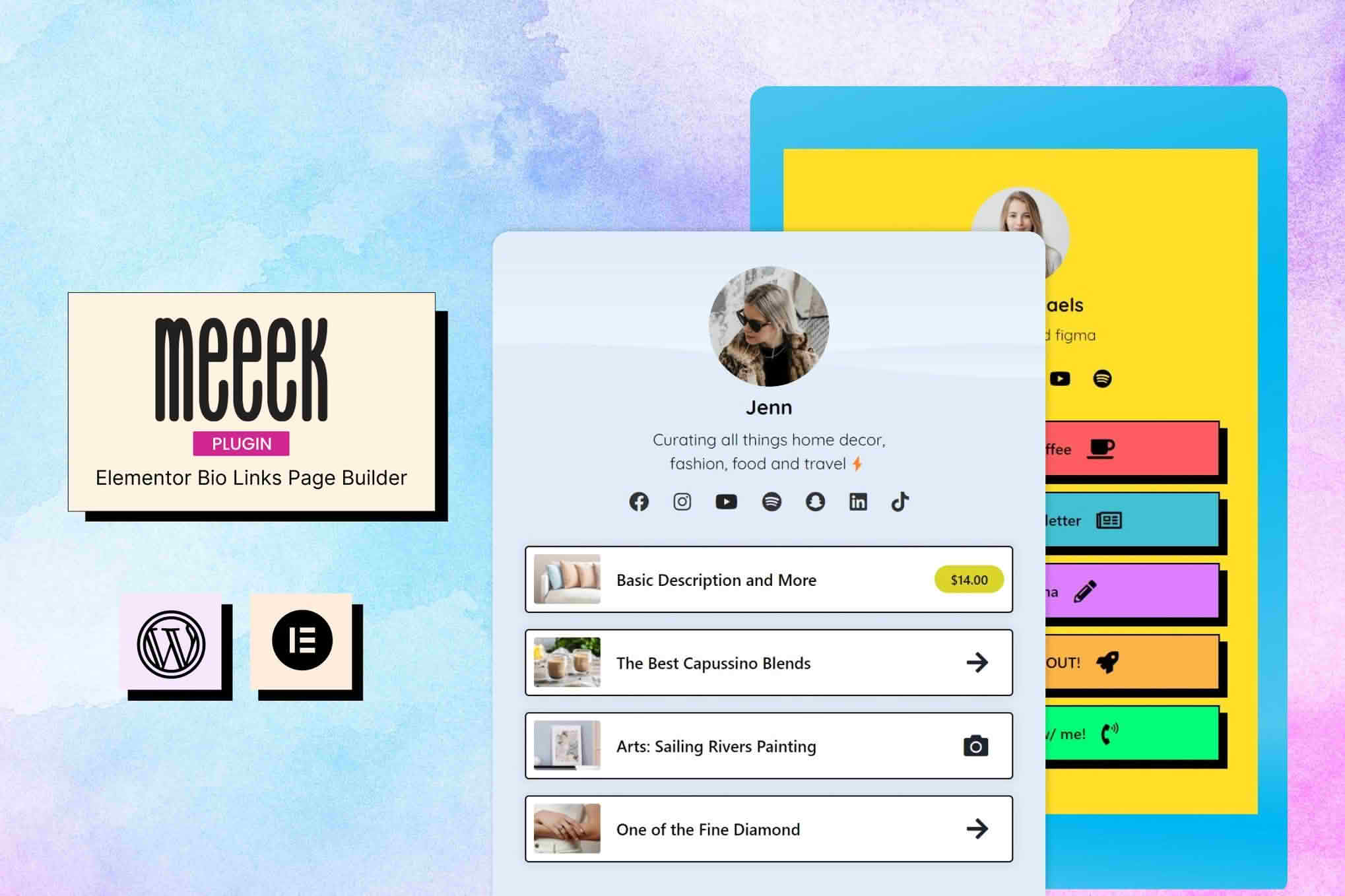
Meeek – Bio Links Creator for Elementor helps you build a link-in-bio page with Elementor, then collect your social links, content and contact buttons on one mobile-friendly page. A link-in-bio page gives people a single destination to visit from a profile, a post or a campaign, instead of a list of scattered accounts. It is aimed at creators, small businesses and anyone who wants a polished page without building a full website from scratch.
People who find you on a social network often arrive with a simple question: where should I go next? A link-in-bio page answers that question in one place. Instead of a short bio with room for a single link, you can present your latest work, your shop, your booking form and your newsletter sign-up together, arranged in the order you choose. A clear first screen matters most on phones, where a visitor decides within seconds whether to keep exploring.
Meeek is built around Elementor, so the page is assembled with a visual editor that many WordPress users already know. It works with Elementor, Elementor Pro and WPML, and the plugin describes its page builder as user friendly. If you already design pages in Elementor, the habits you have built for spacing, colors and typography carry over directly to your link page.
Because the page relies on Elementor rather than the block editor, it is not optimized for Gutenberg. That matters if your site is built heavily around blocks, since you may prefer to keep the link page as a separate, dedicated design rather than mixing it with block-based layouts.
A simple order of work helps you finish quickly. Start by choosing the skin that fits your audience, then build the content you want to show, beginning with the most important destination. Add your social connections and any call-to-action buttons next, and leave the less urgent links until last. Finish with a check on a phone. Once the page looks right, place its address in your social profiles and any email signature, so the link appears wherever a visitor might look for it.
All of your links live in one centralized location, which makes updates faster than hunting through several pages. You can edit a link, reorder the list so the most important destination appears first, or remove an entry that no longer applies. Links can be created and reordered quickly, which suits the frequent changes that come with a launch, an event or a seasonal promotion.
Keeping the list short is a good habit. Visitors skim link pages, and a tight selection of current destinations usually works better than an archive of everything you have ever published. Review the list every few weeks and remove anything that has gone stale.
The page can connect your social accounts so that visitors can find you on other platforms. It is designed with creators on Instagram, TikTok, Twitter and LinkedIn in mind, and it suggests sharing the page from social bios so the link is always one tap away. Icons for specific networks are not described in detail, so review the available options in your installation before you plan the layout.
Call-to-action buttons prompt visitors to take a specific step. Typical uses include newsletter sign-ups, product sales and service bookings. A single prominent button is often enough, but several clearly labeled buttons can serve different audiences, such as a client who wants to book a session and a fan who wants to purchase a print.
Short, specific labels do most of the work on a link page. A label such as Latest video or Book a discovery call tells visitors exactly what will happen when they tap. Vague wording such as Click here wastes the moment. Keep labels consistent in style, use sentence case throughout and avoid packing several promises into one line. Because the page is viewed on small screens, a label that wraps onto two lines is fine, but one that runs to four lines usually needs shortening.
The page is fully responsive and mobile-friendly for phones and tablets. The template library includes sixteen skins, eight vertical and eight horizontal, and each orientation also includes a home demo. The named styles are Art, Cartoon, Menu, Colorful, Chromatic, Socials and Gradient. Starting from a skin that suits your brand can save time, although you will still want to replace the sample content and adjust colors and fonts to fit your identity.
Mobile use deserves its own planning. Keep the most important link near the top, use short labels and test the page at phone widths before you share it. Visitors who arrive from a social app tend to expect a fast, clean page, and a crowded layout can cost you the click you were hoping for.
A link page should be readable without effort. Use strong contrast between text and background, and avoid placing important words over busy images. Give each button a clear, descriptive label, because people who use screen readers hear the text rather than see the design. Check that the page still makes sense in a narrow browser window, and confirm that buttons are comfortable to tap with a thumb.
A link page can go out of date faster than a full website, because it is the front door for campaigns, launches and seasonal offers. Assign a regular review, perhaps monthly, to remove expired destinations, refresh call-to-action wording and confirm that every link opens the right page. Keep a short list of what the page should contain at different points in the year, so that updates are quick to make when a new campaign begins.
Click analysis works through a compatible link shortener, and no built-in analytics dashboard is described. In practice, the reporting you see will come from the shortener you connect. Google Analytics is cited as an example of a tool a dedicated website might add for deeper visit data.
Product sales are tied to WooCommerce, so that part of the page depends on WooCommerce being installed and configured. If you sell goods from the link page, make sure your checkout, shipping and tax settings are ready before you send traffic there. Bookings are a different matter. A dedicated scheduling tool or form may work better than a button, depending on how complex your services are and how much detail you need to collect.
A custom domain, or a landing page that represents your brand on its own, is generally better for branding than a generic profile link. Domain setup is not covered in the plugin’s own description, so check your hosting provider’s documentation for the steps. A domain of your own can make the page feel like a proper destination rather than a borrowed corner of a social profile.
The plugin is compatible with any theme, as long as the theme lets the page remove its headers and footers and change the body color or background. The developer also recommends its own optimized theme for the best fit. Compatibility is listed for WordPress 6.5.x through 6.9.x, along with Elementor, Elementor Pro and WPML.
Supported browsers include Firefox, Safari, Opera, Chrome and Edge. Confirm minimum PHP and Elementor versions with your host before you install, especially if you run an older version of Elementor.
Meeek suits creators with several destinations to share, service providers who want a single hub for contact and bookings, and brands running campaigns that need a focused page with a clear call to action. Because the plugin is built around one concise page rather than a full website, businesses that need a complete storefront or a detailed content library will probably want something broader.
A link-in-bio page works best when it is short, current and easy to read on a phone. Meeek brings Elementor-based design, a centralized link list, social connections and call-to-action buttons into one package. Plan your links before you build, choose a skin that fits your brand, and test the result on several devices before you publish.


