

Updates for one year, unlimited sites, auto updates, and regular updates.
$3.99
 BookmarkBookmarked
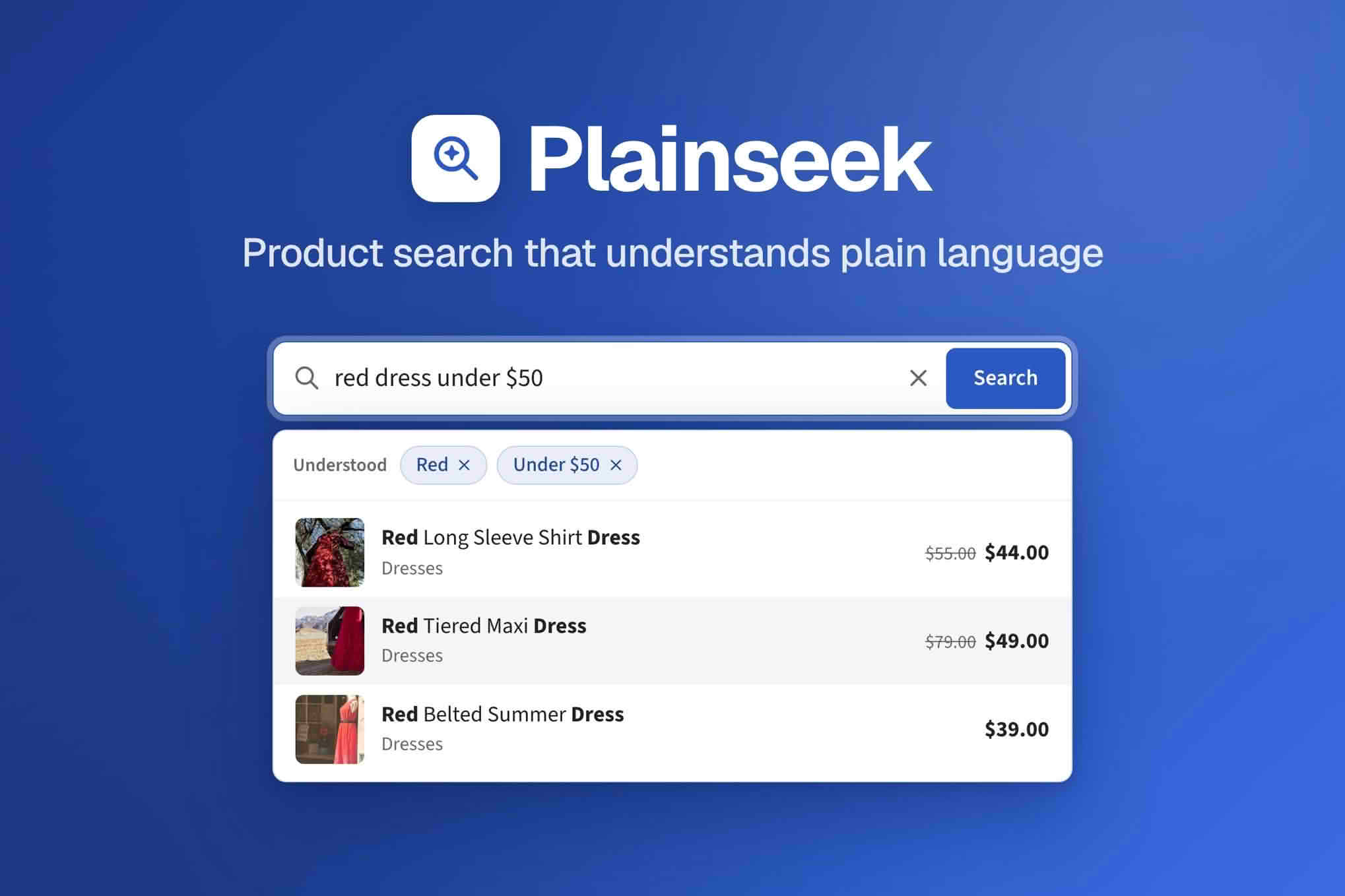
Plainseek is an AI product search plugin for WooCommerce stores. Search matters most in shops where the search box is one of the main ways a visitor reaches the catalogue, and it matters even more as the range grows. This page explains the thinking behind good product search and shows how to prepare a WooCommerce catalogue so that search has the best chance of helping your customers find what they came for.
Shoppers who use a search box often know roughly what they want, which makes them closer to a decision than someone wandering through category pages. When the search fails, through an empty results page or a list of irrelevant items, many visitors simply leave. A small shop with a dozen products can get away with weak search, because browsing is quick. A store with hundreds or thousands of items depends on search far more, because browsing becomes slow and cluttered as the range grows.
Search also tells you something about your customers. The words people type reveal the questions your categories and product pages fail to answer. That knowledge can guide improvements to titles, descriptions and navigation, and it turns the search box from a fixture at the top of the page into a useful source of feedback.
Store owners often describe products using the terms printed on a supplier’s sheet or in a manufacturer’s catalogue. Shoppers rarely do. They might type “waterproof jacket for cycling” instead of a model code, or “gift for a teenager who likes music” instead of a category name. Everyday phrasing like this is common, and a catalogue that only responds to exact product names will miss many of these visits.
Other habits create the same problem in smaller ways. Shoppers misspell words, use abbreviations, mix singular and plural forms and switch between centimetres and inches. They also combine attributes in a single phrase, asking for a colour, a size and a material all at once. Each of these habits is a reason to review how your products are named and described, because every search tool depends on the information you give it about each item.
Product titles should name the item clearly and use the words a customer would recognise. A title such as “Trail Running Shoe, Women, Size 7” tells both shoppers and search tools far more than a bare code does. Keep titles readable rather than crowded with repeated keywords, because a stuffed title is harder to scan on a phone and looks suspicious to a careful reader.
Short descriptions deserve the same care. Use them to answer the questions a buyer is most likely to ask, such as what the item is made from, what it is for and who it suits. Longer descriptions can hold detail, but the opening sentences should carry the essentials, because many visitors read only that far before deciding whether to continue.
Attributes and categories provide a second layer of structure. Filling in colour, material, size or capacity wherever they apply gives shoppers a way to narrow results and gives any search tool more to work with. Keep the values consistent across the catalogue. If one product says navy and another says dark blue, a shopper filtering by colour may miss one of them entirely.
Tags can help with synonyms and alternative names, but use them sparingly. A product with dozens of tags is hard to maintain, and a crowded tag list can look like an attempt to game the system, which does not help the people who actually shop with you.
Every store should review the searches that produce no results. A regular look at these queries reveals missing products, unclear naming and categories that do not match the way people think. Start with the most frequent empty searches, decide whether each one reflects a real gap in your range or a naming problem, and fix the cause rather than the symptom.
This review works with any search setup. Keep a simple log, export search reports if your hosting or store configuration provides them, and set a monthly reminder to read through the results. The habit matters more than the particular tool you use to collect the data.
Many shoppers search on a phone, often with one thumb and in a hurry. The search field should be easy to find in the header, large enough to tap comfortably and clear about what it searches. Results should fit a small screen, with images and key details that remain readable without zooming.
If your store serves more than one language, plan for search in each one. Synonyms and everyday phrases differ between languages, so a term that works in English may need a different translation or alternative elsewhere. A native speaker reviewing your most common searches is one of the most useful checks you can make.
A search field should be fully usable from a keyboard, with a visible focus state and a label that screen readers announce clearly. If the field offers suggestions as the shopper types, those suggestions should be reachable with the arrow keys and announced in a way that assistive technology can follow. Test these behaviours yourself rather than assuming that your theme handles them correctly.
Before you rely on any search tool, run a set of realistic queries on a copy of your store. Include common phrases, misspellings, a few specific model names and a handful of questions a new customer might type. Note which results are relevant, which are missing and which are surprising. Repeat the test after you change product data, so you can see whether the change actually helped.
Check performance as well. A search that feels quick on a small test catalogue may slow down once hundreds or thousands of products are indexed. Measure response times on your real catalogue, ideally on the same server setup you use for live traffic, and compare the results at quiet and busy times.
Stores with large or frequently changing ranges, many product attributes or a mixed audience of experienced buyers and first-time visitors have the most to gain from better search. A store with only a few products may find that a clear category structure already does most of the work, although even small catalogues benefit from well-written titles.
Category pages and search results should tell the same story. If a shopper searches for a term and lands on a page whose categories use different words, the experience feels disjointed even when the results are correct. Review your category names against the terms that come up most often in searches, and consider whether a category should be renamed, merged or placed under a clearer parent group. Keep the structure shallow enough that a shopper can reach any product in a few clicks, because deep nesting makes both browsing and search harder to use.
Many searches come from people who have not decided what they want, only that they have a need. A short, plain explanation on a product page can help them decide, covering how an item is used, what it pairs with and what to consider before buying. These explanations also make a catalogue easier to search, because the words a shopper needs in order to choose are the same words a search should be able to match.
Some visitors search for information rather than products, using phrases such as how to measure for a size, what a term means or how to care for an item. Those queries signal a gap in your content. A short guide, an answer on the relevant product page or a sizing chart can close that gap, and once it is closed, a search that once ended in frustration can instead lead the shopper to the right item.
Search should work for shoppers who use screen readers, zoom in heavily, navigate by keyboard or read in a second language. The accessibility checks described above are a starting point, but it is worth going further by asking a few real users to try finding items and by reviewing how any error or empty-result message reads. Feedback from people who struggle with a search box often reveals problems that a developer testing alone would never notice.
Good product search is a combination of clear product data, a sensible search field and regular review. Plainseek fits into that process, and the steps above will help you judge whether it is working for your shoppers.


