

Updates for one year, unlimited sites, auto updates, and regular updates.
$3.99
 BookmarkBookmarked
 The S3 Image Storage for bbPress plugin offers a robust solution for managing user-uploaded images within your bbPress forum. By seamlessly integrating with Amazon S3, it offloads the burden of image storage from your WordPress server, leading to significant improvements in performance, scalability, and reliability for busy online communities.
In the dynamic world of online forums, user-generated content, particularly images, plays a crucial role in engagement and communication. However, as a bbPress forum grows, the sheer volume of uploaded images can quickly become a significant challenge for traditional WordPress hosting environments. Storing all these images directly on the same server that hosts your WordPress installation can lead to a multitude of issues, ranging from sluggish performance to storage limitations and complex backup procedures.
The Core Problem: Media Management in Growing Forums
When users upload images to a bbPress forum without a specialized solution, these files are typically stored within the standard WordPress media library, residing on the same server as the rest of your website’s files and database. While this approach works adequately for smaller sites with infrequent image uploads, it quickly becomes a bottleneck for active communities. Each image upload consumes server disk space, and every time an image is viewed, it requires server resources to deliver. This constant demand can strain server resources, leading to:
How S3 Image Storage for bbPress Provides a Solution
S3 Image Storage for bbPress directly addresses these challenges by fundamentally altering how your forum handles image uploads. Instead of storing images locally on your WordPress server, the plugin acts as a bridge, directing all new image uploads from your bbPress forum directly to Amazon S3. Amazon S3 (Simple Storage Service) is a highly scalable, durable, and secure object storage service offered by Amazon Web Services (AWS). By leveraging S3, the plugin transforms your forum’s media management strategy, moving from a server-centric approach to a cloud-based, distributed one.
This shift means that when a user posts an image in a bbPress topic or reply, the image file is not saved to your WordPress server’s `wp-content/uploads` directory. Instead, it is immediately transferred to a designated S3 bucket. When another user views that post, the image is served directly from S3, bypassing your WordPress server almost entirely for media delivery. This architectural change is the foundation for all the performance, scalability, and reliability benefits the plugin offers.
The S3 Image Storage for bbPress plugin is designed with the needs of active bbPress communities in mind, offering a suite of features that directly translate into tangible benefits for both administrators and users.
Direct Integration with Amazon S3
The core functionality of the plugin lies in its seamless and direct integration with Amazon S3. This means that once configured, your bbPress forum will automatically upload all new images directly to your specified S3 bucket. The plugin handles the entire process, from intercepting the upload to securely transferring the file and then updating the image URL in the bbPress post to point to the S3 location. This direct integration ensures that your WordPress server never has to store these image files locally, immediately freeing up valuable disk space and reducing the load on your server’s file system.
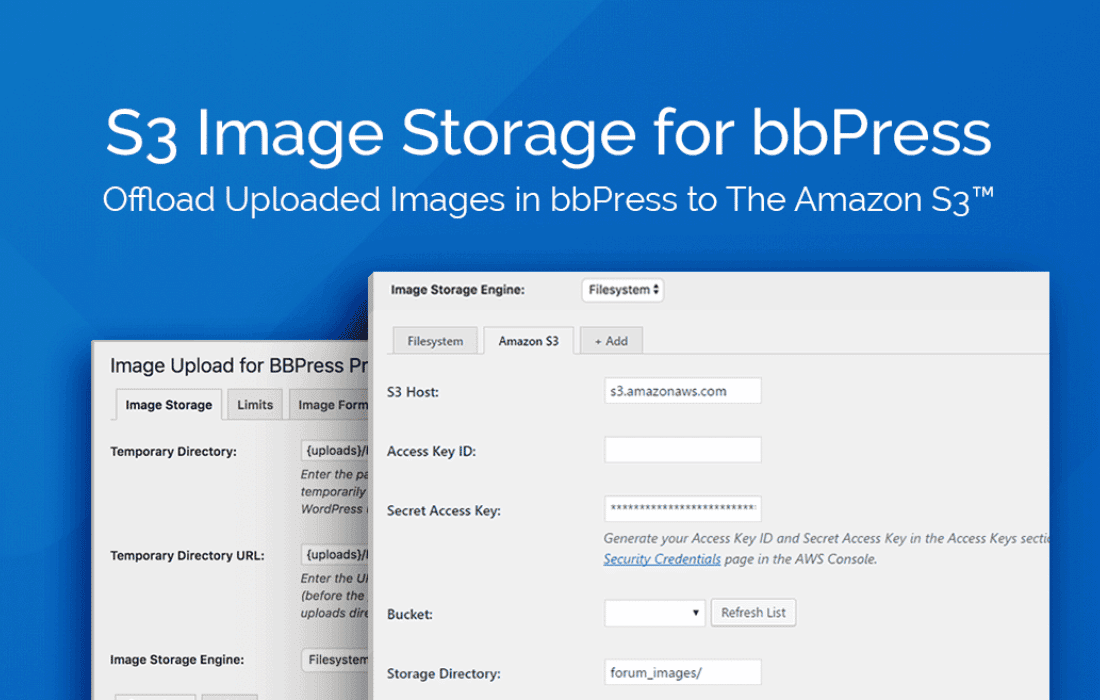
For administrators, this integration involves providing AWS access keys and specifying an S3 bucket. The plugin then manages the communication, ensuring secure and efficient data transfer. This direct link is crucial for maintaining optimal performance, as it eliminates intermediate steps that could introduce latency or consume additional server resources.
Enhanced Server Performance and Resource Management
One of the most immediate and significant benefits of using S3 Image Storage for bbPress is the dramatic improvement in your WordPress server’s performance and resource management. By offloading image storage and serving to Amazon S3, your primary web server is no longer burdened with the heavy task of storing and delivering potentially millions of image files. This leads to several key advantages:
Superior Image Load Times
The speed at which images load is paramount for user experience, especially in content-rich forums. Slow-loading images can frustrate users, lead to higher bounce rates, and diminish engagement. S3 Image Storage for bbPress significantly improves image load times through several mechanisms inherent to Amazon S3:
The result is a snappier, more responsive forum experience where images appear almost instantly, keeping users engaged and satisfied.
Unmatched Scalability and Reliability
One of the most compelling reasons to use Amazon S3 is its unparalleled scalability and reliability, benefits that are directly conferred upon your bbPress forum through this plugin.
This level of scalability and reliability is virtually impossible to achieve with a single-server, local storage solution, making the plugin an essential tool for any forum planning for long-term growth and stability.
Simplified Storage Management
By delegating image storage to Amazon S3, the plugin significantly simplifies the overall storage management for your bbPress forum. Administrators no longer need to constantly monitor local disk space, manage large media folders, or worry about the complexities of scaling local storage. S3 handles all the underlying infrastructure, allowing you to focus on managing your forum’s content and community.
This simplification extends to maintenance tasks. For instance, if you need to migrate your WordPress site to a new host, the bulk of your media files are already externalized, making the migration process much quicker and less prone to errors. Similarly, managing backups becomes less complex when the largest portion of your site’s data (images) is handled by a separate, highly reliable service.
Seamless User Experience
Despite the sophisticated backend changes, the S3 Image Storage for bbPress plugin ensures a completely seamless experience for your forum users. From their perspective, nothing changes. They continue to upload images through the standard bbPress interface, and these images appear embedded in their posts just as they always have. The transition to S3 is entirely transparent to the end-user, ensuring no disruption to their workflow or interaction with the forum.
The only noticeable difference for users will be the improved performance – images will load faster, and the overall forum experience will feel snappier and more responsive, contributing to greater satisfaction and engagement.
The S3 Image Storage for bbPress plugin is particularly well-suited for specific scenarios and types of communities:
High-Traffic bbPress Forums
For forums with a large and active user base that frequently share images, this plugin is indispensable. Forums that generate hundreds or thousands of image uploads daily will quickly overwhelm conventional hosting. S3 provides the robust backend needed to handle such volumes without compromising performance.
Forums Experiencing Performance Bottlenecks
If your bbPress forum is already struggling with slow page load times, frequent server timeouts, or high resource usage, and you suspect media serving is a contributing factor, S3 Image Storage for bbPress offers a direct and effective remedy. By offloading the heaviest static content, it frees up your server to focus on dynamic content delivery.
Administrators Seeking Scalable Infrastructure
Website administrators who are proactive about future growth and want to build a scalable, future-proof infrastructure will find this plugin invaluable. It allows forums to grow from a few dozen users to tens of thousands without needing to re-architect their media storage solution.
Sites Prioritizing Data Durability and Availability
For communities where user-uploaded images are critical content and their loss or unavailability would be detrimental, S3’s industry-leading durability and availability guarantees provide essential peace of mind. This is particularly important for niche communities where visual content forms a core part of the discussion.
Developers and Agencies Managing Multiple Forums
Agencies or developers managing multiple bbPress installations can standardize their media storage strategy using S3, simplifying their infrastructure management across various client sites and ensuring consistent performance.
The plugin is designed for ease of setup, making the powerful capabilities of Amazon S3 accessible to bbPress administrators without requiring deep AWS expertise. The process typically involves:
The “Easy to set up” aspect highlighted in the summary means that the plugin abstracts away much of the complexity of direct S3 integration, providing a user-friendly interface within the WordPress admin area to connect your forum to the cloud storage service.
In conclusion, S3 Image Storage for bbPress is more than just a utility; it’s a strategic enhancement for any bbPress forum committed to delivering a high-performance, scalable, and reliable user experience. It addresses the fundamental challenges of media management in growing online communities by leveraging the robust infrastructure of Amazon S3.
By choosing this plugin, forum administrators can:
For busy communities that rely heavily on visual content and demand better media performance and storage management, S3 Image Storage for bbPress offers a powerful, efficient, and cost-effective solution that ensures your forum remains fast, stable, and ready for whatever the future holds.