

Updates for one year, unlimited sites, auto updates, and regular updates.
$3.99
 BookmarkBookmarked
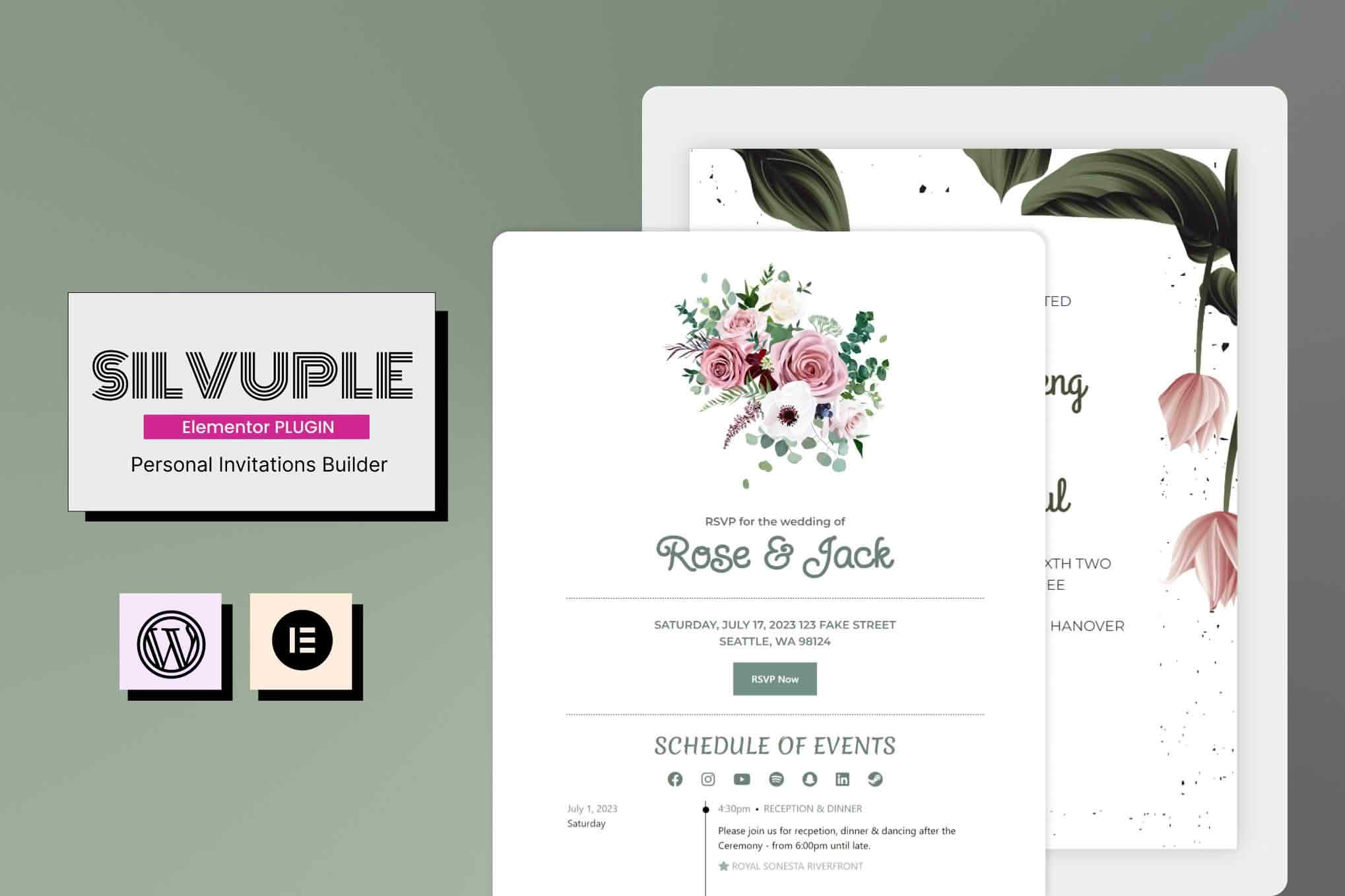
Silvuple is an Elementor add-on for building online invitations for weddings, birthday parties, baby celebrations, gender reveals and similar events. Each invitation is a separate page that is customised inside Elementor, so the person designing it works with the familiar editing tools rather than writing code. The add-on suits event hosts who want a personal invitation page with the key details and buttons that can prompt guests to reply. It also suits designers and agencies that build websites for clients planning an occasion.
The add-on includes twelve ready-made layouts. They are organised into three styles, named Simple Card, Split Screen and Unfolded, and each style comes in four themes: Gender Reveal, Baby Baptism, Birthday Party and Wedding Invitation. Each layout links to a demonstration on the product page, so a host can compare the look before choosing one. Because each page is built in Elementor, the text, images and sections of a chosen layout can be adjusted to suit the event.
Layouts give hosts a starting point rather than a finished result. A wedding invitation might keep the overall structure of a Split Screen layout while replacing the sample wording with the couple’s own names and the date of the ceremony. A birthday page built from a Simple Card layout could use a different set of images and a shorter list of details. Both approaches rely on the same editing process, which is why the choice of style often comes down to how much text and imagery the host intends to show.
The four themes map onto different kinds of celebration. A wedding invitation usually carries more formal information, such as a ceremony time, a reception venue and a dress code, so it benefits from a layout with room for those details. A birthday or baby celebration tends to be shorter and more informal. Choosing the theme first saves rework, because a page built for a formal wedding can feel out of place as a casual party invitation, and the reverse is also true.
The three styles are named Simple Card, Split Screen and Unfolded. The demonstrations linked from the product page are the best guide to how each one handles real content, so it is worth previewing a few before committing to a design.
Setup is straightforward, with controls that are presented as simple to use. The add-on is described as translation-ready for any language, so the page text can be written in the language the guests expect. Names, dates and other event details can be replaced with the host’s own information. Because invitations are published on a WordPress site, the host controls where each page lives and what it links to.
Each event gets its own page, so a host preparing several celebrations keeps them separate rather than combining them on one long page. The product page promises constant updates, mentions a plugin changelog and points to online documentation and a dedicated support team, which are the places to turn when a setting is unclear.
Call-to-action buttons prompt visitors to take a specific step, such as sending an RSVP or emailing the host, so a page can direct guests to the next action without a long set of instructions. Social media integration lets the host link their social accounts from the invitation. Buttons and links can be adjusted in Elementor like the rest of the page content.
The product page does not describe how RSVP responses are collected, stored or reviewed. Anyone relying on the add-on for a guest list should confirm those details before the invitation goes live, and should check how any linked form plugin handles submissions. This matters most for weddings and larger events, where the number of replies affects catering, seating and transport.
The designs are described as responsive and mobile-friendly, offering a smooth reading experience on any device. The add-on is built for Elementor and is listed as compatible with Elementor Pro. Contact Form 7 and WPML are both listed as compatible plugins, which matters for hosts who want a contact form or a multilingual invitation. The add-on works with any theme that allows the header and footer to be removed and the body colour and background to be changed. It is also marked as not optimised for the block editor, so hosts who build with the block editor should test it before relying on it.
Compatibility is listed for WordPress 6.5 through 6.9. No minimum Elementor or PHP version is stated, so site owners should check their Elementor and PHP versions before installing. Supported browsers are listed as Firefox, Safari, Opera, Chrome and Edge. The most recent update shown on the page is dated August 2024, and no version number is displayed, so it is sensible to confirm the current release with the developer before deploying the add-on on a live site.
An effective invitation usually answers the questions guests ask first: when the event starts, where it takes place, what to wear or bring, and how to reply. Hosts planning a wedding or party often add directions, a reply deadline and details of accommodation or transport for guests travelling from elsewhere. Keeping the text short and placing the most important facts near the top tends to work better than a long narrative, particularly on a phone screen.
Published pages are visible to anyone who has their address unless access is restricted, so hosts should think about what they put online. Names, addresses and travel details may be better shared only with the guests who need them, and a page can be taken down once the event has passed. Where guests are asked to share contact details through a form, the host should explain how those details will be used and who will see them.
A practical approach is to write the text first, then choose the layout whose structure fits it, rather than forcing a long message into a short design. Photographs should be checked for resolution and for permission to publish, especially when they show other people. Testing the finished page on a phone, a tablet and a laptop before sharing it with guests helps catch text that wraps badly or buttons that are hard to tap.
Invitation text works best when it is brief, specific and easy to scan. Names should appear exactly as guests know them, and the date should be written in full, including the day of the week when that helps guests plan. Times should state the time zone or local convention where there is any chance of confusion, particularly for guests travelling from another region. Addresses should be complete enough to enter into a map application, and any parking or entry notes belong near the address rather than at the bottom of the page.
A response instruction buried beneath several paragraphs of background is easy for guests to miss. A short, clearly labelled call to action placed near the top, and repeated at the end, keeps the next step visible without repeating the whole invitation.
An invitation page should be readable by everyone who receives it. Text should be large enough to read comfortably on a small screen, and the contrast between text and background should be strong enough for older guests and people with low vision. Images that carry meaning should have a short text description so that screen readers can convey the same information. Buttons and links should have clear labels, such as “Reply by email” rather than “Click here”, so that each control makes sense out of context.
Keyboard navigation matters as well, since some guests move through web pages without a mouse. Pressing the Tab key through the page is a quick way to confirm that every button and link receives a visible focus outline.
Invitations are usually shared several weeks ahead of an event, which gives guests time to arrange travel, time off or childcare. Publishing and testing the page well before sending the link allows broken links or layout problems to be fixed in good time. Reminders are not described as part of the add-on, so hosts who want to follow up with guests who have not replied would normally do so through email or messaging. A simple record of responses kept outside the page makes that follow-up easier, and personal details in such a record should be handled with care.
Silvuple suits hosts who want a self-managed invitation page on their own WordPress site, and designers who already work in Elementor and want a set of event-themed starting points. Anyone who needs detailed guest lists, reminders, seating charts or automated response tracking should confirm whether those capabilities are covered before committing to the add-on, because the product page does not describe them.


