

Updates for one year, unlimited sites, auto updates, and regular updates.
$3.99
 BookmarkBookmarked
The Slider Revolution Cymatic Addon is an extension for Slider Revolution, the WordPress plugin created by ThemePunch. It places a three-dimensional particle sculpture inside a module. Thousands of particles gather into a defined form, stay in motion and respond when a visitor moves the pointer across them. The addon suits hero areas, feature sections and landing pages, where a single animated focal point is useful. This entry explains what the addon does, which forms it includes, how its motion responds to visitors, how it is added to a module and what to check before a page goes live.
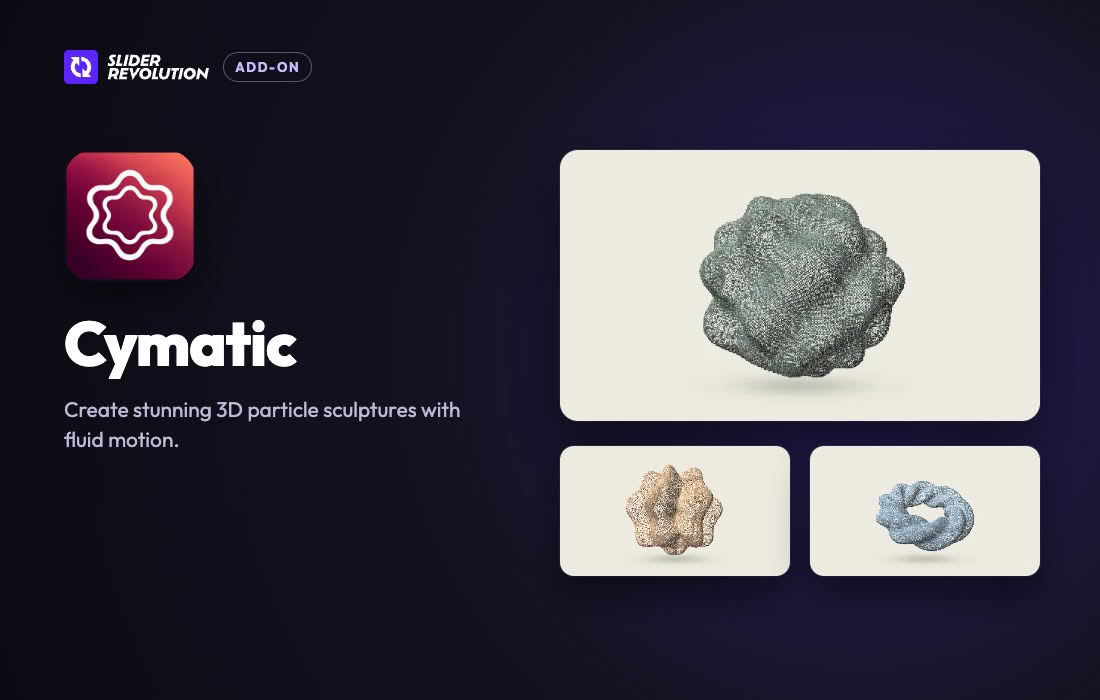
Cymatic builds three-dimensional sculptures out of particles, and each sculpture can contain thousands of them. Every sculpture takes one of ten forms. Some forms are soft and organic, such as a pulsing core or a shape that resembles folded fabric. Others are rigid and geometric, such as a faceted crystal or a Möbius loop. The particles can keep moving between interactions, because an idle motion setting animates the sculpture whenever nobody is touching it, and a Pause control can halt that idle motion when required. A particle color setting lets a designer match the sculpture to the palette of the surrounding site.
The addon includes ten forms: Resonant Core, Harmonic Bloom, Tidal Shell, Magnetic Halo, Orbital Rings, Velvet Fold, Resonance Cube, Twisted Pillar, Möbius Loop and Crystal Core. Magnetic Halo and Orbital Rings both have an open middle around which their particles circle. Velvet Fold gives the impression of draped cloth, while Crystal Core adds sharper, angular detail. Taken together, the forms range from gentle, organic shapes to rigid, architectural ones, so a designer can choose the form whose character suits the content beside it. The vendor suggests Resonant Core, Harmonic Bloom and Tidal Shell for hero sections in particular.
The Effects Library is opened from the Add menu in the editor. It holds ten presets, and each one can be added with a single click. A chosen preset appears in the module as a new layer, which can then be edited like any other layer. Each effect in the library has its own set of presets, so a designer can browse the available looks before settling on one. The library and the layer-based controls rely on one shared engine inside Slider Revolution, which means both routes use the same underlying code.
Every form responds to the pointer. The sculpture tilts toward the cursor as it passes, and contact with the cursor sends a pulse traveling through the particles. A Pause control halts the idle motion while leaving the pointer reactions and pulses switched on. That arrangement lets a site owner calm the module when the page is quiet without removing the feedback that visitors notice. The effect is best suited to pages where the sculpture is meant to invite exploration rather than sit quietly in the background.
Each saved look is stored as a state. The shape changes when a layer action moves the sculpture from one state to another. Morph timing is adjustable, covering both duration and easing, and the particles continue to move during the transition. A layer action can be triggered by a button, a click or a change of slide. The official example moves from Resonance Cube to Twisted Pillar and then to Möbius Loop as a visitor steps through a set of features. A sequence like that can explain a product in stages without altering the layout of the page.
To use Cymatic on an existing layer, switch the addon on for that layer, choose a shape, set the particle color and keep the result as a state. The sculpture is a layer-based element, so it can be sized, positioned and animated in the same way as other layers in the module. It can sit beside headlines, product photography or buttons, with the rest of the content arranged around it. A designer who wants a faster start can add a preset from the Effects Library, then adjust its color, shape and states to fit the content.
Like other Slider Revolution addons, Cymatic is installed from the plugin dashboard. The AddOns list opens a dialog in which an addon’s icon can be selected to show its details. Choosing Install Add-On downloads and installs the addon automatically, and Activate Add-On then makes it usable. Installation alone does not switch the addon on in every module. Each module that should use Cymatic must enable it separately: open the Module General Options tab in the Module Editor, choose Addons, select the Cymatic icon and press Enable Add-On. Creating a module from a template that relies on addons also installs the addons that template needs.
Cymatic requires the Slider Revolution plugin and can be used in any Slider Revolution module. Because the particles are rendered in three dimensions, the addon depends on WebGL, and the vendor states that every current browser supports it. The official material does not name a minimum Slider Revolution version, does not describe behavior on touch devices and does not name any page builders. Before launch, confirm the Slider Revolution version in use, test the sculpture on phones and tablets, and check the page builder or theme that surrounds the module.
Moving graphics can be distracting for some visitors, so the sculpture should never be the only carrier of important information on a page. Place the key message in regular text beside the module, and make sure the surrounding content can be read and navigated without relying on the animation. Designers working with motion-sensitive audiences may prefer a more restrained form or a lower-intensity look. It is also worth testing keyboard navigation around the module, so that focus can move past it without difficulty.
Choosing a form that fits the surrounding content is the simplest way to keep a page coherent. A soft, organic form such as Tidal Shell may suit gentle imagery and rounded typography, while a rigid form such as Crystal Core may suit technical or architectural subject matter. Designers can test two or three forms in the same position, compare how each one interacts with the headline, and keep the option that makes the page easier to read. Because the shape is chosen on the layer itself, switching between candidates is quick and does not require rebuilding the module.
A sculpture can anchor one side of a hero area while the headline and call to action sit on the other side. Some designers place it behind a short statement, keeping the statement clearly legible, or use it as a backdrop for a single action. Because the sculpture is a layer, its size and position can be set in the same way as any other layer, which makes it straightforward to check the composition on tablets and phones before publication.
Cymatic suits site owners who already build with Slider Revolution and want one striking three-dimensional element at the top of a page. It also suits designers who need an interactive visual to draw attention to a feature section, a service page or a product launch. Because the sculpture responds to the pointer and can morph through several states, it works best where visitors are likely to stop and look. On a busy page full of other moving elements, a more restrained effect may serve the content better.
Other Slider Revolution addons work with particles or cursor reactions too. The Cluster arranges three-dimensional particle groups that circle and shift as the pointer moves. ShapeBurst converts pictures or titles into particles that scatter and reform near the cursor. Particles adds flakes, raindrops, petals or dust that drift across content, and Hover Morph uses the cursor to reveal layers with colored edges, warping and glow. Comparing these options side by side can help a designer decide which kind of motion suits a particular page.
Keep the particle color far enough from the background to stay legible, and avoid placing essential text directly over moving particles, because every form reacts to the pointer. Save each look as a state so that a morph sequence can be rebuilt quickly if the design changes. Keep Slider Revolution up to date, and take a backup of the site before applying major updates, since changes to the plugin can affect how existing modules render. Check the module at the common screen sizes of your visitors, and confirm that the page still loads quickly on slower connections.


