

Updates for one year, unlimited sites, auto updates, and regular updates.
$3.99
 BookmarkBookmarked
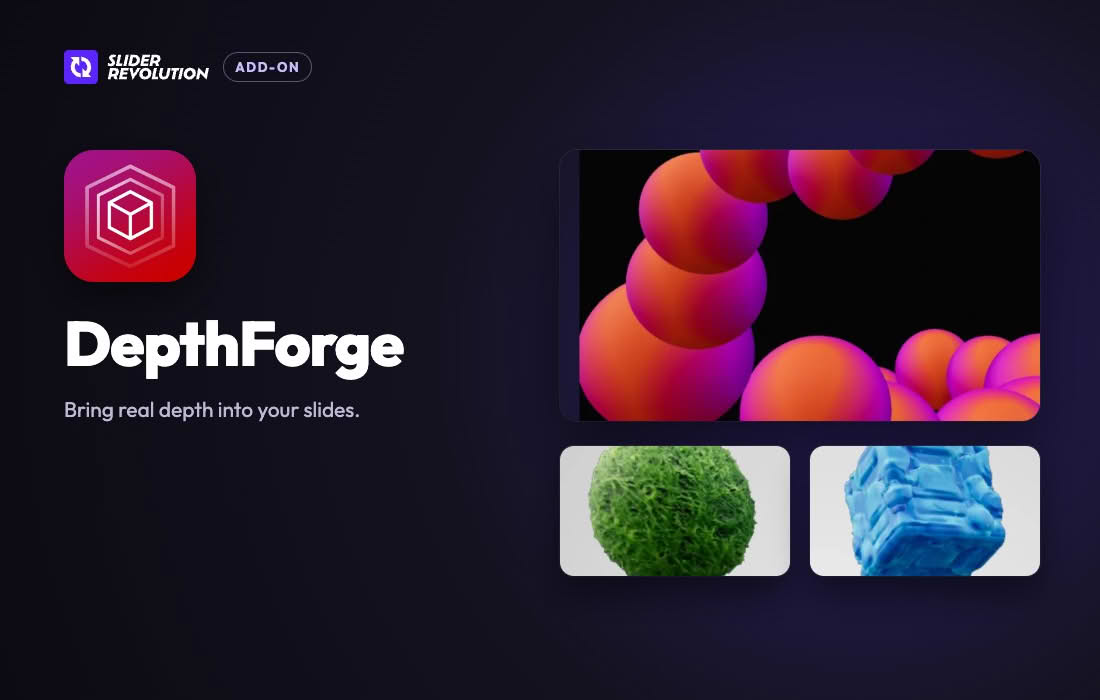
The Slider Revolution DepthForge Addon is an extension for Slider Revolution, the WordPress plugin created by ThemePunch. It brings a real-time three-dimensional engine into a module, so a designer can assemble a 3D scene from imported models, materials and lighting inside the same editor used for the rest of a Slider Revolution project. Text, images and buttons can be layered in front of or behind the scene. The vendor presents the addon for product showcases, material displays, hero sections and interactive brand graphics. This entry describes what the addon contains, how its scenes respond to visitors, how it is installed and enabled, and which points to verify before use.
Each DepthForge scene has dedicated camera, lighting, grid and depth controls, so the composition of the three-dimensional world can be tuned separately from the content placed on top of it. The scene is assembled directly in the Slider Revolution editor, and no separate export step is required before the work can be published. The 3D objects are treated as layers, which means they sit alongside text and images in the same stack. Other layers can be positioned ahead of or behind the three-dimensional world, giving the designer control over which elements appear in front of the scene.
The addon accepts GLB and GLTF files, and a model can include baked animations that play on the slide. For product models, the addon detects print areas automatically, so a logo or artwork can be applied to the model without a separate render. Materials outside a print area can be given recolor slots, allowing one model to appear in several colorways. Material bases include Standard, Physical and Unlit Glow. Controls cover metalness, roughness, reflections, glass and full texture maps. Fourteen one-click presets supply ready-made surfaces, including grass, marble, concrete, ice and brushed metal.
Lighting is grouped together in a single Light & Mood panel. The addon supplies an HDR environment and 360-degree backgrounds, along with spot and point lights. Floor reflections update in real time, and shadows and bloom can be added to adjust the mood of the scene. Because the scene lives inside the editor, later changes do not require a re-export. A designer can therefore refine the atmosphere during the same editing session as the rest of the page.
Camera parallax follows the pointer, so the scene shifts subtly as a visitor moves the mouse across it. Visitors can drag to orbit the scene, and an idle motion setting keeps it moving when nobody is interacting. Individual objects can respond to the pointer through per-object cursor fields, magnetic following or a look-at-cursor setting. A logo or mascot can therefore turn toward the visitor, which can make a brand graphic feel responsive on the page.
Movement can also be linked to the Scroll Based Timeline, so that objects and the camera change as the visitor scrolls down the page. This arrangement suits product launch pages and story-led landing pages, where each stage of the narrative can be revealed by scrolling rather than by clicking through separate slides.
Clicks pass through the three-dimensional scene unless they land on an interactive 3D object. Ordinary links and buttons placed behind the scene therefore keep working, while objects marked as interactive receive the clicks meant for them. Designers should decide early which objects respond to clicks and keep those objects clearly separated from background content, so that visitors can predict what will happen when they press on something.
Product showcases are an obvious use: a visitor can orbit a GLB product model, and artwork can be placed on its print area. Hero sections can replace a static photograph with an animated scene in which lighting and parallax add depth. Material and finish displays are another use, since textures and surface qualities are easier to judge on a three-dimensional form. The vendor suggests the addon for architecture, interiors, fashion and manufacturing brands, where tactile detail matters. Brand icons and mascots can be made three-dimensional and given cursor-driven behavior, while portfolios can present creative work in a lit, reflective setting without a video export.
A scene works best when its composition supports the message of the surrounding content. Decide early whether the three-dimensional object should be the focal point or a supporting element, and arrange the text and buttons so that they do not compete with it. Keep the camera framing simple at first, then refine lighting once the layout is settled. Layers placed behind the scene can carry background details, while layers in front can hold the headline and calls to action. When a scene is reused on another page, review its wording and imagery so that the new context matches the content.
Continuous three-dimensional motion can be tiring for some visitors, so the scene should not be the only place where key information appears. Keep essential messages in ordinary text beside the scene, and check that keyboard users can reach links and buttons outside it. Designers can also prepare a calmer alternative for visitors who prefer less movement.
Three-dimensional content is heavier than flat graphics, so model files should be prepared at a sensible size before they are imported. Remove detail that a visitor will never see, keep the number of materials in each model modest and avoid stacking several large scenes on one page. Measuring page speed before and after adding a scene shows whether the trade-off is acceptable for the audience.
The vendor publishes a template named DepthForge – 3D Slider Template for WordPress, which can serve as a starting point for a new module. When a module is created from a template that depends on addons, Slider Revolution installs the required addons during that process. Otherwise, the addon is installed from the AddOns list in the plugin dashboard and activated there. The addon then has to be enabled module by module, using the Addons section of the Module General Options tab and its Enable Add-On button. Once enabled, the addon typically adds new options to the right-hand sidebar or the top menu.
DepthForge requires the Slider Revolution plugin. The official pages do not state a minimum Slider Revolution version, a minimum WordPress version, a browser list or hardware requirements. Because real-time three-dimensional rendering can be demanding, confirm the versions in use and test the scene on mid-range phones and older laptops before publishing. Check the scene at each breakpoint, confirm that imported models load at an acceptable size, and make sure the text around the scene stays readable and the page remains usable while the scene loads.
DepthForge suits Slider Revolution users who want a three-dimensional environment on a page without learning a separate 3D application. It is also relevant to brands whose products are judged by finish, texture and form, and to designers who want interactive brand graphics. Teams that already have GLB or GLTF models can import them directly, whereas teams without such files will need to create or source them first.
Several other Slider Revolution addons deal with depth or three-dimensional effects. Cymatic builds three-dimensional particle sculptures that morph between shapes. Spatial Scenes converts photographs into a navigable three-dimensional environment, with camera movement that follows the scroll position. Hover Morph provides cursor-driven reveal effects for layers. Reviewing these addons side by side can help a designer choose between a full scene, a single sculpture and a reveal effect.
Before publishing, walk through the scene on a range of devices and check several points in turn. Confirm that each model loads at a reasonable size and that its print areas show the intended artwork. Make sure the camera framing keeps the main subject visible at every breakpoint, that text layered over the scene remains readable, and that clicks reach the links and buttons that should receive them. Recording the outcome of each check gives a clear baseline against which later updates can be compared.
Use the responsive editor to review the scene at each breakpoint before publication. Keep models light enough to load quickly on mobile connections, and keep the number of interactive objects modest so the page stays responsive. Save a working copy of the module before experimenting with lighting or materials, since those changes can be hard to reverse by hand. Keep Slider Revolution up to date, and take a backup of the site before applying major updates.


