

Updates for one year, unlimited sites, auto updates, and regular updates.
$3.99
 BookmarkBookmarked
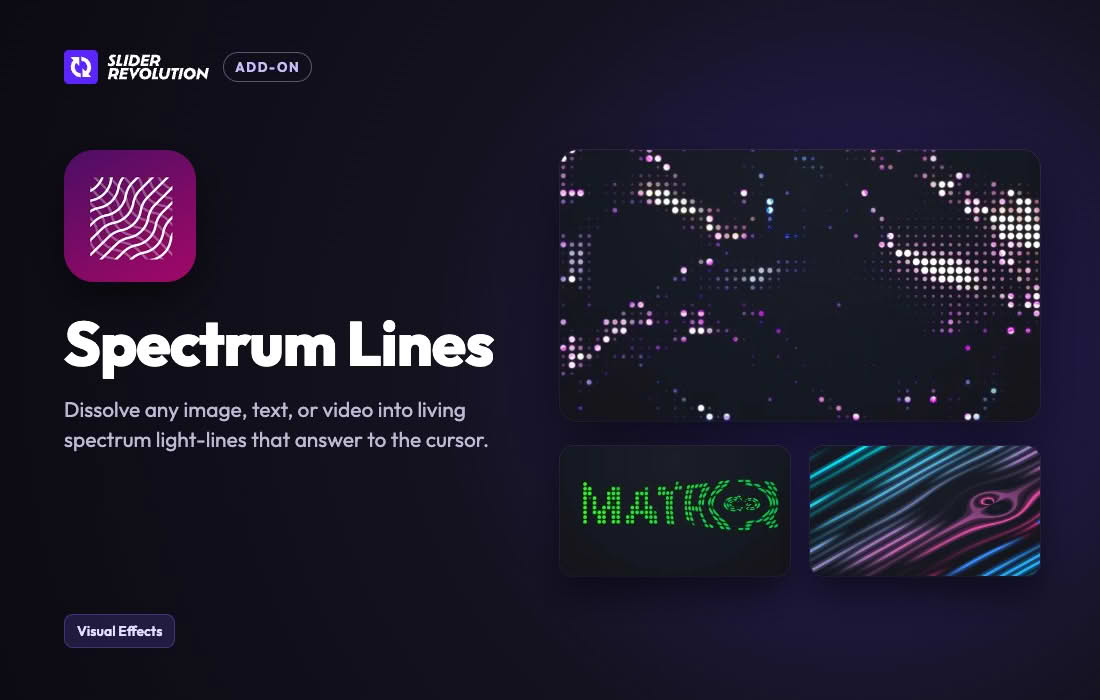
The Slider Revolution Spectrum Lines Addon is a specialized extension designed exclusively for the widely used Slider Revolution plugin in WordPress. This addon introduces stunning, animated spectrum lines that can be integrated directly into your website’s hero sections, sliders, and multimedia presentations. By leveraging advanced visual effects, this extension empowers website designers and developers to create immersive, high-impact digital experiences without requiring deep coding knowledge. Whether you are building a modern agency portfolio, an electronic music festival landing page, or a cutting-edge corporate website, the Slider Revolution Spectrum Lines Addon offers a dynamic way to capture visitor attention and elevate overall site aesthetics.
In modern web design, subtle motion graphics and audio-visual motifs play a significant role in establishing a memorable brand presence. The Slider Revolution Spectrum Lines Addon brings frequency-style visualizer lines and geometric spectrum animations into the WordPress ecosystem. These dynamic lines react, flow, and pulse across the screen, mimicking high-tech audio spectrums, data streams, or abstract particle waves. Because it integrates seamlessly with Slider Revolution, users retain full control over how these spectrum lines interact with standard slide layers, text, buttons, and background imagery.
The Slider Revolution Spectrum Lines Addon is packed with configuration options that ensure it fits harmoniously into any design system. It bridges the gap between complex WebGL animations and user-friendly WordPress site building.
The versatility of the Slider Revolution Spectrum Lines Addon makes it suitable for a wide variety of industries and website genres. Its modern, tech-forward aesthetic is particularly powerful in specific digital environments.
Music and entertainment websites benefit immensely from spectrum lines, as the visualizer effect naturally complements audio tracks, DJ portfolios, podcast landing pages, and concert promotion hubs. By pairing the spectrum lines with audio playback, site owners can create a synesthetic experience for their visitors.
Technology startups, software-as-a-service (SaaS) platforms, and digital agencies can also utilize the addon to convey innovation and connectivity. The abstract data-stream appearance of the lines suggests high-tech processing, futuristic intelligence, and cutting-edge digital infrastructure, instantly modernizing an otherwise standard landing page.
Getting started with the Slider Revolution Spectrum Lines Addon is straightforward for anyone already familiar with the WordPress dashboard and the Slider Revolution plugin. Once the main Slider Revolution plugin is installed and activated, the addon can typically be downloaded and installed directly from the plugin’s native object library or uploaded via the standard WordPress plugins menu.
After activation, open your Slider Revolution module editor. Inside the slide builder, you will find options to add new specialized layers or background effects. Selecting the spectrum lines option introduces the visual element onto your canvas. From there, the intuitive sidebar inspector reveals a comprehensive set of styling controls, enabling you to preview your changes in real-time before publishing the slider to your live website.
While the Slider Revolution Spectrum Lines Addon offers dazzling visual effects, thoughtful implementation is key to maintaining a professional user experience. Because the lines feature continuous movement, it is generally best to pair them with clean, highly legible typography and uncluttered layouts. Ensuring a strong contrast between your background, your spectrum lines, and your primary text guarantees that your core messaging remains readable.
Additionally, consider the overall loading speed and performance budget of your web pages. While the addon is optimized for performance, combining multiple heavy animations on a single page can occasionally impact lower-end mobile devices. Utilizing the addon selectively—such as in a primary above-the-fold hero section—ensures your website remains fast while still delivering a striking visual punch.
No reliable alternatives known.


