

Updates for one year, unlimited sites, auto updates, and regular updates.
$3.99
 BookmarkBookmarked
Sports Player Box – Elementor UI Cards is a set of customisable card widgets for Elementor. Its title and tags point to sports-related sites, and the listing carries tags for sports, esports, gaming and streamers. This entry explains what the public listing and vendor documentation confirm, then offers general guidance on presenting player information in card layouts, without assuming that the product displays particular fields.
According to the vendor, the product lets you display customisable cards on a site. It is an Elementor widget set, and the listing names sports players as its focus. The sports, esports, gaming and streamer tags suggest that teams, leagues, clubs, gaming communities and streaming channels are the intended users, although the listing does not describe any feature built for those audiences specifically.
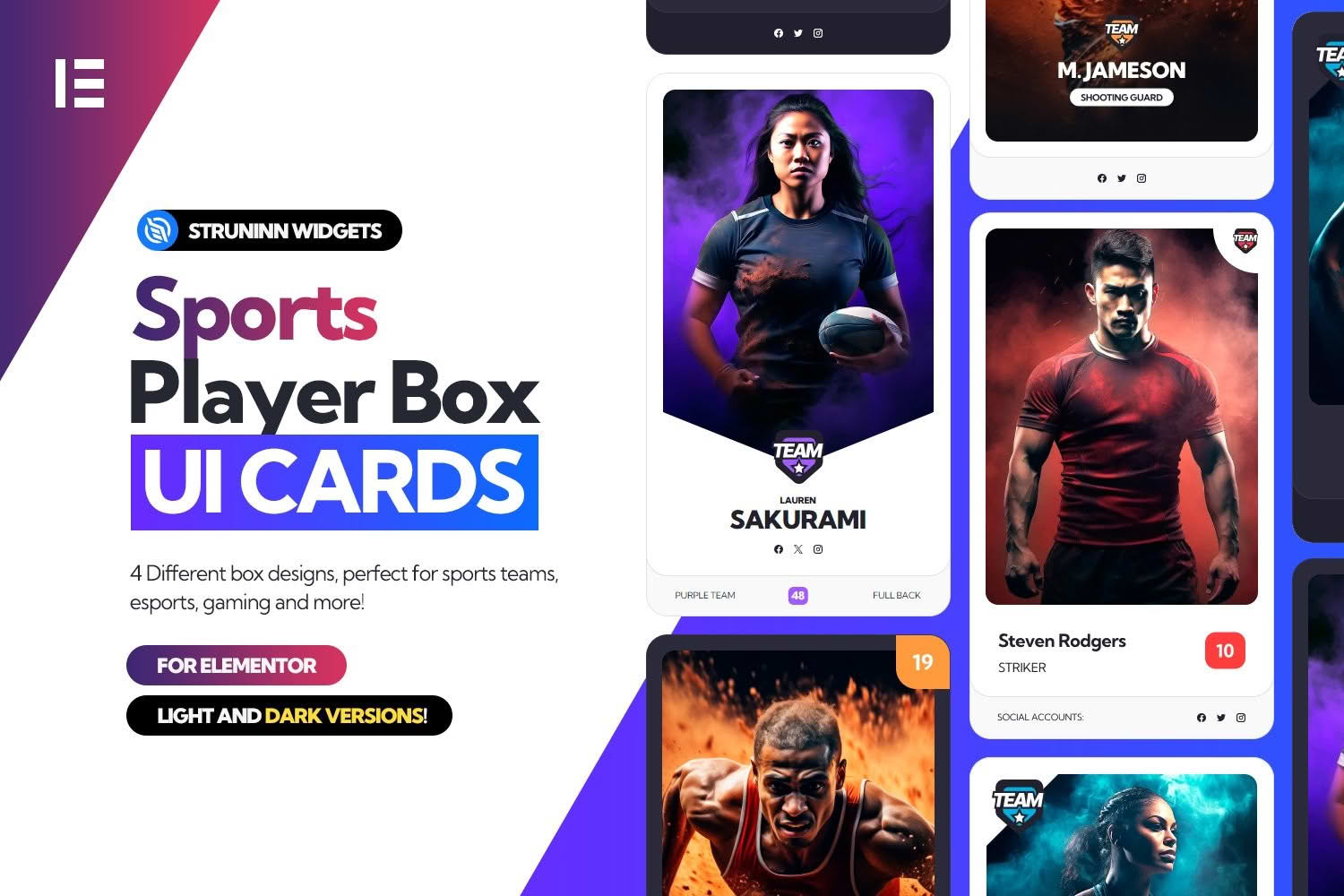
The listing links to a live preview and to screenshots of the product, and those images are the best way to see the designs, because the written text does not describe the individual cards. Check them before you decide how a player card should be laid out on your site.
The documentation describes three ways of showing the widgets. Each route has its own documentation page, and the pages are linked from the main introduction.
The documentation says that the widgets can be inserted into Elementor pages. Once the product is installed, its widgets appear in the Elementor editor, where you can add them to a page like any other element. This is the route most site builders will use, because it keeps the work inside the visual editor.
The documentation also says that shortcodes can display the widgets within WordPress posts and pages. This route is useful when a player card belongs inside an article or a match report that is written in the standard editor. Test the shortcode on a draft page first, because the listing marks the product as not optimised for the Gutenberg block editor.
The third route is for developers. Each widget template has a function that returns its HTML, and arguments can alter the output. The documentation marks this route as requiring developer knowledge. A developer building a custom player directory into a theme might choose it, but the introduction page does not list the arguments, so the template-function documentation is the place to check them.
The product is most relevant to sites that publish information about players or athletes. Examples include club websites that list a squad, league pages that profile individual competitors, and esports or gaming sites that present a roster. The tags extend the audience to streamers and gaming communities, which is consistent with a card format used for people and profiles.
Designers and small agencies that build websites for sports clients may also benefit, because card layouts are a common way to show a squad without long passages of text. Choose the route that suits your skills: visual builders will work in Elementor, and developers can use the functions when they need custom output.
Before you place any cards, decide what a visitor should learn from each one at a glance. A card for a player might need a name, a position and a short profile, while a card for a team may need a crest and a place in the table. The information you choose drives how many cards fit on a page and how tall each one becomes.
Keep the layout consistent. Use the same image proportions for every card where possible, and write each card’s text in the same order so that visitors can compare players quickly. Test the page on a phone, since a row of cards that looks tidy on a desktop may stack into a very long column on a narrow screen. Check that names still read clearly at small sizes.
The Elementor plugin is required, according to the documentation. The listing says the product is compatible with Elementor but does not name a minimum version. For WordPress, the listing shows version 6.5.x. The browsers named are Firefox and Chrome, and the listing marks the product as not optimised for the Gutenberg block editor.
The listing was last updated in June 2024. The public information does not say whether newer WordPress or Elementor releases have been checked, so install the product on a staging copy that mirrors your live setup and then review every page that uses the cards. Keep a record of the WordPress and Elementor versions in use during testing, so you can compare them after future updates.
Several points are not described in the public material. The listing does not say which fields a player card contains, such as a photograph, name, number, position, statistics or social links. It does not explain how player content is entered, whether manually or through another source, and it does not describe colour, typography, spacing or hover behaviour. Installation steps are also absent from the introduction page, which links to a separate setup page.
Because these details are missing, treat any feature you need as unconfirmed until you see it working on a test page. If a player card needs statistics or social links and you cannot confirm that the product provides them, plan a simpler card or a separate page for the extra material.
Player details change throughout a season, so assign one person to keep the cards current. Agree on a review date, such as the start of each season and after any transfer window or roster change, and note who is responsible for each update. Outdated cards are one of the quickest ways to lose the trust of supporters, so a short written routine is worth the effort.
Use the same spelling for names, positions and team titles across the site, and keep a single master list that you copy from whenever a card is built or updated. A consistent master list reduces mistakes and makes it easier to correct an error everywhere at once. When a player leaves, remove their details from every page rather than only from the most visible one.
Photographs need particular care. Make sure you hold the rights to any picture you publish, or that the photographer has granted permission for its use on your site. Where a player is a minor, obtain consent from a parent or guardian before publishing their image or personal details. Keep a record of the permissions you obtain, so that you can respond quickly if someone asks for a photograph to be removed.
Image sizes also matter for the page. Crop photographs to the proportions you have chosen, compress them before upload, and check that faces stay well placed within each card. A grid of cards with mismatched image shapes looks untidy and makes the page harder to scan.
If a card is to show statistics, state where the figures come from and the date they were last updated. Visitors are more likely to trust numbers that come with a source, and a dated figure is easier to correct when a new season begins. The listing does not describe how statistics are entered or displayed, so test a card with real figures before deciding how much detail it can carry.
Keep definitions consistent as well. A goal, a point and an assist mean different things in different sports, so use terms that match the competition the site covers. Explain any unusual abbreviation within the card or in a short note on the same page.
Team sports, individual sports and esports rosters ask for different information. A football squad may need positions and squad numbers, a tennis profile may focus on rankings and nationality, and an esports roster may need a game title and a role. Plan the fields for each group before building the cards, so that every card in a group shows the same structure.
Gaming and streaming sites often combine profile details with links to channels. If you plan to include links of that kind, check the wording and the destinations carefully, and confirm that they behave sensibly for visitors on mobile devices. The listing does not say whether links of this kind are supported, so test them before you rely on them.


