

Updates for one year, unlimited sites, auto updates, and regular updates.
$3.99
 BookmarkBookmarked
 The TF Woo Product Grid Addon For Elementor is a specialized extension designed to bridge the gap between WooCommerce’s robust e-commerce capabilities and Elementor’s intuitive drag-and-drop design interface. By providing a dedicated set of tools for displaying products, this addon allows store owners and web developers to move beyond the standard, often restrictive shop layouts provided by default WordPress themes. It focuses on delivering a highly customizable grid system that enables the creation of visually stunning product showcases, ensuring that the shopping experience is both engaging and user-friendly.
WooCommerce is the most popular e-commerce platform for WordPress, but its default styling options can sometimes feel limited for those who want a unique brand identity. The TF Woo Product Grid Addon For Elementor addresses this by integrating directly into the Elementor editor. Once installed, it adds specific widgets that are optimized for fetching and displaying WooCommerce data. This means users do not need to write custom CSS or modify PHP templates to change how their products appear on the front end. Instead, they can manipulate every aspect of the product display through a visual interface, seeing changes in real-time.
The primary goal of this addon is to provide flexibility. Whether you are building a simple landing page for a single product line or a complex online department store, the ability to control the grid layout is essential. The addon ensures that products are not just listed, but are presented in a way that aligns with the overall design language of the website. This level of control is vital for conversion rate optimization, as a well-organized and aesthetically pleasing product grid can significantly influence a customer’s purchasing decisions.
The heart of the TF Woo Product Grid Addon lies in its layout engine. It offers several ways to arrange products, ensuring that the content fits the specific needs of the page. The grid system is built to be responsive, meaning it automatically adjusts the number of columns based on the viewer’s screen size, whether they are on a desktop, tablet, or smartphone.
Versatile Grid and List Views
Users can choose between traditional grid layouts and more modern list views. The grid view is ideal for shops with many products where visual browsing is encouraged, while the list view can be more effective for technical products or items that require more descriptive text to be visible immediately. Within these layouts, users can define the number of columns, the spacing between items (gutter), and the overall alignment of the product cards.
Advanced Query Builder
One of the most powerful aspects of this addon is the ability to filter which products are displayed. The built-in query builder allows users to pull products based on specific criteria. This is particularly useful for creating “Featured Products” sections, “New Arrivals” blocks, or “Best Sellers” grids. You can filter products by:
The TF Woo Product Grid Addon For Elementor provides an extensive suite of styling options that go far beyond basic color changes. Every element within the product card can be tweaked to match the site’s branding. This includes the product image, title, price, rating stars, and the “Add to Cart” button.
Typography and Color Control
Using the Elementor style tab, users can access full typography settings for every text element. You can choose font families, adjust font sizes, set line heights, and apply letter spacing. Color pickers allow for precise control over text colors, background colors of the product cards, and hover states. For instance, you can set the product title to change color when a user hovers over the card, providing a subtle interactive cue.
Image and Badge Customization
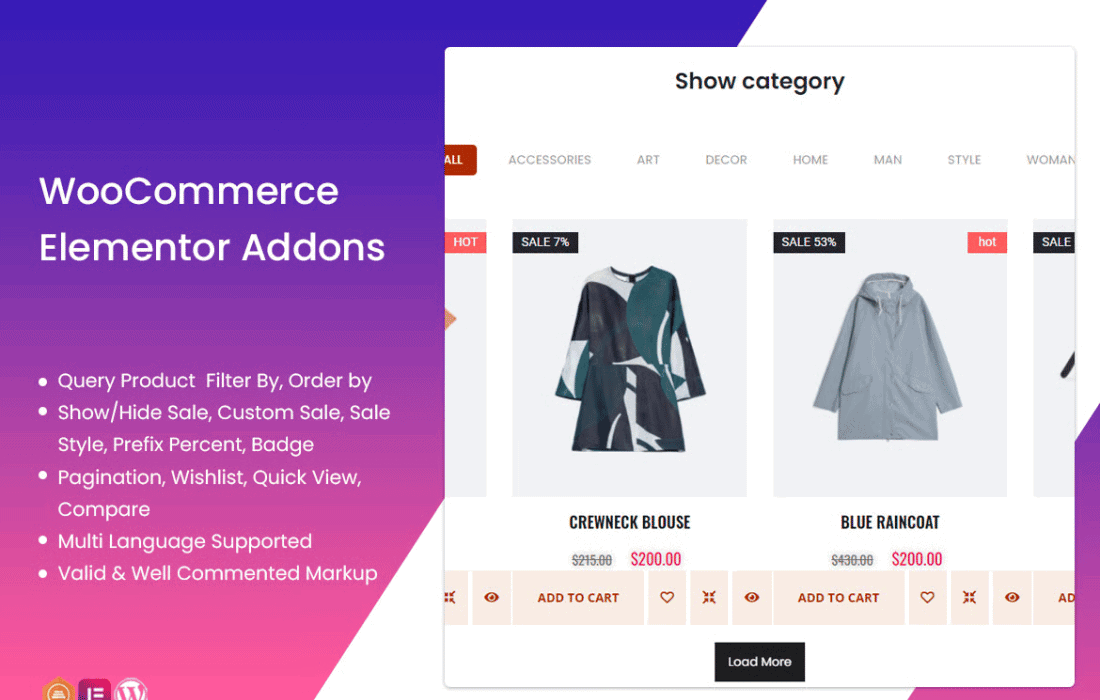
Product images are the most important visual element of any e-commerce site. This addon allows you to control image aspect ratios, border radius, and box shadows. Additionally, it includes support for product badges. These are small overlays that indicate if a product is “On Sale,” “New,” or “Out of Stock.” Users can customize the shape, color, and position of these badges to ensure they catch the customer’s eye without obstructing the product image.
Button and Interaction Design
The “Add to Cart” button is the most critical functional element of the grid. The addon allows for deep customization of this button, including its size, padding, border-radius, and icon integration. You can choose to show the button only on hover or keep it visible at all times. Furthermore, the addon often supports “Quick View” functionality or “Wishlist” integrations, allowing users to interact with products without leaving the current page.
In the modern web landscape, mobile shopping accounts for a massive portion of e-commerce traffic. The TF Woo Product Grid Addon is built with a mobile-first approach. Within the Elementor editor, users can toggle between desktop, tablet, and mobile views to customize the grid specifically for each device. For example, you might want a four-column grid on desktop but a single-column list on mobile to ensure readability and ease of clicking.
Performance is another key consideration. Loading a large number of products can slow down a page if not handled correctly. This addon is designed to be lightweight, utilizing clean HTML and optimized CSS. It also supports pagination and “Load More” features. Instead of loading a hundred products at once, you can set the grid to show only twelve, with a button or infinite scroll feature to load more as the user interacts with the page. This significantly improves initial page load times and the overall user experience.
The flexibility of the TF Woo Product Grid Addon makes it suitable for various types of online businesses. Its utility extends beyond a standard shop page.
The addon is designed to be accessible to users of all skill levels. For beginners, the default settings provide a clean and professional look immediately upon dragging the widget onto the canvas. For advanced users and developers, the granular controls offer the ability to fine-tune the layout to meet specific design briefs. The interface follows the standard Elementor layout—Content, Style, and Advanced tabs—making the learning curve almost non-existent for anyone already familiar with the page builder.
The “Content” tab focuses on what products to show and which elements (like ratings or descriptions) should be visible. The “Style” tab handles the aesthetics, and the “Advanced” tab allows for custom margins, entrance animations, and responsive visibility settings. This logical separation of concerns ensures that the design process remains organized and efficient.
While the TF Woo Product Grid Addon For Elementor is a robust choice, there are other reputable plugins in the WordPress ecosystem that offer similar functionality for displaying WooCommerce products within Elementor. If you are looking for alternatives to compare features or performance, the following plugins are well-known in the industry:
The TF Woo Product Grid Addon For Elementor is a powerful ally for anyone looking to elevate their WooCommerce store’s visual appeal. By handing the keys of design over to the user through the Elementor interface, it removes the technical barriers to creating a professional online shop. With its focus on responsive design, advanced querying, and deep stylistic control, it ensures that your products are always presented in the best possible light, helping to turn casual browsers into loyal customers.


