

Updates for one year, unlimited sites, auto updates, and regular updates.
$3.99
 BookmarkBookmarked
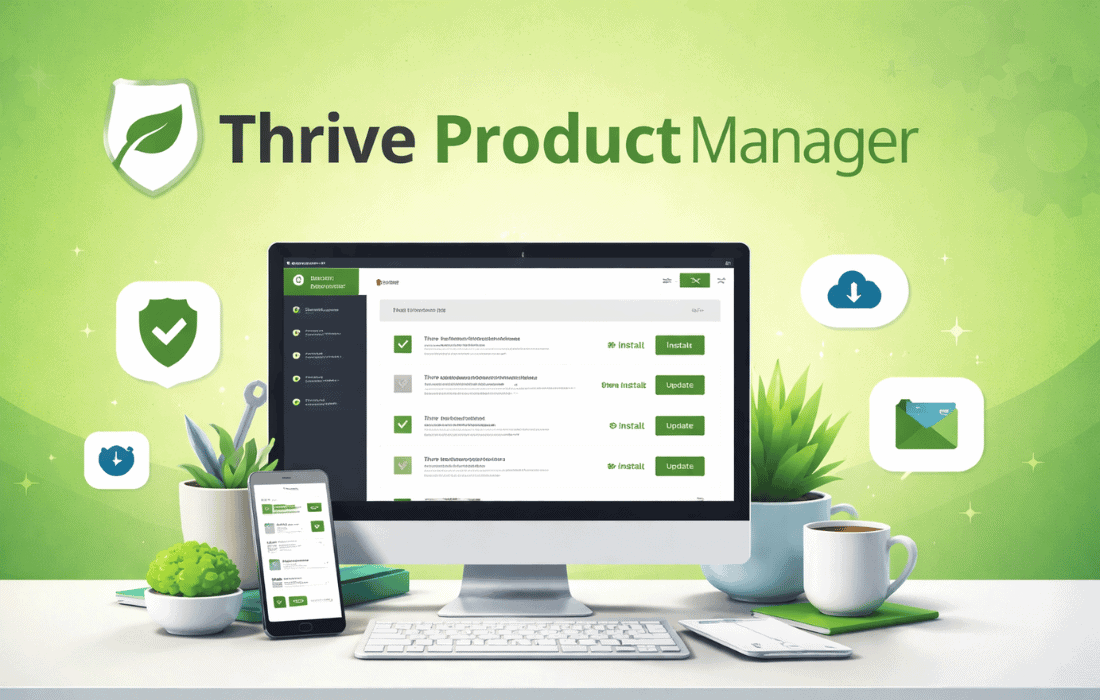
 Thrive Product Manager is the essential administrative hub for any WordPress website utilizing the Thrive Themes ecosystem. It serves as the centralized gateway through which users can install, activate, and update the entire suite of conversion-focused tools offered by the developer. Rather than requiring users to manually download individual ZIP files and upload them to their WordPress dashboard, this plugin streamlines the entire lifecycle of product management into a single, cohesive interface. It acts as a bridge between the user’s Thrive Themes account and their specific WordPress installation, ensuring that all licenses are validated and that every tool is running the most current and secure version available.
In the earlier years of WordPress development, managing multiple premium plugins from a single developer often involved a fragmented process. Users had to navigate to a member area, download various files, and keep track of multiple license keys. Thrive Themes recognized this friction and developed the Thrive Product Manager to replace the older “Thrive Dashboard” legacy system. This transition marked a significant shift toward a more modern, “Software as a Service” (SaaS) style experience within the WordPress environment.
The primary goal of the Thrive Product Manager is to reduce the administrative overhead for website owners. By centralizing the management of tools like Thrive Architect, Thrive Leads, and Thrive Apprentice, the plugin allows users to focus on building their business rather than managing technical assets. It provides a high-level overview of which products are currently active, which are available for installation, and which require updates, all from a single screen.
The functionality of the Thrive Product Manager begins with a secure connection to the Thrive Themes servers. Upon installation, the plugin prompts the user to log in to their Thrive Themes account. This process uses a secure API connection to verify the user’s subscription status or individual product purchases. Once the connection is established, the plugin dynamically populates a list of all products the user is entitled to use.
This connection is vital for license compliance and security. It ensures that only authorized users can access the premium features and that the software remains protected against unauthorized distribution. Furthermore, the connection allows the plugin to perform real-time checks for updates, ensuring that the site remains compatible with the latest versions of WordPress and other third-party plugins.
The user interface of the Thrive Product Manager is designed with clarity and efficiency in mind. It avoids the cluttered look of many WordPress admin pages, opting instead for a clean, card-based layout. Each product in the Thrive Suite is represented by a card that displays its current status. These statuses typically include:
This visual feedback loop is crucial for maintaining a healthy WordPress site. It prevents the common issue of running outdated software, which is one of the leading causes of security vulnerabilities and site crashes in the WordPress ecosystem.
One of the most significant advantages of using the Thrive Product Manager is the “one-click” installation process. When a user decides to add a new tool, such as Thrive Quiz Builder or Thrive Ultimatum, they simply check a box next to the product name and click a “Process” button. The Thrive Product Manager then handles the heavy lifting in the background. It fetches the latest version from the remote server, unpacks the files into the correct WordPress directory, and activates the plugin automatically.
This process eliminates the need for FTP access or manual file handling. It also ensures that the installation is clean and that all necessary dependencies are met. For agencies or power users managing multiple sites, this efficiency translates into significant time savings during the initial setup phase of a project.
The Thrive Product Manager is the gatekeeper for a wide array of specialized marketing tools. Understanding what the manager controls provides insight into its importance. The tools managed through this interface include:
By managing all these diverse tools through a single manager, Thrive Themes ensures that there are no conflicts between their own products. The Product Manager ensures that shared libraries and frameworks used by these plugins are kept in sync.
Maintaining a WordPress site requires constant vigilance regarding software updates. The Thrive Product Manager simplifies this by providing a unified update mechanism. When Thrive Themes releases a patch, a feature update, or a security fix, the Product Manager notifies the site administrator within the WordPress dashboard. Users can update all Thrive products simultaneously or choose to update them individually.
This centralized update system is more reliable than the standard WordPress update notification system for premium plugins. Because it maintains a direct line to the developer’s repository, it can provide more detailed changelogs and ensure that the update package is authentic and untampered with. This level of version control is essential for professional websites where downtime or broken functionality can lead to lost revenue.
Beyond installation and updates, the Thrive Product Manager serves as a starting point for troubleshooting. It includes built-in diagnostics that can identify common issues, such as server incompatibilities or license conflicts. If a product fails to activate, the manager often provides specific error messages that help the user or the support team identify the root cause.
The plugin also provides direct links to the Thrive Themes support portal and documentation. This integration ensures that users have easy access to tutorials and help desks without having to leave their WordPress admin area. For developers, the manager provides a clear view of the system environment, which is often requested by support technicians when resolving complex issues.
A common concern among WordPress users is “plugin bloat”‚Äîthe idea that having too many plugins will slow down a website. The Thrive Product Manager addresses this by allowing users to be selective. Even if a user has a license for the full Thrive Suite, they are not forced to install every plugin. The Product Manager allows them to keep their site lean by only installing the specific tools they need for their current project.
Furthermore, the manager itself is designed to be lightweight. It does not load heavy scripts on the front end of the website, meaning it has zero impact on page load speeds for visitors. Its work is strictly confined to the administrative back end, where it performs its tasks efficiently and then remains idle until needed again.
Security is a paramount concern for any website owner. The Thrive Product Manager enhances security by ensuring that all installed Thrive products are legitimate and sourced directly from the developer. This mitigates the risk associated with “nulled” or pirated plugins, which often contain malicious code or backdoors. By validating the license through the Product Manager, users can be confident that they are running clean, professional-grade software.
The license management aspect also protects the developer’s intellectual property while providing the user with a clear record of their active subscriptions. If a subscription expires, the Product Manager will indicate that the products are no longer receiving updates, prompting the user to renew to maintain site security and access to new features.
While the Thrive Product Manager is specific to the Thrive Themes ecosystem, other major WordPress developers utilize similar centralized management tools to handle their product suites. These alternatives provide a comparable experience for their respective users:
The Thrive Product Manager is more than just a utility; it is the foundation of the Thrive Themes experience. By providing a centralized, secure, and user-friendly interface for managing a complex suite of marketing tools, it empowers WordPress users to maintain high-performing websites with minimal technical friction. Whether you are a solo blogger, a digital marketer, or a professional web developer, the Thrive Product Manager ensures that your conversion tools are always ready, updated, and secure, allowing you to focus on what truly matters: growing your online presence.