

Updates for lifetime, unlimited sites, unlimited downloads, and regular updates.
$3.99
 BookmarkBookmarked
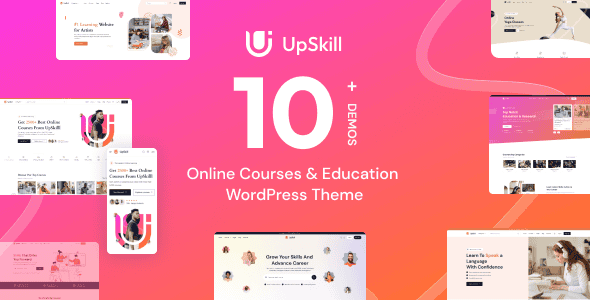
UpSkill – Education Online Courses LMS WordPress Theme is a comprehensive and professionally engineered digital solution designed to meet the evolving needs of the global e-learning market. As educational paradigms shift toward digital-first and hybrid models, this theme provides a robust framework for educators, institutions, and corporate trainers to deliver high-quality instructional content with ease. By integrating sophisticated learning management system (LMS) functionalities with a modern, user-centric design, UpSkill empowers users to create, manage, and monetize educational content without requiring deep technical expertise. Whether you are launching a single-course landing page or a massive open online course (MOOC) platform, this theme offers the scalability and flexibility necessary to support a diverse range of pedagogical approaches and business goals.
The rise of online education has transformed how knowledge is shared and consumed, making the choice of a digital platform more critical than ever. UpSkill – Education Online Courses LMS WordPress Theme enters this space as a versatile and powerful tool designed to bridge the gap between complex educational requirements and intuitive user experiences. At its core, the theme is built to facilitate a seamless flow of information, ensuring that students can focus on learning while administrators can focus on content delivery and community management.
The introduction of this theme into your digital ecosystem means gaining access to a suite of tools specifically curated for the education sector. It addresses the common pain points of online teaching, such as student engagement, progress tracking, and content organization. By utilizing a structured approach to course hierarchy, UpSkill allows for the logical grouping of lessons, topics, and assignments, mirroring the traditional classroom experience in a digital environment. Furthermore, the theme is designed with a focus on performance and accessibility, ensuring that learners from all over the world can access materials quickly and reliably, regardless of their device or connection speed.
The design philosophy behind UpSkill is centered on clarity, professionalism, and distraction-free learning. In an era where digital distractions are rampant, the theme employs a clean aesthetic that prioritizes content visibility. The layout is structured using a responsive grid system, which ensures that the interface adapts fluidly to various screen sizes, from large desktop monitors to tablets and smartphones. This mobile-first approach is essential for modern learners who often consume educational content on the go.
One of the standout aspects of the design is the “Learning Mode” or distraction-free interface used during lesson playback. This feature minimizes sidebar clutter and navigation menus, allowing the student to immerse themselves entirely in the video, text, or interactive media at hand. The use of whitespace is intentional, preventing cognitive overload and making the navigation process feel natural and unforced. Typography is also a key consideration; the theme utilizes highly legible fonts with optimized line heights and font sizes to ensure that long-form reading remains comfortable for the user.
The layout options are highly versatile, offering multiple variations for course archives, instructor profiles, and blog sections. Users can choose between grid and list views for course listings, allowing for different levels of detail to be displayed upfront. The header and footer areas are designed to be functional yet unobtrusive, providing quick access to essential links like the student dashboard, shopping cart, and search functionality. Overall, the design of UpSkill strikes a perfect balance between a professional corporate look and a welcoming educational atmosphere.
UpSkill is designed to be highly adaptable, making it suitable for a wide array of educational scenarios. For independent tutors and subject matter experts, the theme provides a turnkey solution to monetize their knowledge. A fitness coach, for example, could use the theme to sell structured workout programs accompanied by video demonstrations and nutritional guides. The built-in e-commerce capabilities and course management tools allow these individuals to run a professional-grade academy without the overhead of a large staff.
In the corporate world, UpSkill serves as an excellent platform for employee onboarding and professional development. Human resources departments can create internal training portals to host compliance videos, technical skill workshops, and leadership training. The progress tracking features allow managers to verify that employees have completed mandatory training, while the quiz system ensures that the material has been understood and retained.
Traditional educational institutions, such as private schools, language centers, and vocational colleges, can use UpSkill to extend their reach beyond the physical classroom. By offering hybrid learning options, these institutions can provide students with 24/7 access to supplementary materials, recorded lectures, and digital assignments. This flexibility is particularly valuable for adult learners or international students who may be operating in different time zones. Additionally, non-profit organizations can utilize the theme to host free or subsidized educational resources for community outreach and social impact programs.
To ensure a high degree of functionality, UpSkill is built to be compatible with the most popular and powerful plugins in the WordPress ecosystem. At the core of its e-commerce functionality is its seamless integration with WooCommerce. This allows site owners to utilize a vast array of payment gateways, manage taxes, and handle coupons or discounts with ease. The integration ensures that the checkout process for courses is secure, familiar, and optimized for conversions.
The theme is also designed to work harmoniously with leading page builders, such as Elementor. This compatibility allows users to design custom landing pages and unique layouts using a visual, front-end editor. Beyond aesthetics, UpSkill supports essential plugins for SEO, such as Yoast SEO or Rank Math, ensuring that courses are easily discoverable by search engines. For those looking to create a global platform, the theme is translation-ready and compatible with multi-language plugins like WPML or Polylang, enabling the delivery of content in multiple languages to reach a worldwide audience.
Furthermore, the theme is optimized for performance-enhancing plugins and caching solutions. It follows WordPress coding standards, which ensures compatibility with security plugins and backup tools. This broad compatibility ensures that as your online academy grows, the theme can be extended with additional features—such as forums via bbPress or social networking via BuddyPress—without compromising the stability of the core site.
One of the primary strengths of UpSkill is the level of control it gives to the site administrator. The theme includes a comprehensive options panel that allows for global changes to the site’s appearance and behavior. Users can easily modify the primary and secondary color schemes to match their brand identity, ensuring a consistent visual experience across all touchpoints. Typography settings are equally flexible, with support for hundreds of Google Fonts, allowing for fine-tuned control over headings, body text, and navigation menus.
The flexibility extends to the structural components of the site as well. UpSkill offers multiple header and footer styles, which can be assigned globally or to specific pages. This is particularly useful for creating a different look for the main homepage versus the internal learning environment. The one-click demo import feature is another significant advantage, allowing users to jumpstart their project by importing pre-configured layouts and sample content. This provides a solid foundation that can then be customized to fit specific needs.
For developers and advanced users, the theme is built with clean, well-documented code, making it easy to extend via child themes. Whether you need to add custom hooks, modify template files, or integrate proprietary third-party services, the architecture of UpSkill is designed to be developer-friendly. This ensures that the theme is not just a static product but a flexible platform that can evolve alongside the changing technological requirements of the online education industry. Through this combination of user-friendly settings and robust underlying code, UpSkill provides a truly customizable environment for any educational project.


