

Updates for one year, unlimited sites, auto updates, and regular updates.
$3.99
 BookmarkBookmarked
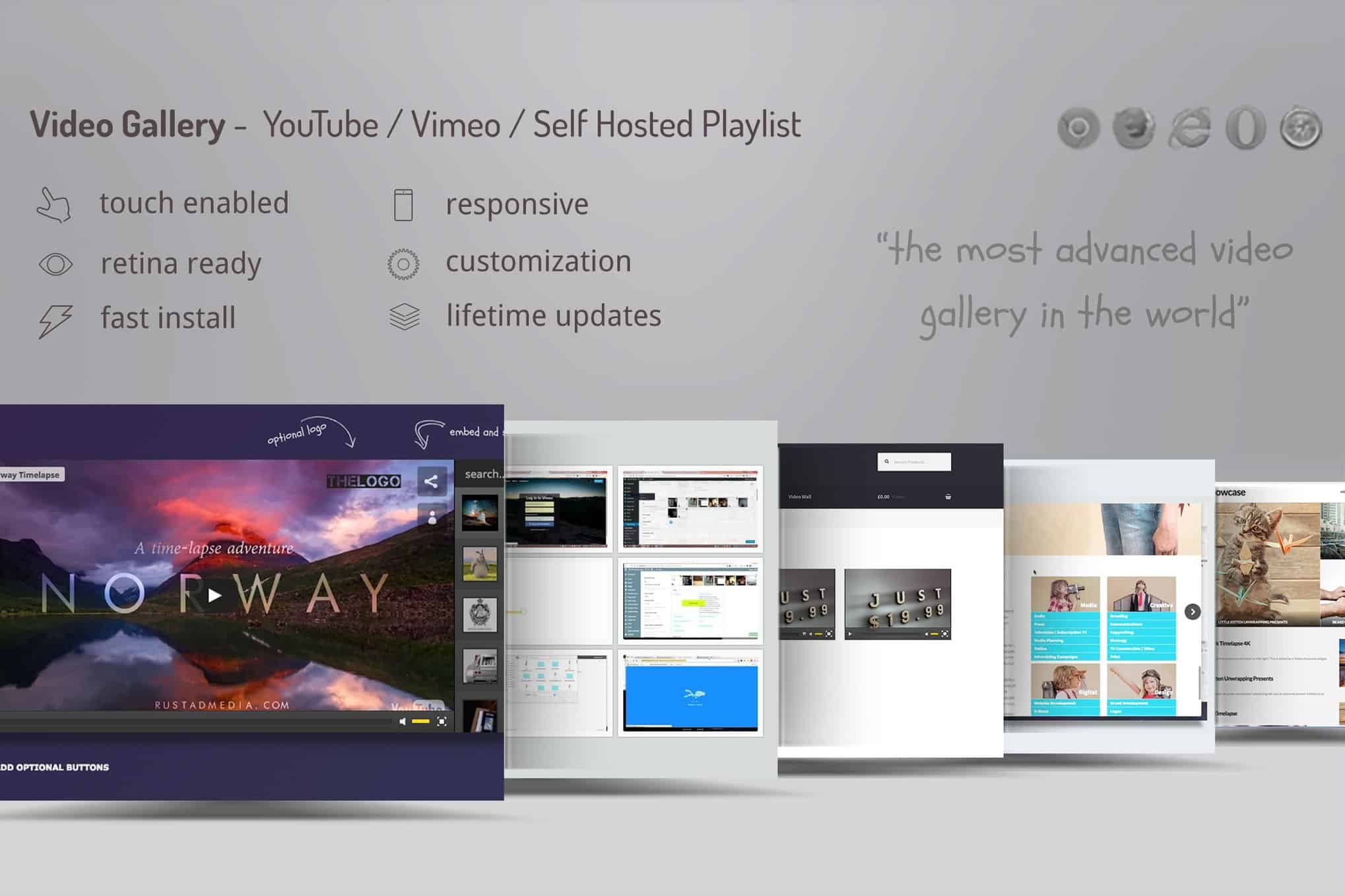
 The Video Gallery WordPress Plugin /w YouTube, Vimeo is a robust and versatile tool designed for website administrators, content creators, and developers who need a professional way to display video content. By integrating seamlessly with the world’s most popular video hosting platforms, this plugin allows users to build extensive video libraries without the need for high-bandwidth local hosting. It serves as a bridge between the vast repositories of YouTube and Vimeo and the WordPress ecosystem, providing a highly customizable interface that ensures video content looks native to any website design. Whether you are building a portfolio, a tutorial hub, or a corporate media gallery, this plugin provides the structural framework necessary to organize, manage, and present video media effectively.
The primary strength of the Video Gallery WordPress Plugin /w YouTube, Vimeo lies in its deep integration with external video services. Rather than requiring users to upload heavy video files directly to their WordPress Media Library—which can slow down server performance and consume significant storage—the plugin utilizes the APIs of YouTube and Vimeo. This approach ensures that the heavy lifting of video encoding and streaming is handled by specialized platforms, while the WordPress site remains fast and responsive.
YouTube Integration
The plugin provides comprehensive support for YouTube content. Users can add individual videos simply by pasting a URL or a video ID. Beyond single videos, the plugin often supports the importing of entire YouTube playlists or channels, which is a significant time-saver for creators who maintain active YouTube presences. This synchronization ensures that as new content is added to the external platform, the WordPress gallery can be updated with minimal manual intervention. The plugin handles YouTube’s various privacy settings and ensures that public videos are displayed correctly while respecting the restrictions of private or unlisted content.
Vimeo Integration
For professionals who prefer the high-quality aesthetic and privacy controls of Vimeo, this plugin offers dedicated support for Vimeo URLs. Vimeo is frequently used by filmmakers, artists, and businesses for its clean player interface and advanced hosting features. The Video Gallery WordPress Plugin /w YouTube, Vimeo respects these features, allowing for the display of Vimeo Pro and Plus content where applicable. The integration ensures that the specific player controls and branding options set within Vimeo are translated effectively to the WordPress front-end, maintaining the professional look that Vimeo users expect.
Presentation is a critical factor in user engagement, and this plugin offers a wide array of layout configurations to suit different aesthetic needs. The ability to switch between different display modes allows the gallery to fit into various sections of a website, from a full-width landing page to a narrow sidebar.
Grid and Masonry Layouts
The grid layout is the most common choice for video galleries, providing a clean and organized structure where thumbnails are arranged in uniform rows and columns. Users can typically define the number of columns for different screen sizes, ensuring that the gallery looks just as good on a mobile device as it does on a 27-inch monitor. For a more modern and dynamic look, the masonry layout allows thumbnails of different aspect ratios to fit together like a puzzle, eliminating unnecessary white space and creating a visually stimulating “Pinterest-style” wall of videos.
Slider and Carousel Modes
In cases where screen real estate is limited, the slider or carousel mode is an ideal solution. This allows users to swipe or click through a series of videos within a single row. Carousels are particularly effective for “Featured Video” sections or for showcasing a specific category of content without overwhelming the page. The plugin usually includes settings for transition speeds, navigation arrows, and pagination dots, giving the administrator full control over the movement and pacing of the gallery.
One of the standout features of the Video Gallery WordPress Plugin /w YouTube, Vimeo is its built-in lightbox functionality. When a user clicks on a video thumbnail, instead of being redirected to YouTube or Vimeo, the video opens in an overlay window (the lightbox) directly on the current page. This keeps the visitor on the website, reducing bounce rates and improving the overall user experience.
The lightbox is designed to be fully responsive, automatically resizing the video player to fit the user’s screen dimensions. It often includes features such as:
To ensure that the video gallery matches the branding of the host website, the plugin provides an extensive suite of customization tools. These settings allow users to move beyond the default look and create a unique visual identity for their media sections.
Visual Effects and Hover Animations
The plugin often includes various hover effects that trigger when a user moves their mouse over a video thumbnail. These can include zooming effects, color overlays, the appearance of a “play” icon, or the display of the video title and description. These micro-interactions provide visual feedback to the user and make the gallery feel more interactive and polished.
Color and Typography Control
Administrators can usually customize the colors of almost every element within the gallery. This includes the background color of the thumbnails, the color of the text (titles and descriptions), the border colors, and the styling of the pagination buttons. By matching these colors to the site’s global CSS, the gallery appears as an integrated part of the theme rather than a third-party add-on. Typography settings allow for the selection of font families, sizes, and weights, ensuring that the text remains legible and consistent with the rest of the site’s content.
A common concern with media-heavy websites is the impact on page load times. The Video Gallery WordPress Plugin /w YouTube, Vimeo addresses this through several optimization techniques. The most important of these is “Lazy Loading.” Instead of loading every video thumbnail and script as soon as the page is opened, the plugin only loads the assets as they are about to enter the user’s viewport. This significantly reduces the initial page weight and improves the “Time to Interactive” metric, which is crucial for both user experience and search engine rankings.
Furthermore, the plugin uses optimized thumbnails provided by the hosting platforms. By fetching the appropriate image size from YouTube or Vimeo servers, the plugin avoids the need for the WordPress site to process or serve large image files, further enhancing performance.
Video content is a powerful driver of organic traffic, and this plugin is built with SEO best practices in mind. It allows administrators to add titles, descriptions, and tags to each video entry. This metadata is not only useful for users browsing the gallery but also provides search engine crawlers with context about the video content.
Many versions of this plugin also support schema.org markup. By generating the correct “VideoObject” schema, the plugin helps search engines like Google understand that the page contains video media. This can lead to “Rich Snippets” in search results, where a video thumbnail and duration are displayed directly in the search listings, significantly increasing the click-through rate from search engine results pages (SERPs).
Despite its advanced features, the Video Gallery WordPress Plugin /w YouTube, Vimeo is designed to be accessible to users of all technical skill levels. The administrative interface is typically integrated directly into the WordPress dashboard, providing a familiar environment for managing content.
The gallery management screen allows for easy drag-and-drop reordering of videos, enabling administrators to curate the sequence of content without manual coding. The shortcode generator is another vital feature; it allows users to create a gallery and then place it anywhere on their site—within posts, pages, or even widget areas—simply by pasting a small snippet of code. This flexibility makes it easy to reuse the same gallery across multiple locations or to create unique galleries for different sections of the site.
The versatility of the Video Gallery WordPress Plugin /w YouTube, Vimeo makes it suitable for a wide range of applications:
If you are looking for other options to manage video content on your WordPress site, there are several reputable alternatives available in the market. Each has its own set of features and design philosophies.
By choosing the Video Gallery WordPress Plugin /w YouTube, Vimeo, you are investing in a tool that balances aesthetic flexibility with technical performance. It empowers you to leverage the world’s largest video platforms to enhance your own website, providing your audience with a seamless and engaging viewing experience. Whether you are managing a handful of videos or a library of thousands, the organizational and display capabilities of this plugin make it an essential component of a modern WordPress media strategy.


