

Updates for one year, unlimited sites, auto updates, and regular updates.
$3.99
 BookmarkBookmarked
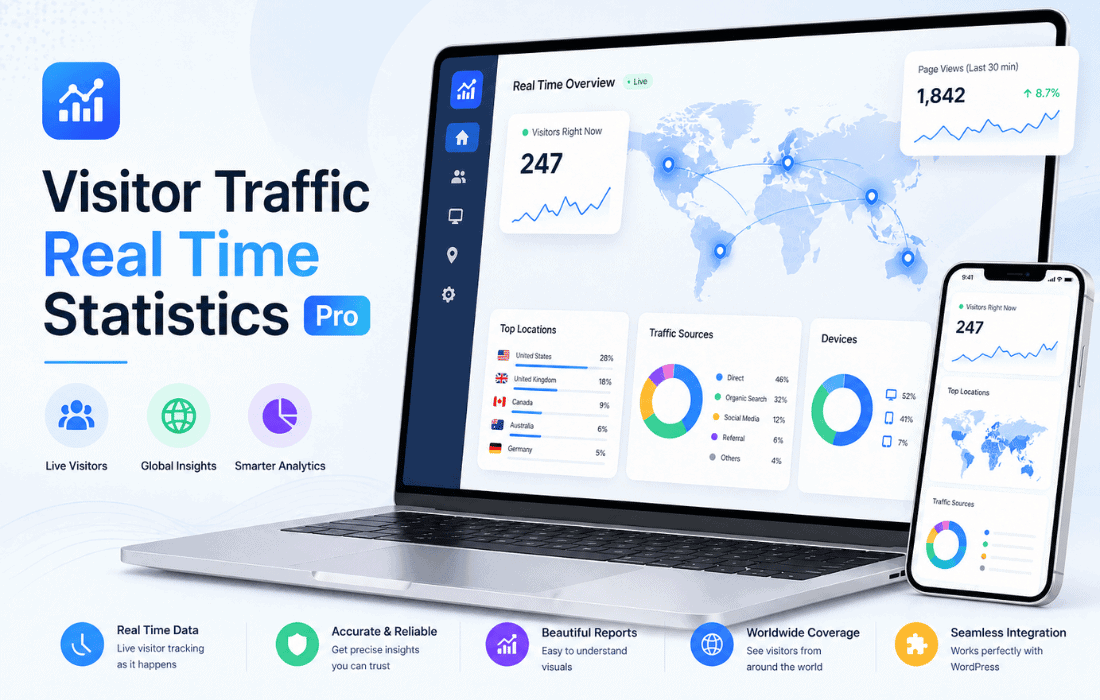
 Visitor Traffic Real Time Statistics Pro is a comprehensive and robust analytics solution designed specifically for the WordPress ecosystem. It provides website owners, developers, and digital marketers with a centralized platform to monitor visitor behavior, track engagement metrics, and analyze traffic patterns in real time directly from the WordPress administrative dashboard. By eliminating the need to rely solely on external third-party services, this plugin offers a self-hosted approach to data collection, ensuring that site administrators maintain full control over their analytics data while benefiting from a user-friendly interface tailored for the WordPress environment.
The primary objective of Visitor Traffic Real Time Statistics Pro is to bridge the gap between complex external analytics platforms and the native WordPress experience. Many website owners find external tools overwhelming or intrusive due to privacy concerns and the potential impact on site loading speeds. This plugin addresses these issues by processing and storing data locally within the WordPress database. This internal approach allows for faster access to statistics without the need to navigate away from the site’s backend, fostering a more integrated workflow for content creators and administrators who need to make data-driven decisions on the fly.
Furthermore, the Pro version of the plugin is built to handle higher volumes of data compared to its free counterpart, offering more granular insights and extended data retention periods. This makes it an ideal choice for growing blogs, e-commerce stores, and corporate websites that require a deeper understanding of their audience’s journey. By focusing on real-time data, the plugin ensures that users are always informed about what is happening on their site at any given moment, rather than waiting for external reports to update.
One of the standout features of Visitor Traffic Real Time Statistics Pro is its real-time monitoring capability. In the fast-paced digital landscape, understanding current activity is crucial for various operational tasks, such as monitoring the success of a newly launched marketing campaign or identifying sudden spikes in traffic that might indicate a viral post or a potential security threat.
The live dashboard provides a dynamic view of “Online Users,” showing exactly how many people are currently browsing the site. This is not just a simple counter; it often includes details about which specific pages are being viewed at that exact moment. For site owners, this provides immediate feedback on content performance. If a specific article is receiving a sudden influx of visitors, the administrator can quickly optimize that page, add relevant calls to action, or share it further on social media to capitalize on the momentum.
Understanding who is visiting a website is just as important as knowing how many people are visiting. Visitor Traffic Real Time Statistics Pro excels at breaking down visitor demographics into actionable data points. The plugin tracks several key technical attributes of every visitor, including:
For businesses targeting specific regions or global audiences, geographic data is indispensable. Visitor Traffic Real Time Statistics Pro integrates GeoIP technology to pinpoint the location of visitors. This data is typically presented through visual maps and detailed lists that categorize traffic by country and city.
The geographic reporting features allow users to see which parts of the world are most interested in their content. For an e-commerce site, this might reveal an untapped market in a specific country, prompting the owner to offer localized shipping or translated content. The inclusion of country flags and interactive maps makes this data easy to digest at a glance, providing a professional-grade visual representation of a site’s global reach.
Knowing how visitors found a website is a cornerstone of digital marketing. This plugin provides detailed reports on traffic sources, helping users identify which channels are driving the most value. Acquisition data is generally categorized into several streams:
Search Engine Traffic: The plugin identifies visitors coming from major search engines like Google, Bing, Yahoo, and DuckDuckGo. While modern privacy standards often hide specific keywords, the plugin can still track the volume of organic search traffic, providing a clear picture of SEO performance over time.
Referral Tracking: This feature lists the specific external websites that are linking to the WordPress site. If a popular blog or news outlet mentions the site, the administrator will see the resulting traffic in the referral logs. This is particularly useful for tracking the effectiveness of backlink strategies and PR efforts.
Social Media Integration: The plugin monitors traffic originating from social platforms such as Facebook, Twitter (X), LinkedIn, Pinterest, and Instagram. By analyzing which platforms drive the most engaged visitors, marketers can better allocate their social media budgets and time.
Direct Traffic: It also accounts for users who type the URL directly into their browser or use bookmarks, giving a sense of brand loyalty and direct reach.
Beyond high-level traffic stats, Visitor Traffic Real Time Statistics Pro dives deep into how individual pages and posts are performing. This level of detail is essential for content strategy. Users can view lists of their most popular pages, often sorted by views, unique visits, and bounce rates.
By analyzing the “Top Pages” report, site owners can identify which topics resonate most with their audience. This allows for the creation of “pillar content” and helps in deciding which older posts might benefit from an update. Additionally, the plugin often tracks “Exit Pages,” which are the last pages visitors see before leaving the site. Identifying pages with high exit rates can highlight technical issues, poor content, or a lack of clear navigation, allowing the owner to make necessary improvements to retain visitors longer.
In an era of increasing data privacy regulations, such as the General Data Protection Regulation (GDPR) in Europe and the California Consumer Privacy Act (CCPA) in the United States, how a plugin handles data is of paramount importance. Visitor Traffic Real Time Statistics Pro is designed with privacy in mind.
Because the data is stored locally on the website’s own server, it is not shared with third-party advertising networks. The plugin typically includes features to anonymize IP addresses, ensuring that individual visitors cannot be personally identified, which is a key requirement for GDPR compliance. Furthermore, administrators have the ability to exclude certain user roles from being tracked. For instance, it is common practice to exclude “Administrators” and “Editors” so that their own visits to the site do not skew the analytics data.
The plugin also includes bot detection capabilities. The internet is filled with automated crawlers and bots that can artificially inflate traffic numbers. Visitor Traffic Real Time Statistics Pro filters out known bots and spiders, providing a more accurate representation of actual human engagement.
One concern with self-hosted analytics is the potential for the WordPress database to grow excessively large over time. The Pro version of this plugin addresses this by providing database management tools. Users can set data retention policies, such as automatically deleting logs that are older than a certain number of months. This ensures that the website remains fast and responsive, even as it collects vast amounts of visitor data. The ability to prune the database helps maintain optimal performance without sacrificing the ability to perform long-term trend analysis.
For professionals who need to present data to clients or stakeholders, the plugin offers robust exporting features. Data can typically be exported in various formats, including CSV and PDF. These reports can be customized to cover specific date ranges, allowing for weekly, monthly, or quarterly performance reviews.
The visual nature of the reports, featuring charts, graphs, and tables, makes it easy to communicate complex data points. Whether it is a bar chart showing monthly growth or a pie chart illustrating the breakdown of mobile versus desktop users, these visual aids are essential for professional presentations and internal record-keeping.
The user interface of Visitor Traffic Real Time Statistics Pro is designed to feel like a native part of WordPress. It utilizes standard WordPress UI elements, making it intuitive for anyone familiar with the platform. The dashboard is often modular, allowing users to prioritize the information that matters most to them. For example, a shop owner might want the “Top Products” or “Geographic Map” at the top, while a blogger might prefer to see “Recent Search Terms” and “Top Posts.”
The Pro version often includes additional widgets that can be placed on the main WordPress dashboard. This allows administrators to get a quick snapshot of their site’s health the moment they log in, without having to navigate to the specific plugin page. This convenience factor is a significant draw for busy site owners who need to stay informed while managing other aspects of their website.
While Visitor Traffic Real Time Statistics Pro offers a comprehensive suite of features, there are other reputable plugins in the WordPress repository that provide similar internal analytics capabilities. If you are looking for alternatives or wish to compare features, the following plugins are well-regarded in the community:
In conclusion, Visitor Traffic Real Time Statistics Pro stands as a powerful tool for any WordPress user looking to gain a deeper understanding of their audience. By providing real-time data, detailed demographic insights, and robust privacy controls, it empowers site owners to optimize their content and marketing strategies effectively. Its focus on internal data storage and user-friendly reporting makes it a top-tier choice for maintaining professional analytics within the comfort of the WordPress administrative interface.


