

Updates for lifetime, unlimited sites, unlimited downloads, and regular updates.
$3.99
 BookmarkBookmarked
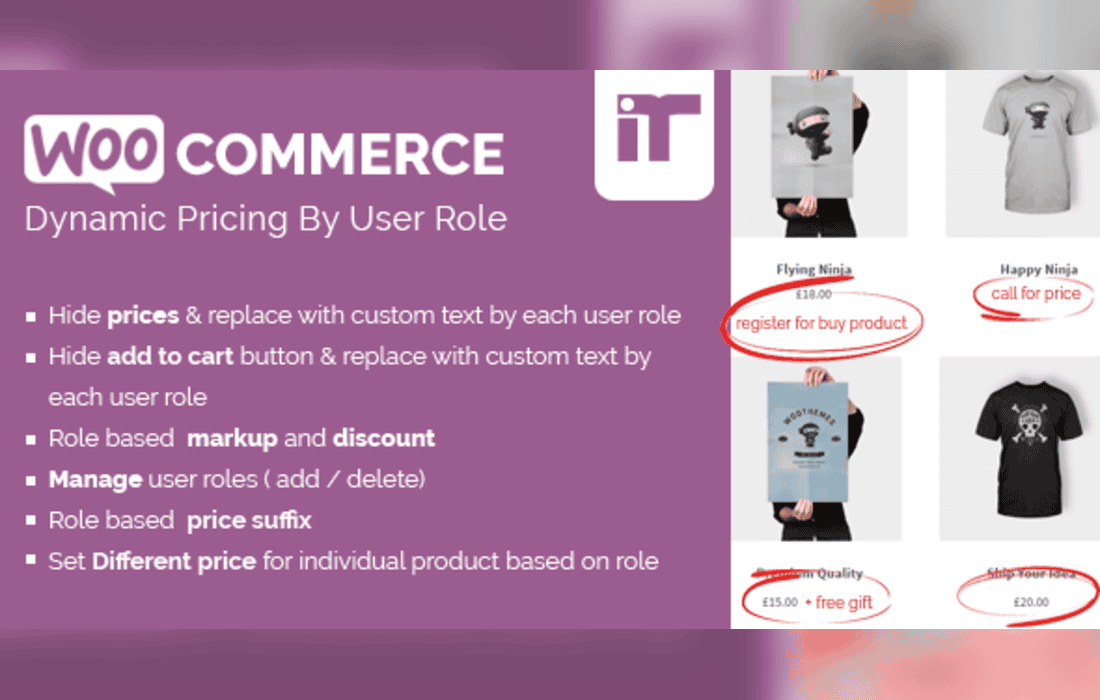
The WooCommerce Dynamic Pricing By User Role plugin is a specialized extension designed to provide store owners with granular control over product pricing based on the specific customer group logged into their site. By leveraging the native WordPress user role system, this tool enables administrators to create tiered pricing structures, wholesale discounts, or exclusive member-only rates without the need for complex manual overrides or individual product editing. It serves as a bridge between standard retail operations and B2B or membership-based business models, ensuring that the right price is displayed to the right user automatically.
At its foundation, the plugin functions by intercepting the WooCommerce price calculation process. When a user visits a product page or views their cart, the plugin checks the user’s assigned role against the rules configured in the backend. If a match is found, the plugin dynamically replaces the standard price with the role-specific price. This process is seamless for the end-user, who simply sees the adjusted price reflected in the product catalog, the single product page, and the final checkout totals.
The plugin is built to be lightweight and efficient, ensuring that dynamic price calculations do not negatively impact site performance. By hooking into the standard WooCommerce filters, it maintains compatibility with most themes and other standard extensions, allowing store owners to implement complex pricing strategies while maintaining a stable and responsive user experience.
Role-Based Price Overrides
The primary feature of the plugin is the ability to set specific prices for different user roles. Whether you are managing a store that serves both retail customers and wholesale buyers, or a site that offers special discounts to premium members, this plugin allows you to define these prices globally or on a per-product basis. This flexibility ensures that you can cater to diverse customer segments without creating separate stores or managing multiple product catalogs.
Bulk Pricing Configuration
For store owners with large inventories, the plugin offers bulk management capabilities. Instead of manually updating every single product for every user role, administrators can often apply percentage-based discounts or fixed price adjustments across entire product categories. This is particularly useful for wholesale operations where a specific user role might be entitled to a flat percentage discount across the entire store catalog.
Seamless Integration with WooCommerce Cart and Checkout
One of the most critical aspects of any pricing plugin is its ability to carry the dynamic price through the entire purchasing funnel. This plugin ensures that the role-based price is preserved from the moment the item is added to the cart until the order is finalized. It also correctly calculates taxes and shipping based on the adjusted price, preventing discrepancies in accounting and financial reporting.
B2B and Wholesale Operations
Many businesses operate with a hybrid model, selling to both individual consumers and business partners. In this scenario, retail customers pay the standard price, while wholesale partners-assigned to a specific ‘Wholesale’ user role-receive a discounted rate. The plugin automates this transition, allowing wholesale partners to log in and immediately see their negotiated pricing, which streamlines the ordering process and reduces the administrative burden of manual invoicing.
Membership and Loyalty Programs
Store owners often want to reward loyal customers or premium members with exclusive pricing. By creating a custom user role such as ‘VIP Member’ or ‘Gold Subscriber,’ store owners can use this plugin to automatically apply discounts to these users. This encourages repeat purchases and fosters customer loyalty, as users feel recognized and valued through the automated application of their membership benefits.
Staff and Internal Testing
The plugin is also highly effective for internal store management. Store administrators can create a ‘Staff’ role with specific pricing-such as a 100% discount or a fixed employee rate-to facilitate internal testing or employee purchases. This allows staff to verify the checkout process and product availability without affecting the live retail prices seen by the general public.
The WooCommerce Dynamic Pricing By User Role plugin is designed to work within the standard WordPress ecosystem. Because it utilizes the core user role architecture, it is compatible with most membership plugins that assign roles upon registration or subscription purchase. This creates a powerful synergy where a user can sign up for a membership, be automatically assigned a role, and immediately gain access to the dynamic pricing associated with that role.
Furthermore, the plugin is designed to be compatible with standard WooCommerce caching practices. While dynamic pricing can sometimes conflict with aggressive page caching, this plugin is optimized to ensure that price calculations remain accurate even when caching is enabled. It is recommended, however, that store owners test the plugin in a staging environment to ensure that their specific caching configuration does not interfere with the dynamic price rendering.
When deploying this plugin, it is advisable to start by clearly defining your user roles. If you have complex requirements, you may need to use a role management plugin to create custom roles before configuring the pricing rules. Once the roles are established, begin by testing the pricing on a small subset of products to ensure the calculations are accurate before applying bulk rules across the entire catalog.
It is also important to communicate these pricing changes to your customers. If a user is logged in and sees a different price than a guest, it is helpful to include a small notice or label on the product page indicating that they are receiving a ‘Member Discount’ or ‘Wholesale Rate.’ This transparency builds trust and encourages users to log in to access their benefits.


