

Updates for lifetime, unlimited sites, unlimited downloads, and regular updates.
$3.99
 BookmarkBookmarked
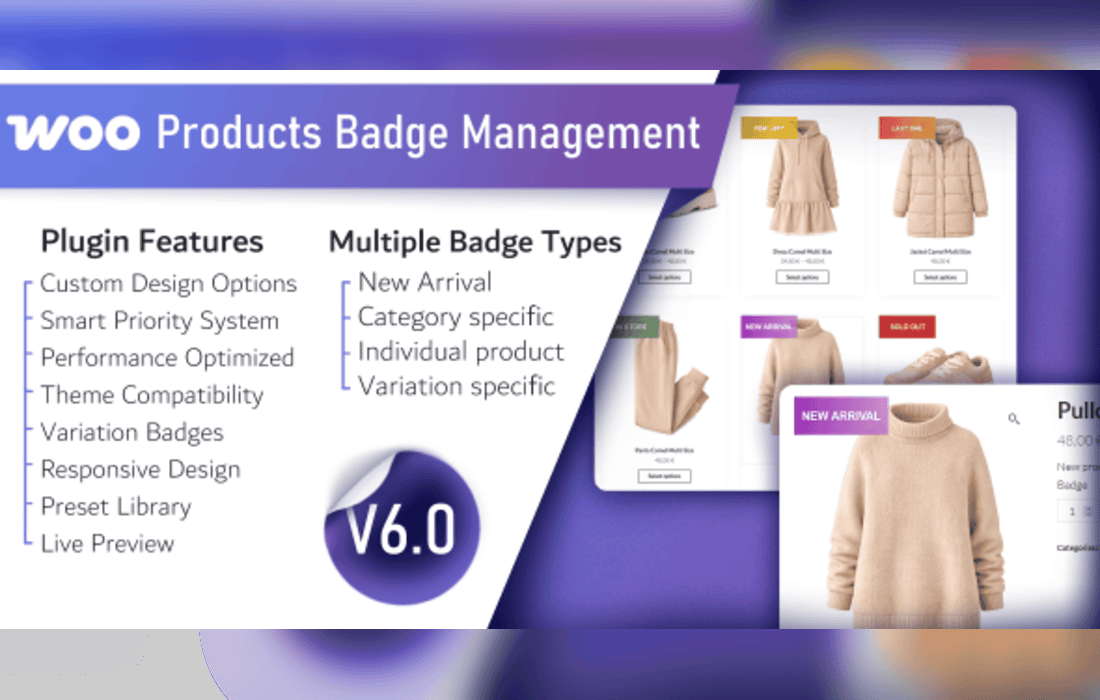
The WooCommerce Products Badge Management plugin is a specialized tool designed to enhance the visual merchandising capabilities of online stores built on the WooCommerce platform. By allowing store administrators to create, customize, and assign dynamic badges to their products, this plugin helps draw customer attention to specific items, promotions, or product statuses, ultimately driving higher engagement and conversion rates.
In the competitive landscape of e-commerce, capturing a shopper’s attention within the first few seconds of browsing is critical. The WooCommerce Products Badge Management plugin addresses this by providing a centralized interface to manage visual labels-or badges-that appear on product thumbnails. Whether you are highlighting a “New Arrival,” a “Limited Edition” item, or a “Best Seller,” this plugin ensures that your key products stand out from the rest of the catalog.
The plugin is engineered to integrate seamlessly with the standard WooCommerce product loop. By automating the placement of these badges, it removes the need for manual image editing or complex custom coding. Administrators can define specific rules for when and where these badges appear, ensuring that the visual marketing strategy remains consistent across the entire storefront.
The plugin offers a robust set of features designed for flexibility and ease of use. These features allow store owners to maintain a professional aesthetic while providing necessary information to the end-user.
Implementing a badge management system is not merely a design choice; it is a strategic marketing decision. Below are several scenarios where this plugin proves highly effective:
Promoting Seasonal Sales
During holiday seasons or clearance events, store owners often need to mark dozens or hundreds of products simultaneously. Instead of editing each product image individually, the plugin allows the administrator to create a “Sale” or “Holiday Special” badge and apply it to an entire product category with a few clicks. This saves significant time and ensures that the sale status is clearly communicated to customers.
Highlighting Inventory Status
Transparency regarding stock levels can build trust and create a sense of urgency. By using the plugin to automatically apply “Low Stock” or “Back in Stock” badges, store owners can nudge hesitant buyers toward making a purchase. This is particularly effective for high-demand items where scarcity is a selling point.
Showcasing New Arrivals
For fashion, lifestyle, or tech stores, keeping customers informed about the latest inventory is essential. Automatically tagging new products with a “New” badge helps returning customers quickly identify what has been added to the catalog since their last visit, increasing the likelihood of repeat purchases.
Differentiating Product Tiers
If a store carries a mix of premium, standard, and budget-friendly items, badges can be used to categorize these tiers visually. A “Premium” or “Editor’s Choice” badge can help justify higher price points and guide customers toward high-margin products, effectively acting as a silent sales assistant.
The WooCommerce Products Badge Management plugin is built with performance in mind. It utilizes efficient hooks within the WooCommerce template system to inject badge HTML, ensuring that page load times remain minimal. By avoiding heavy external dependencies, the plugin maintains compatibility with most modern WordPress themes and page builders.
Furthermore, the plugin includes a clean administrative dashboard that allows for quick management of all active badges. Users can preview their badge designs before publishing them, ensuring that the final output aligns with the store’s overall visual theme. The plugin also supports localization, making it suitable for stores operating in multiple languages or regions.
While badges are powerful tools, they should be used strategically to avoid cluttering the user interface. Over-tagging products can lead to “visual noise,” which may overwhelm the customer and detract from the product image itself. It is recommended to limit the number of badges per product to one or two at most. Additionally, maintaining a consistent color palette for badges helps keep the store looking professional and organized.
Regularly auditing your active badges is also a good practice. Removing expired badges or updating the text on long-standing labels ensures that the store content remains fresh and relevant. The scheduling feature within the plugin is an excellent tool for automating this maintenance, as it allows badges to expire naturally without manual intervention.
If you are exploring other solutions for product labeling within the WooCommerce ecosystem, the following plugins are well-regarded for their reliability and feature sets:
In conclusion, the WooCommerce Products Badge Management plugin serves as a vital component for any store owner looking to improve their visual merchandising. By providing a streamlined way to highlight products, manage promotions, and communicate inventory status, it helps create a more engaging and conversion-oriented shopping experience. Whether you are a small boutique or a large-scale retailer, the ability to effectively manage product badges is a key factor in maintaining a competitive edge in the digital marketplace.


