

Updates for one year, unlimited sites, auto updates, and regular updates.
$3.99
 BookmarkBookmarked
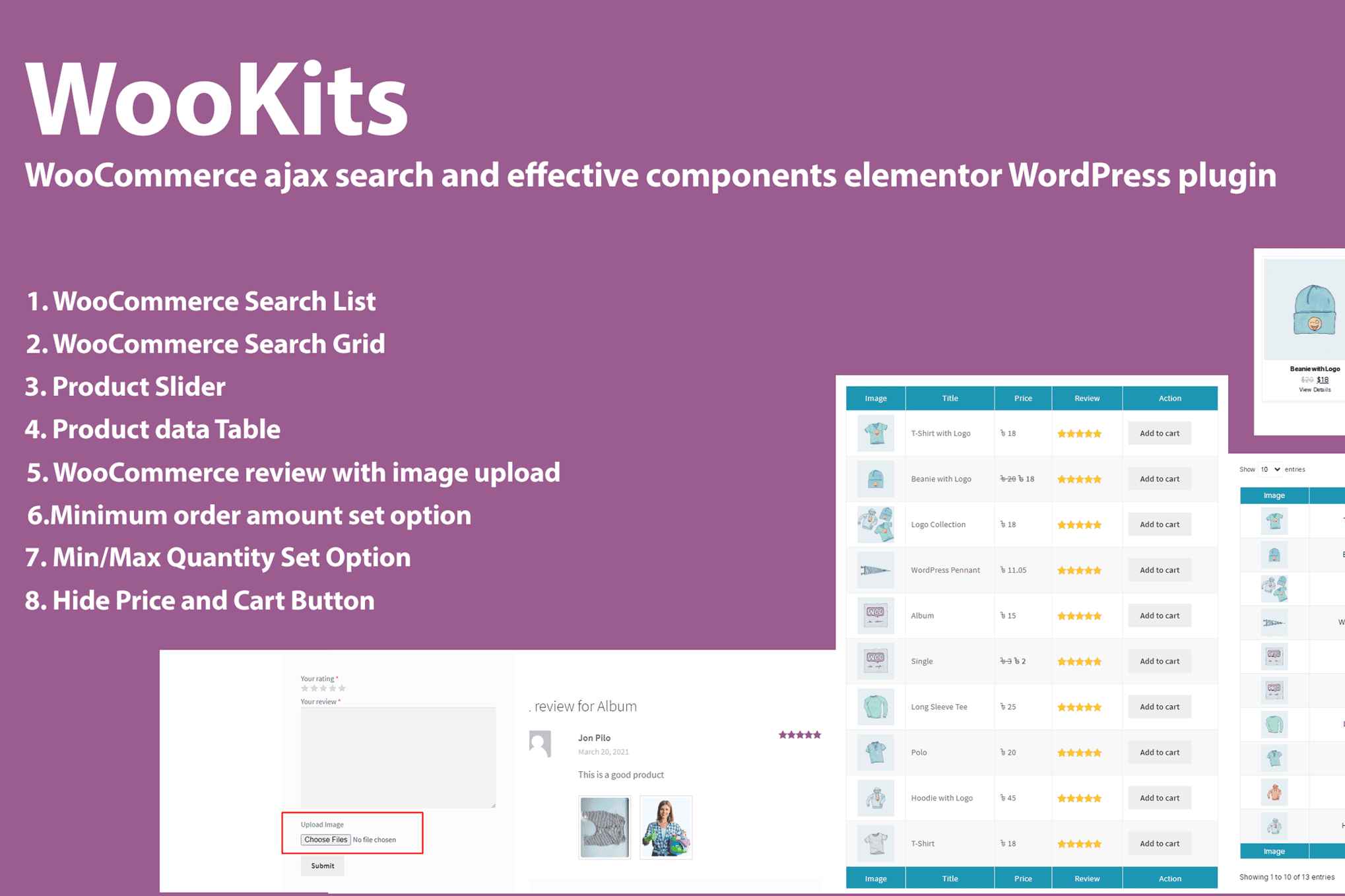
 Wookits is a specialized WordPress plugin designed to enhance the functionality of WooCommerce stores by providing a comprehensive toolkit for product management and customer experience optimization. By streamlining various administrative tasks and offering modular tools, it allows store owners to maintain a more efficient and conversion-focused online shop without the need for extensive custom coding.
The primary objective of Wookits is to bridge the gap between standard WooCommerce capabilities and the complex requirements of modern e-commerce businesses. Many store owners find that the default WooCommerce installation lacks specific granular controls for product display, checkout customization, and administrative workflow. Wookits addresses these gaps by offering a suite of features that can be toggled on or off, ensuring that the site remains lightweight while providing necessary power.
The plugin is built with a modular architecture. This is particularly beneficial for performance-conscious users who want to avoid “plugin bloat.” By enabling only the specific “kits” or modules required for their unique business model, users can maintain optimal site speed and reduce the risk of conflicts with other themes or plugins.
Enhanced Product Management
Wookits provides advanced tools for managing product data. This includes bulk editing capabilities that go beyond the native WooCommerce interface, allowing administrators to update product attributes, categories, and pricing structures in a more intuitive manner. For stores with large inventories, these tools significantly reduce the time spent on manual data entry and maintenance.
Checkout and Cart Optimization
A significant portion of the Wookits toolkit is dedicated to the checkout process. Reducing cart abandonment is a top priority for any e-commerce store, and Wookits offers features designed to simplify the path to purchase. This includes field validation, custom checkout fields, and the ability to reorder or hide specific checkout elements that may be unnecessary for certain types of products or customer segments.
User Experience and Interface Customization
The plugin allows for a higher degree of control over the front-end display of products. Store owners can customize how product information is presented to the customer, ensuring that key selling points are highlighted effectively. This includes tools for managing product tabs, adding custom badges to product images, and improving the visual hierarchy of the product page to guide the customer toward the “Add to Cart” button.
For Growing E-commerce Stores
As a store grows, the complexity of managing orders and inventory increases. Wookits acts as a scaling solution by providing the administrative tools necessary to handle higher volumes of data. The bulk management features allow store managers to keep their product catalog updated without needing to hire additional staff or invest in expensive enterprise-level software.
For Niche Marketplaces
Stores that sell specialized or custom products often require unique checkout fields or specific product display requirements that standard WooCommerce does not support out of the box. Wookits provides the flexibility to add these custom fields and logic, allowing the store to function exactly as the business model requires.
For Performance-Focused Developers
Developers often struggle with the trade-off between functionality and site speed. Because Wookits is designed as a collection of modular tools, developers can implement only the specific features needed for a client’s project. This keeps the codebase clean and ensures that the site remains fast, which is a critical factor for both user experience and search engine optimization.
Installing Wookits follows the standard WordPress plugin procedure. Once activated, the plugin adds a dedicated menu item to the WordPress dashboard. Within this menu, users are presented with a dashboard of available modules. Each module contains its own settings page, allowing for granular control over how that specific feature behaves.
The configuration process is designed to be user-friendly, even for those without deep technical knowledge. Most features can be activated with a simple toggle switch, and settings are clearly labeled to explain their impact on the store. For more advanced users, the plugin provides hooks and filters that allow for further customization through custom code, making it a versatile tool for both beginners and experienced developers.
Wookits is built to be compatible with the core WooCommerce ecosystem. It follows standard WordPress coding practices, which minimizes the likelihood of conflicts with other well-coded plugins. Regular updates are provided to ensure compatibility with the latest versions of WordPress and WooCommerce, as well as to patch security vulnerabilities and introduce new features based on user feedback.
To maintain a healthy site, it is recommended that users periodically review their enabled Wookits modules. If a specific tool is no longer needed, disabling it is a simple way to keep the site optimized. Furthermore, the plugin includes logging features that help administrators troubleshoot any issues that may arise during the configuration of complex checkout rules or product display settings.
While Wookits offers a unique modular approach to WooCommerce management, there are other plugins that provide similar functionality depending on the specific needs of the store owner. If you are looking for alternatives, consider the following:
In conclusion, Wookits serves as a powerful, modular companion for WooCommerce store owners. By focusing on efficiency, user experience, and administrative ease, it provides the necessary tools to manage a modern online store effectively. Whether you are looking to streamline your checkout process, manage a large inventory, or simply improve the visual presentation of your products, Wookits offers a flexible and scalable solution that can be tailored to your specific business requirements.


