

Updates for one year, unlimited sites, auto updates, and regular updates.
$3.99
 BookmarkBookmarked
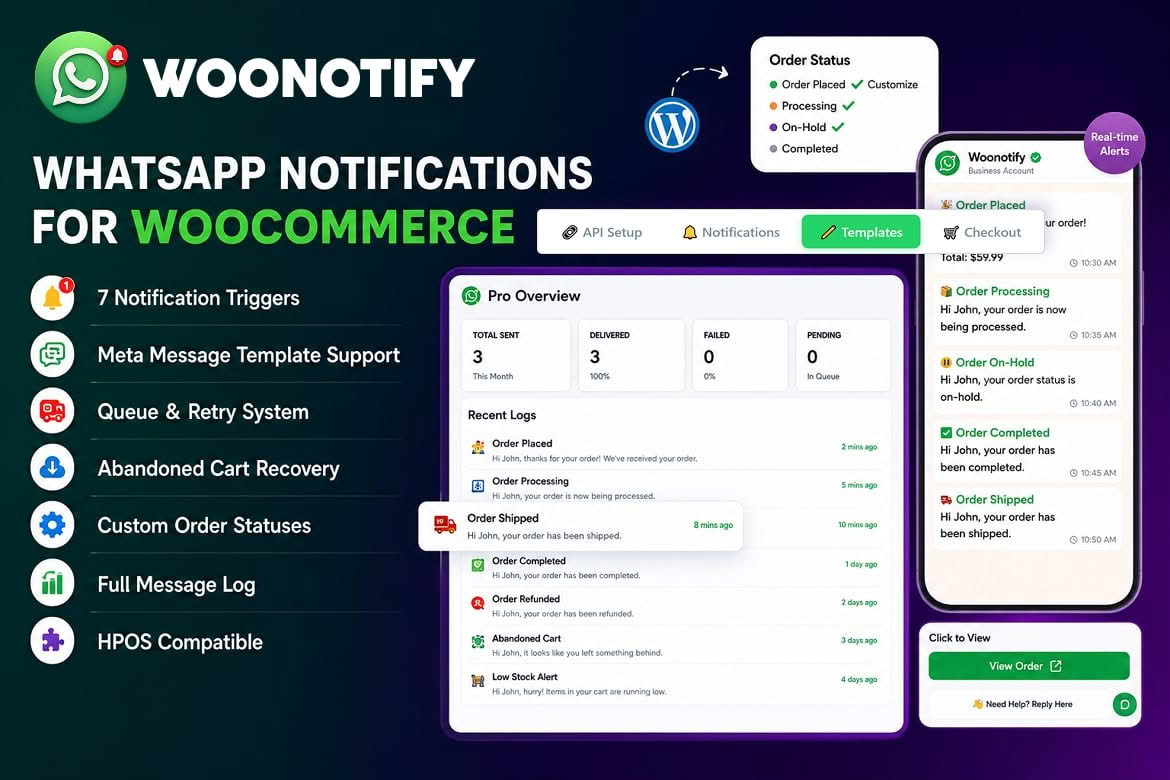
Shoppers expect to hear about an order without digging through an inbox or logging in again. WooNotify: WooCommerce WhatsApp & AI Agent sends order updates and reminders through WhatsApp, a messaging app that many shoppers already use. It connects to Meta’s official WhatsApp Cloud API, sends messages as order statuses change, reminds shoppers who leave items in their cart and includes an AI reply agent. The goal is to keep customer communication close to each sale without adding manual work for your team.
WooNotify connects directly to the official Meta WhatsApp Cloud API, without an intermediary service in between. The plugin therefore uses the same interface that Meta provides to businesses. The vendor describes setup as simple and says no coding is required. Settings are kept in a dedicated admin area. Because the connection runs through Meta’s own platform, you will need a WhatsApp Business setup on Meta’s side before any message can be sent.
Before you begin, gather the details that Meta requires for your business account and confirm that the phone number you plan to use is set up for business messaging. Completing this step carefully at the start prevents delays later, because every message the plugin sends depends on that connection being in place.
Notifications are triggered when an order’s status changes. The built-in triggers the vendor names are payment confirmation, shipping, out for delivery, order completion, cancellation and refund. The vendor describes these updates as real-time, so a customer hears about a change soon after it happens in WooCommerce. Custom order statuses are supported as well, so a store with its own workflow can keep its existing status names.
Because each trigger corresponds to a recognizable moment in the order journey, customers can follow their purchase without needing to contact the store. A payment confirmation reassures a buyer straight away, a shipping message sets expectations about delivery, and a refund message closes the loop when money goes back to the shopper. Testing each trigger with a sample order before launch shows you exactly how the messages read in practice.
Picture a shopper who buys a product and then waits for it to arrive. The first message confirms the payment, which tells the shopper the payment went through. Status changes that have a matching trigger produce a message along the way, such as an out-for-delivery notice when the parcel is on its way. When the parcel leaves the warehouse, a shipping message can carry the tracking number. If the order is later cancelled or refunded, a matching message reaches the shopper so they are not left guessing.
The sequence depends on the statuses your store uses, so map them before you switch the plugin on. A short list of statuses, each paired with its message, makes the sequence easy to review with your team.
Not every status change needs a message. Customers care most about the moments that affect them directly, such as payment, dispatch, delivery, cancellation and refund. Internal steps that only matter to your team can stay silent, which keeps the channel useful rather than noisy. Starting with the built-in triggers covers the common stages, and you can add custom statuses later once you have confirmed how they behave on a sample order.
Shipping updates can carry a tracking number, so the carrier reference arrives alongside the shipping notice itself. Confirm how the number is entered for each order during setup, so the shipping message always includes the right reference. Including the reference saves customers from hunting through an older email for it, and it can cut down on follow-up questions about where a parcel is.
Shoppers who add items to a cart and leave without completing the order can receive an automatic WhatsApp reminder. The vendor presents this feature as a way to win back revenue that would otherwise be lost. Before enabling it, check how it is configured on your site, including the timing and the content of each reminder, so the feature behaves the way you intend.
Because business-initiated messages must use pre-approved Meta message templates, the reminder wording needs to fit an approved template. Plan the text early and keep it short and specific, so the reminder reads as helpful rather than pushy.
Messages that a business starts, such as order updates sent without a prior customer message, must use pre-approved message templates under Meta’s rules. WooNotify supports those templates as a feature. Check how templates are created, submitted and linked to each trigger before you build your message set. Decide the tone and the information each message should carry before you prepare any template. Keep the wording plain, tie each message to a specific order detail, and avoid anything that reads like a sales pitch in an order update.
The plugin includes a customer opt-in checkbox. The vendor ties that checkbox to GDPR and TRAI compliance, which covers privacy rules in the European Union and telecom messaging rules in India. Confirm where the checkbox appears in your checkout and whether it also covers reminders, then align the wording with your own legal obligations. Clear consent is worth getting right from the start, because shoppers who receive messages on a personal phone expect to have agreed to them. Keep the opt-in wording short and specific, say what kinds of messages the shopper will receive, and make the choice clearly optional.
Messages pass through a queue, and failed sends are retried automatically. The logs are described as detailed, and each entry can be re-attempted, removed or exported to CSV. That gives you a practical way to see what was sent, resend a message that did not go through and keep a record for your own reviews. The retry count and interval, the fields recorded in each log entry and the length of time logs are kept are details to confirm in the plugin itself.
The plugin is described as compatible with High-Performance Order Storage, WooCommerce’s newer method of storing order data, and it supports custom order statuses. WordPress versions from 6.4 to 6.9 are listed as compatible. Browsers named as compatible are Firefox, Safari, Opera, Chrome and Edge. The vendor describes the plugin as lightweight and fast, although no performance figures are published, so measure its effect on your own server before going live.
WooNotify suits stores that want to reach shoppers on a channel they check often. An online shop can confirm payments, announce dispatch and share a tracking reference. Made-to-order businesses can use status messages to set expectations at each stage of production and delivery. Service businesses that take payment through WooCommerce can use cancellation and refund messages to keep customers informed when something changes. Stores that lose sales at checkout can use reminders to invite shoppers back.
Some stores use the same channel for order news and cart reminders, so a shopper hears from the business in one familiar place. Others keep messages to the essentials and use reminders sparingly. Either way, the reminder timing and wording should reflect the way you want customers to experience your brand.
Start with a test order and confirm that each status change produces the message you expect. Check the abandoned-cart reminder with a test cart, review the opt-in wording at checkout and send yourself a sample of each template. Watch the logs during the first few days, so you can catch failed sends early and correct anything that is missing.
WooNotify brings WooCommerce order updates, shipping messages and abandoned-cart reminders to WhatsApp through Meta’s official API. It covers the main stages of an order, supports pre-approved templates and an opt-in checkbox, retries failed sends automatically and includes an AI reply agent. Set it up with care, test each path with real orders and review the reminder settings before you rely on them for every shopper.


