

Updates for one year, unlimited sites, auto updates, and regular updates.
$3.99
 BookmarkBookmarked
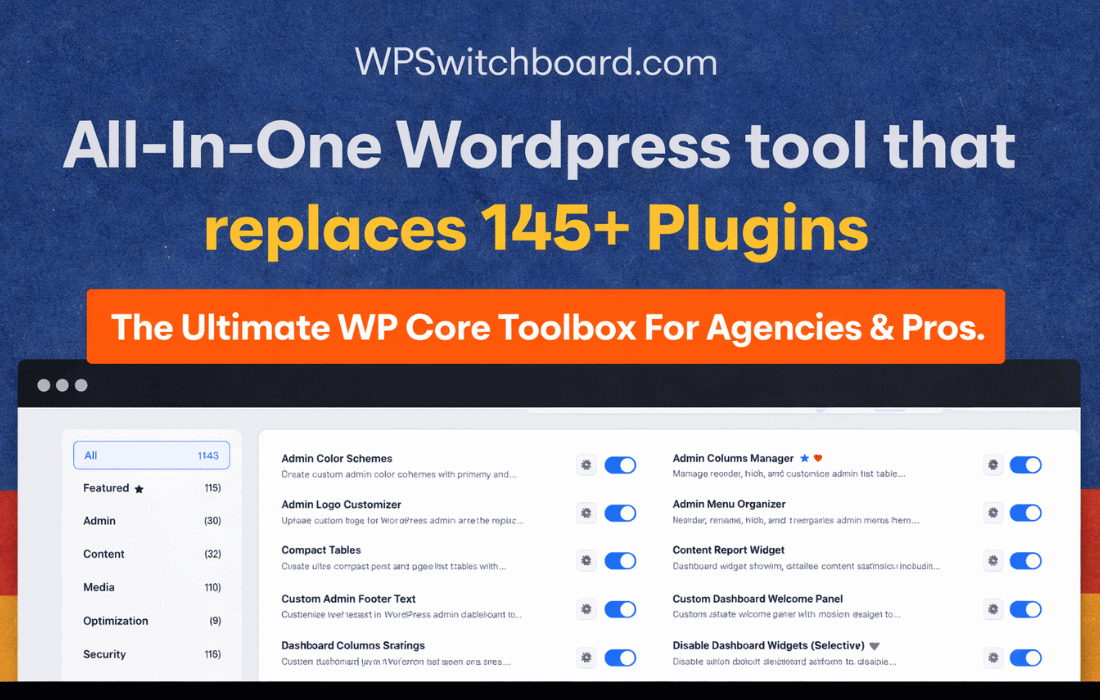
 WP Switchboard Pro stands out as a comprehensive WordPress plugin designed to significantly enhance and optimize the administrative experience. By consolidating over 140 modular tools into a single solution, it aims to replace numerous individual plugins, thereby streamlining site management and boosting efficiency. This powerful tool allows users to selectively enable only the features essential for their specific tasks, ensuring that their WordPress site remains lightweight and performs optimally. With its intuitive interfaces and a rapid feature search capability, WP Switchboard Pro is engineered to simplify workflows and elevate productivity for both seasoned developers and everyday site owners.
At the heart of WP Switchboard Pro’s design is a commitment to consolidation and efficiency. In the vast ecosystem of WordPress, it’s common for site owners and developers to install multiple plugins to achieve various functionalities ‚Äì from minor admin tweaks to critical security measures and performance optimizations. While this approach offers flexibility, it often leads to plugin bloat, potential conflicts, increased maintenance overhead, and a heavier administrative backend. WP Switchboard Pro directly addresses these challenges by offering a unified platform where over 140 distinct tools are integrated. This modular architecture means that instead of managing dozens of separate plugins, each with its own interface and update cycle, users interact with a single, cohesive system. The benefit is immediate: a cleaner WordPress installation, reduced resource consumption, and a more stable environment, all contributing to a faster and more responsive website.
One of the most compelling aspects of WP Switchboard Pro is its modular design. Unlike monolithic plugins that might load all their functionalities whether they are needed or not, WP Switchboard Pro empowers users to activate only the specific tools they require. This selective activation is crucial for maintaining a lightweight and efficient WordPress installation. Each of the 140+ tools operates as an independent module, meaning it can be toggled on or off with ease. This approach ensures that the plugin only adds the necessary code and resources to your site, preventing unnecessary overhead. For instance, if a user only needs advanced admin customization features and a specific content management enhancement, they can enable just those modules, leaving security, performance, or utility modules disabled. This granular control not only optimizes performance but also simplifies the user interface, presenting only the relevant options and reducing clutter. This intelligent resource management is a cornerstone of the plugin’s value proposition, directly contributing to a faster loading admin area and a more efficient overall site operation.
The breadth of functionality offered by WP Switchboard Pro is extensive, encompassing more than 140 modular tools categorized to address virtually every aspect of WordPress administration and optimization. These categories ensure that a wide array of needs, from aesthetic adjustments to critical backend processes, are met within a single plugin. The plugin summary highlights several key areas where these tools provide significant value:
Admin Customization
Admin customization tools are designed to tailor the WordPress backend to specific user needs or branding requirements. This category of tools within WP Switchboard Pro allows for a highly personalized administrative experience. For developers managing client sites, this means the ability to white-label the admin area, remove unnecessary menu items, customize the login page, or even create custom dashboard widgets that provide quick access to essential information or client-specific links. For site owners, it can simplify the dashboard, making it less overwhelming and more focused on their daily tasks. Functionalities often found in this category include options to modify the WordPress admin bar, adjust user role capabilities beyond default settings, hide specific admin notices, or change the default WordPress branding to a custom logo and color scheme. These enhancements contribute to a more professional, intuitive, and efficient working environment, reducing distractions and improving user satisfaction.
Content Management Enhancements
Effective content management is vital for any WordPress site, and WP Switchboard Pro offers tools to streamline this process. These enhancements go beyond the default WordPress editor, providing functionalities that can significantly improve how content is created, organized, and published. This might include advanced options for custom post types and taxonomies, making it easier to structure complex content. It could also involve improvements to the media library, such as enhanced filtering, bulk editing capabilities, or better organization tools for images and videos. Other potential features in this category might include post duplication, revision control enhancements, or quick content status changes, all designed to reduce the time and effort involved in managing a site’s content. By centralizing these tools, content creators and editors can work more efficiently, focusing on producing high-quality content rather than navigating cumbersome interfaces or installing multiple specialized plugins.
Security Measures
Security is a paramount concern for any website, and WP Switchboard Pro integrates various tools to bolster the protection of a WordPress installation. Instead of relying on several individual security plugins, users can activate specific security modules within the Switchboard. These tools are designed to mitigate common WordPress vulnerabilities and protect against malicious attacks. Examples of functionalities that might be included are login hardening features, such as limiting login attempts, enforcing strong password policies, or adding two-factor authentication. Other security enhancements could involve database security measures, file protection, disabling XML-RPC if not needed, or implementing basic firewall rules. By consolidating these security features, WP Switchboard Pro provides a robust defense mechanism, simplifying the process of securing a site and reducing the risk of breaches, all managed from a single, familiar interface.
Performance Optimization
Website performance directly impacts user experience, SEO rankings, and conversion rates. WP Switchboard Pro includes a suite of tools aimed at optimizing site speed and efficiency. These performance modules are designed to address common bottlenecks that slow down WordPress sites. This could encompass various caching mechanisms, such as browser caching, object caching, or page caching, to reduce server load and speed up content delivery. Other optimization features might include script and style optimization (minification and concatenation), lazy loading for images and videos, database cleanup and optimization tools to remove unnecessary data, or image optimization capabilities to compress and resize media files. By offering these diverse performance-enhancing tools, WP Switchboard Pro helps site owners achieve faster loading times, smoother navigation, and a better overall experience for their visitors, all without the need for multiple, potentially conflicting, performance plugins.
Essential Utilities
Beyond the core categories, WP Switchboard Pro also bundles a range of general utility tools that simplify various administrative tasks and provide essential functionalities often required during site development and maintenance. These utilities can significantly reduce the need for specialized plugins that perform single, specific functions. Examples of such tools might include a maintenance mode toggle for when the site is under construction or undergoing updates, robust redirection management for handling URL changes and preventing broken links, import/export functionalities for various WordPress settings or content types, or even debugging tools to help identify and resolve issues. Other utilities could involve custom code snippets management, scheduled database backups, or advanced user management features. These diverse utilities ensure that site owners and developers have a comprehensive toolkit at their disposal, making routine tasks quicker and more efficient, and providing solutions for common operational needs.
The sheer volume of tools within WP Switchboard Pro could potentially be overwhelming, but the plugin addresses this with thoughtfully designed intuitive interfaces and a rapid feature search capability. The user experience is paramount, ensuring that users can easily navigate, discover, and manage the extensive functionalities without feeling lost or intimidated. The intuitive interfaces are crafted to be clean, logical, and user-friendly, presenting complex options in an accessible manner. This means that even users who are not deeply technical can understand and utilize the plugin’s power effectively. Furthermore, the rapid feature search function is a game-changer for productivity. Instead of sifting through menus or trying to remember where a specific setting is located, users can simply type keywords into a search bar to instantly locate and access the desired module or setting. This significantly reduces the time spent searching for tools, allowing developers and site owners to focus more on their actual tasks and less on navigating the plugin’s backend. This combination of clear design and efficient search functionality ensures that the plugin truly streamlines workflows and boosts overall productivity.
WP Switchboard Pro is engineered to cater to the distinct needs of both developers and site owners, offering significant workflow enhancements for each group.
For Developers:
For Site Owners:
The plugin’s ability to serve both audiences effectively underscores its versatility and comprehensive design, making it a valuable asset in any WordPress toolkit.
The decision to opt for a consolidated plugin like WP Switchboard Pro over a multitude of single-purpose plugins brings a host of undeniable benefits that impact every aspect of a WordPress site’s lifecycle. Firstly, it dramatically reduces plugin bloat. Each individual plugin, no matter how small, adds its own code, database entries, and potential overhead. By replacing dozens of these with a single, modular solution, the overall footprint on the WordPress installation is significantly minimized, leading to a leaner, faster, and more efficient site. This reduction in complexity also translates to fewer potential conflicts between plugins, which are a common source of frustration and site instability in WordPress environments. Debugging becomes simpler, as there are fewer variables to consider when troubleshooting issues.
Furthermore, managing updates and maintenance becomes a far more streamlined process. Instead of tracking updates for numerous plugins, users only need to manage one. This not only saves time but also ensures that the site remains secure and up-to-date with less effort. A single point of management for a wide array of features also means a more consistent user experience. Users don’t have to learn different interfaces and navigation patterns for each functionality; everything is integrated within the familiar environment of WP Switchboard Pro. This consistency reduces cognitive load and improves overall productivity. The plugin’s focus on enabling only necessary features further reinforces its commitment to efficiency, ensuring that resources are never wasted on inactive functionalities. Ultimately, this consolidated approach leads to a more robust, manageable, and high-performing WordPress site, freeing up valuable time and resources for site owners and developers to focus on growth and content creation.


