

Updates for one year, unlimited sites, auto updates, and regular updates.
$3.99
 BookmarkBookmarked
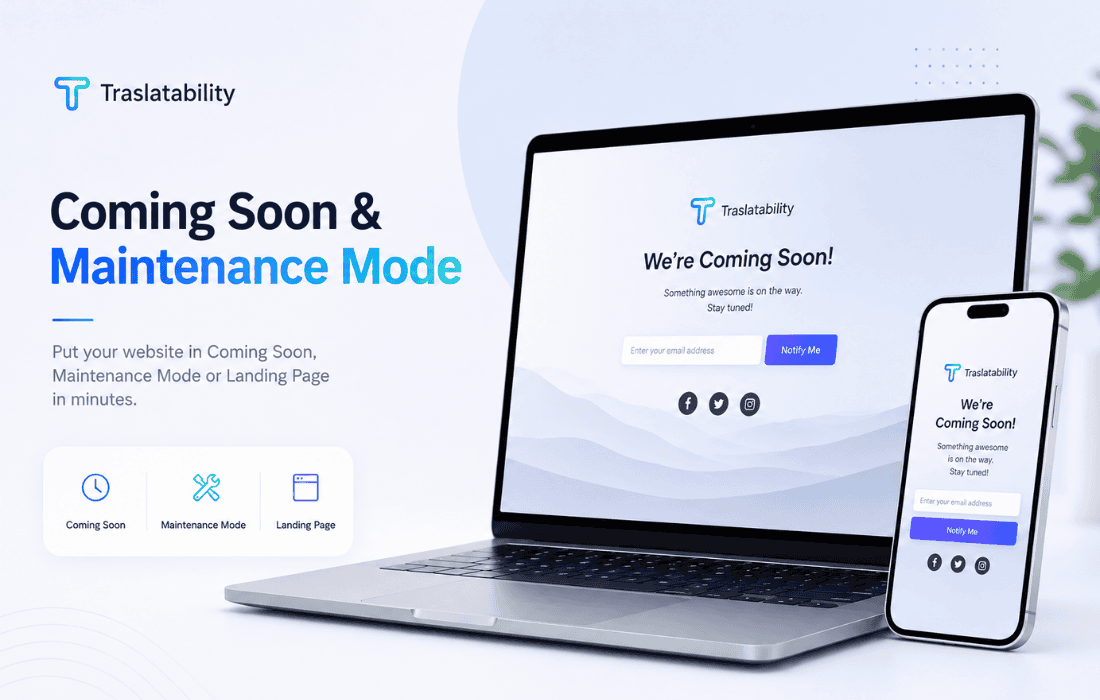
 The Coming Soon and Maintenance Mode plugin by Traslatability is a specialized WordPress solution designed to help website administrators manage their site’s visibility during development, updates, or rebranding phases. By providing a controlled environment for visitors, this plugin ensures that unfinished content remains hidden while maintaining a professional appearance for the brand, allowing site owners to work on the backend without exposing incomplete pages to the public.
At its fundamental level, this plugin acts as a gatekeeper for your WordPress installation. When activated, it intercepts incoming traffic and displays a custom-designed page instead of the live website. This is particularly useful for developers who need to perform extensive updates, plugin testing, or theme modifications that might otherwise break the user experience. By toggling the maintenance mode, administrators can effectively “close” the site to the public while keeping it fully accessible to logged-in users with appropriate administrative privileges.
The plugin is engineered to be lightweight, ensuring that it does not negatively impact the performance of the server or the administrative dashboard. It focuses on simplicity, allowing users to switch between a live site and a maintenance state with minimal configuration. This streamlined approach makes it an ideal choice for both novice WordPress users who need a quick solution and experienced developers who require a reliable tool for staging and maintenance workflows.
The Coming Soon and Maintenance Mode plugin offers several features designed to enhance the user experience during downtime. One of the primary advantages is the ability to customize the landing page. Instead of showing a generic “Site Under Construction” message, administrators can utilize the plugin’s settings to define the content that visitors see. This allows for the inclusion of branding elements, contact information, or even social media links, ensuring that the brand remains present even when the site is not fully functional.
Another significant feature is the exclusion capability. The plugin is designed to recognize user roles, meaning that administrators and editors can continue to browse the site normally while the maintenance mode is active for everyone else. This is critical for testing changes in real-time. By verifying that new features or design updates look correct on the live server before disabling the maintenance mode, site owners can avoid the embarrassment of public-facing errors.
There are several scenarios where this plugin proves indispensable. The most common use case is during the initial development phase of a new website. Before a site is ready for public consumption, it is standard practice to display a “Coming Soon” page. This allows the site owner to build anticipation, collect email addresses, or provide a launch date, all while the actual site content is being built out in the background.
Maintenance mode is equally vital for established websites. When performing major updates‚Äîsuch as migrating to a new hosting provider, updating a core theme, or installing a large suite of plugins‚Äîthere is always a risk of temporary downtime or visual glitches. Activating the maintenance mode provides a buffer, protecting the site’s reputation by ensuring that visitors do not encounter broken layouts or database errors during the update process.
Furthermore, the plugin is useful for emergency situations. If a site is compromised or experiences a sudden technical failure, quickly switching to a maintenance page can prevent visitors from seeing potentially sensitive information or broken pages. It serves as a professional “pause button” that gives the administrator time to diagnose and resolve issues without the pressure of public scrutiny.
The plugin is designed for seamless integration within the WordPress ecosystem. Once installed and activated, the configuration options are typically found within the standard WordPress settings menu. This design choice ensures that users do not have to navigate complex, external interfaces to manage their site’s status. The interface is intuitive, usually requiring only a single click to enable or disable the maintenance mode.
Because the plugin is built specifically for WordPress, it maintains compatibility with standard WordPress themes and core functions. It does not interfere with the database structure, which means that when the plugin is deactivated, the site returns to its previous state immediately without any residual configuration issues. This reliability is a hallmark of the Traslatability approach, prioritizing stability and ease of use over unnecessary complexity.
While the plugin is easy to use, there are best practices that administrators should follow to maximize its effectiveness. First, always ensure that the maintenance page provides clear communication. If you are performing scheduled maintenance, including an estimated time for when the site will be back online can significantly reduce visitor frustration. If the site is in a “Coming Soon” phase, providing a clear call to action‚Äîsuch as a newsletter signup form‚Äîcan help convert visitors into leads before the site even launches.
Second, remember to test the maintenance page itself. Before enabling it for the public, use a different browser or an incognito window to view the site as a non-logged-in visitor. This confirms that the maintenance page is displaying correctly and that the site is indeed hidden from the public. Finally, always remember to disable the maintenance mode once the work is complete. It is a common oversight to leave a site in maintenance mode for longer than intended, which can negatively impact search engine rankings and user engagement.

Traslatability