

Updates for lifetime, unlimited sites, unlimited downloads, and regular updates.
$3.99
 BookmarkBookmarked
The File Manager Plugin for WordPress is a comprehensive utility designed to bridge the gap between your WordPress dashboard and your server’s file system. By providing a robust, web-based interface, it allows administrators and developers to manage, edit, and organize files directly from the WordPress admin area, eliminating the constant need for FTP or SFTP clients. This tool is engineered to streamline site maintenance, simplify theme and plugin troubleshooting, and provide granular control over your website’s directory structure.
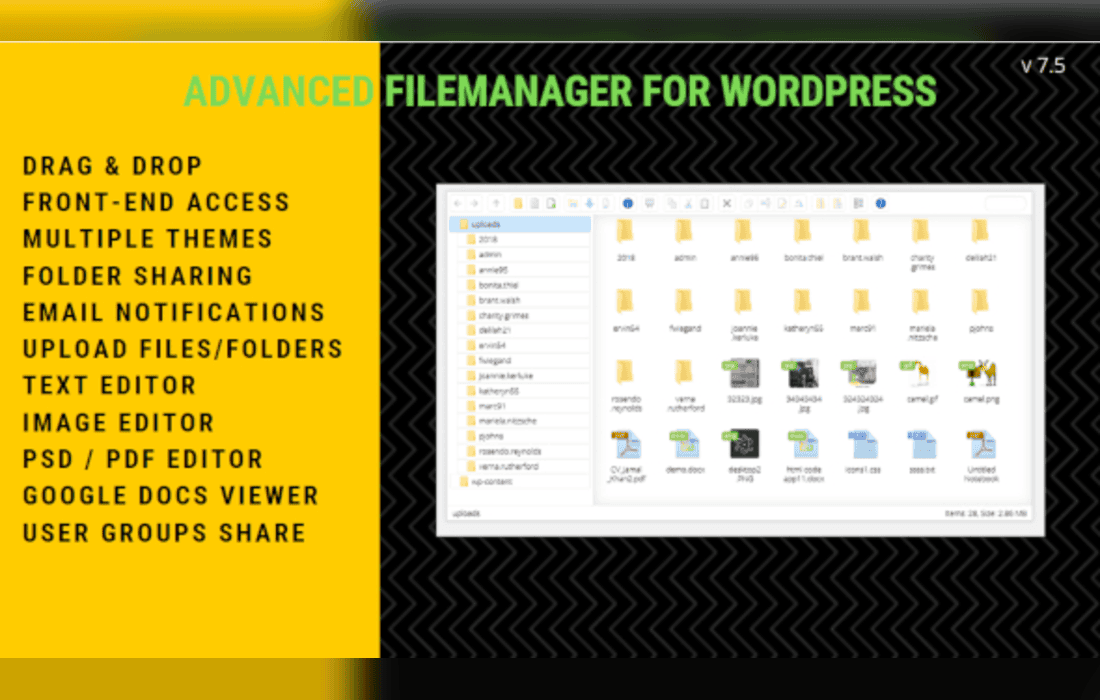
At its heart, the File Manager Plugin provides a familiar, desktop-like experience within the WordPress environment. Users are presented with a file explorer interface that supports standard operations such as creating, deleting, renaming, moving, and copying files and folders. This interface is designed to be intuitive, allowing users to drag and drop items to organize their media, themes, and plugin directories efficiently.
The plugin excels in its ability to handle complex file operations without requiring external software. Whether you are managing a large library of assets or performing routine maintenance on your site’s configuration files, the interface provides real-time feedback and status updates. The inclusion of a search function allows users to quickly locate specific files within deep directory structures, which is particularly useful for sites with extensive media libraries or complex custom themes.
One of the most powerful features of the File Manager Plugin is its integrated code editor. This feature allows users to open and modify PHP, CSS, JavaScript, HTML, and text files directly within the browser. The editor typically includes syntax highlighting, which makes reading and editing code significantly easier and reduces the likelihood of syntax errors that could break a site.
For developers, this means that minor adjustments to a child theme or a quick fix to a configuration file can be performed in seconds. The editor also includes features such as line numbering and search-and-replace functionality, ensuring that developers have the necessary tools to perform precise edits. By keeping these tasks within the WordPress dashboard, the plugin helps maintain a more efficient workflow for site administrators who need to make rapid changes.
Managing files directly from the dashboard is a powerful capability that requires robust security measures. The File Manager Plugin is built with security in mind, offering features that restrict access to sensitive areas of the server. Administrators can define which user roles have access to the file manager, ensuring that only trusted individuals can perform high-level file operations.
Furthermore, the plugin often includes features to restrict access to specific directories. This “root directory” limitation prevents users from accidentally or maliciously accessing system-critical files outside of the WordPress installation. By sandboxing the file manager, the plugin provides a safe environment for site management, allowing teams to collaborate on site maintenance without compromising the integrity of the server’s core files.
Handling large volumes of data is a common requirement for WordPress sites. The File Manager Plugin simplifies this by offering built-in compression and extraction tools. Users can select multiple files or entire folders and compress them into ZIP, TAR, or GZIP archives. This is an essential feature for creating quick backups of specific directories or preparing files for migration.
Conversely, the plugin allows for the seamless extraction of uploaded archives. If you need to upload a large theme or a collection of assets, you can simply upload a single compressed file and extract it directly to the desired location on the server. This bypasses the limitations often associated with traditional WordPress media uploads and ensures that directory structures remain intact during the transfer process.
The File Manager Plugin is an indispensable tool for a variety of WordPress users. For site owners, it provides an easy way to manage media assets and perform quick site updates without needing to learn how to use an FTP client. It removes the technical barrier to entry for basic file manipulation, making site management more accessible.
For developers and agencies, the plugin serves as a rapid-prototyping and debugging tool. When a site encounters a “White Screen of Death” or a plugin conflict, the ability to quickly rename a plugin folder or edit a configuration file can be the difference between a few minutes of downtime and a prolonged outage. By providing immediate access to the server environment, the plugin empowers developers to diagnose and resolve issues in real-time.
By consolidating file management tasks into the WordPress dashboard, the plugin significantly reduces the time spent switching between different applications. The traditional workflow of opening an FTP client, connecting to a server, navigating through directories, editing a file, saving it, and then refreshing the site is replaced by a much faster, integrated process. This efficiency is particularly beneficial for those managing multiple WordPress installations, as it allows for consistent management practices across different environments.
The plugin also supports file permissions management, allowing users to change CHMOD settings directly from the interface. This is crucial for troubleshooting issues related to file uploads or plugin functionality that requires specific write permissions. Having the ability to adjust these settings on the fly ensures that site administrators can maintain optimal server configurations without needing command-line access.
If you are looking for similar functionality to manage your WordPress files, the following plugins are well-regarded in the WordPress ecosystem:
The File Manager Plugin for WordPress is a versatile and essential tool for anyone responsible for the maintenance and development of WordPress websites. By combining a user-friendly file explorer, a powerful code editor, and robust security features, it transforms the WordPress dashboard into a comprehensive control center. Whether you are a beginner looking to manage your media files or a seasoned developer needing quick access to your server’s directory structure, this plugin provides the necessary functionality to keep your site running smoothly and efficiently. Its ability to handle complex tasks like archiving, permissions management, and direct code editing makes it a cornerstone of any professional WordPress toolkit.


