

Updates for lifetime, unlimited sites, unlimited downloads, and regular updates.
$3.99
 BookmarkBookmarked
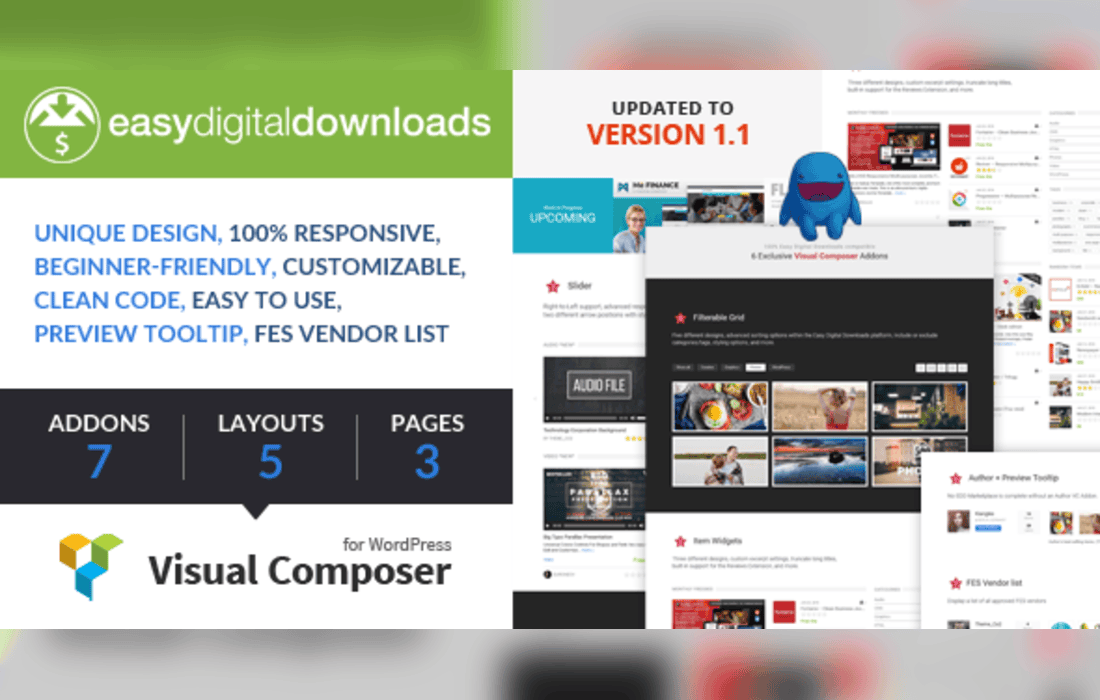
The Easy Digital Downloads for Visual Composer plugin serves as a vital bridge between two of the most powerful tools in the WordPress ecosystem: the Easy Digital Downloads (EDD) e-commerce platform and the Visual Composer (now WPBakery Page Builder) drag-and-drop interface. By integrating these two systems, the plugin empowers store owners and web designers to create highly customized, visually appealing product displays and checkout experiences without requiring advanced coding knowledge. It effectively transforms the standard, often rigid EDD shortcodes into flexible, modular elements that can be placed anywhere within a page layout.
For many WordPress users, the challenge of selling digital goods lies in the balance between functionality and aesthetics. While Easy Digital Downloads provides a robust backend for managing products, downloads, and customer data, the frontend presentation is often limited by the theme’s default templates. Visual Composer, conversely, offers unparalleled control over page structure but lacks native, deep-level integration with specific e-commerce plugins. This plugin acts as the missing link, injecting EDD functionality directly into the Visual Composer element library.
By installing this bridge, users gain access to a suite of custom elements that can be dragged and dropped into any section, column, or row created by the page builder. This allows for the creation of bespoke product grids, featured download sections, and custom checkout flows that align perfectly with a brand’s visual identity. The integration ensures that the technical requirements of selling digital files-such as secure download links and payment processing-remain intact while the presentation layer becomes fully customizable.
The primary value proposition of the plugin is the simplification of complex tasks. Instead of manually typing out shortcodes and guessing at parameters, users interact with a graphical interface that provides real-time feedback. The plugin typically exposes the core features of Easy Digital Downloads as configurable blocks.
The versatility of this integration makes it suitable for a wide range of digital businesses. For instance, a software developer selling plugins or themes can use the plugin to create a “Features” page that highlights specific products with custom layouts, complete with direct purchase buttons. By using Visual Composer’s row and column settings, the developer can create a high-converting landing page that guides the user from product information to the checkout process seamlessly.
Content creators, such as photographers or musicians selling digital assets, can benefit from the ability to create visually rich galleries. Instead of a standard, list-based store view, they can design a portfolio-style layout where each image or track is a clickable product. This approach elevates the perceived value of the digital goods and provides a more immersive shopping experience for the customer.
Furthermore, the plugin is an excellent tool for agencies and freelancers who build websites for clients. It allows them to hand over a site that is easy to manage. A client can update their product catalog in the EDD dashboard, and the Visual Composer elements will automatically reflect those changes, provided the elements were configured to pull data dynamically. This reduces the need for ongoing maintenance and empowers the client to manage their store independently.
Beyond simple display options, the plugin helps in optimizing the conversion funnel. By placing purchase buttons strategically near testimonials, feature lists, or comparison tables, store owners can reduce the friction between interest and purchase. The ability to customize the layout of the checkout page using Visual Composer also allows for the removal of unnecessary distractions, keeping the user focused on completing the transaction.
The plugin also respects the underlying architecture of Easy Digital Downloads. It does not replace the core plugin but rather enhances its presentation. This means that all security protocols, download tracking, and payment gateway integrations remain handled by the core EDD plugin, ensuring that the store remains secure and compliant with e-commerce standards.
Getting started with the plugin is generally straightforward for those already familiar with the WordPress dashboard. Once both the core Easy Digital Downloads plugin and the Visual Composer (WPBakery) plugin are active, the bridge plugin is installed and activated. Upon opening the Visual Composer editor on any page or post, users will notice new elements in the “Add Element” menu specifically labeled for EDD.
Each element comes with a settings window that allows for granular control. For example, when adding a product grid, the user can define the order of products (by date, title, or price), the number of items to display, and whether to show or hide specific product details like the price, excerpt, or featured image. This level of control is essential for maintaining a consistent design language across a large store.
Easy Digital Downloads for Visual Composer is an essential utility for any WordPress store owner who prioritizes design flexibility. By removing the technical barriers associated with displaying digital products, it allows users to focus on what matters most: creating compelling content and driving sales. Whether you are building a simple shop for a few digital downloads or a complex marketplace with hundreds of products, the combination of EDD’s backend power and Visual Composer’s frontend design capabilities provides a comprehensive solution for modern digital commerce.


