

Updates for lifetime, unlimited sites, unlimited downloads, and regular updates.
$3.99
 BookmarkBookmarked
FAT Event – WordPress Event and Calendar Booking is a comprehensive event management solution designed to streamline the process of creating, displaying, and managing events directly within the WordPress ecosystem. It serves as a centralized hub for administrators to handle scheduling, ticketing, and attendee tracking, providing a professional interface that integrates seamlessly with existing WordPress themes and site structures.
At its foundation, FAT Event provides a robust framework for event creation. Users can define event details, including dates, times, locations, and descriptions, through an intuitive backend dashboard. The plugin is built to handle both single-day events and complex, multi-day recurring schedules, making it suitable for a wide variety of industries ranging from corporate seminars and workshops to local community gatherings and live performances.
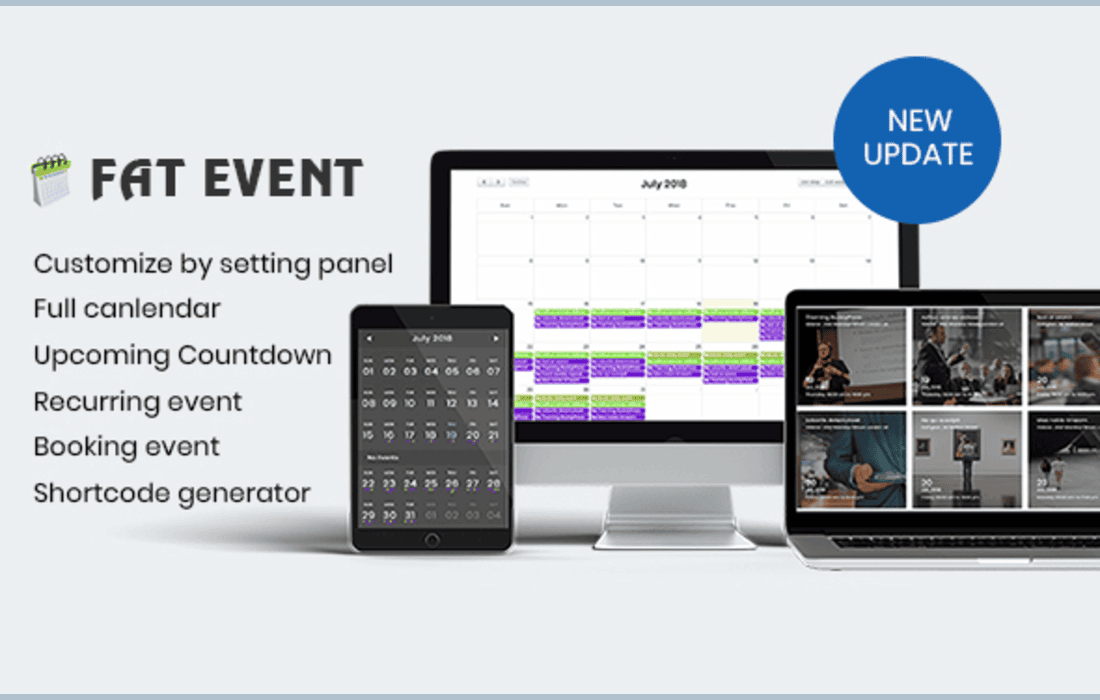
The plugin excels in its ability to present these events to the end-user. By utilizing shortcodes or dedicated widget areas, site administrators can display events in various formats, such as a traditional calendar view, a list view, or a grid layout. This flexibility ensures that the event schedule remains visually appealing and functional regardless of the specific design requirements of the website.
One of the primary features of FAT Event is its integrated booking system. This functionality allows site visitors to register for events or purchase tickets directly through the website. The system is designed to manage capacity, allowing administrators to set limits on the number of attendees for specific sessions. This is particularly useful for workshops or exclusive events where space is limited.
The booking process is streamlined to reduce friction for the user. Once a booking is made, the plugin facilitates the management of these entries, providing administrators with a clear overview of who has registered, the status of their booking, and any relevant attendee information. This centralized management reduces the administrative burden of manual tracking and communication.
FAT Event recognizes that every website has a unique aesthetic, and as such, it offers various customization options. Users can modify the appearance of their calendars and event listings to match their brand identity. This includes adjusting color schemes, font styles, and layout configurations. By providing these design controls, the plugin ensures that the event calendar does not look like an “add-on” but rather a native component of the website.
The responsive nature of the plugin is a critical aspect of its design. As mobile traffic continues to dominate web usage, FAT Event ensures that calendars, booking forms, and event details are fully optimized for mobile devices. This ensures that users can browse events and complete bookings on smartphones and tablets without encountering layout issues or usability hurdles.
Managing events often involves more than just displaying dates; it requires tracking performance and attendee data. FAT Event provides administrators with tools to monitor event success. By having access to booking data and event statistics, organizers can make informed decisions about future scheduling and marketing efforts. The backend interface is designed to be accessible, allowing users to quickly update event details, cancel sessions, or export attendee lists for check-in purposes.
The plugin also supports various event categories, which helps in organizing a large volume of events. By tagging events with specific categories, administrators can create filtered views for their users, allowing visitors to find the types of events they are most interested in without having to scroll through an entire master calendar.
The versatility of FAT Event makes it applicable to a wide range of professional and personal use cases:
FAT Event is engineered to be compatible with standard WordPress environments. By adhering to WordPress coding standards, it minimizes the risk of conflicts with other plugins or themes. The use of shortcodes makes it highly portable, meaning it can be placed on any page, post, or sidebar area with minimal technical effort. This ease of implementation is a significant advantage for users who may not have advanced programming knowledge but require a professional-grade event management system.
Furthermore, the plugin is designed with performance in mind. Even with a large number of events, the system is optimized to ensure that page load times remain acceptable, which is vital for maintaining user engagement and search engine optimization (SEO) rankings.
If you are exploring other options for event management within the WordPress ecosystem, the following plugins are well-known and widely used in the industry:


