Updates for one year, unlimited sites, auto updates, and regular updates.
$3.99
 BookmarkBookmarked
The plugin is activated, Use the following key when prompted: 43AC798A2DA21A4A7C5B29C0BA38B6AC
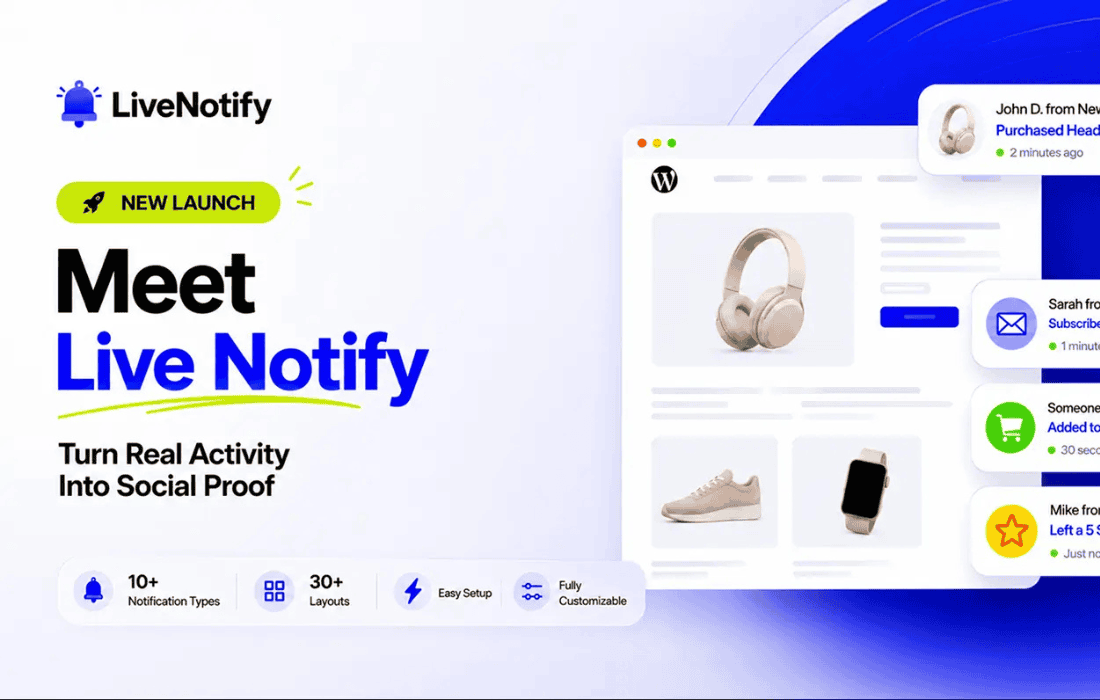
Live Notify Pro is a comprehensive WordPress notification solution designed to enhance user engagement and provide real-time updates directly on your website. By leveraging dynamic messaging and automated triggers, this plugin helps site administrators communicate important information, promotional offers, or social proof to their visitors without requiring page refreshes or intrusive pop-ups. It is engineered for performance, ensuring that notification delivery remains lightweight while maintaining a professional aesthetic that integrates seamlessly with any WordPress theme.
At its heart, Live Notify Pro functions as a bridge between your website’s backend activities and the front-end user experience. The plugin excels at capturing the attention of visitors by displaying non-intrusive, live notifications that can be customized to match your brand identity. Whether you are looking to announce a flash sale, highlight recent purchases, or provide system status updates, the plugin provides the necessary tools to manage these communications efficiently.
The real-time nature of the plugin ensures that information is relayed instantly. This is particularly beneficial for high-traffic websites where timing is critical. By utilizing asynchronous data fetching, Live Notify Pro minimizes the impact on server resources, ensuring that your site remains fast and responsive even when multiple notifications are queued for delivery.
Customizable Notification Templates
The plugin offers a robust template engine that allows users to design notifications that align with their specific design requirements. You can adjust colors, fonts, borders, and animation styles directly from the WordPress dashboard. This flexibility ensures that notifications do not feel like foreign elements but rather like native components of your website’s design.
Advanced Triggering Logic
One of the standout features of Live Notify Pro is its sophisticated triggering system. Administrators can set specific conditions under which a notification should appear. These conditions can be based on user behavior, such as time spent on a page, scroll depth, or specific interaction events. By targeting the right user at the right moment, you can significantly increase the conversion rate of your notifications.
Responsive Design and Mobile Optimization
In an era where a significant portion of web traffic originates from mobile devices, Live Notify Pro is built with a mobile-first approach. The notification elements automatically adjust their size, position, and layout based on the user’s screen dimensions. This ensures that mobile users receive the same high-quality experience as desktop users without the notifications obscuring critical content or navigation elements.
Comprehensive Analytics and Reporting
Understanding how users interact with your notifications is essential for optimization. Live Notify Pro includes an integrated analytics dashboard that tracks impressions, clicks, and conversion rates. This data allows site owners to perform A/B testing on different notification styles or messages, enabling a data-driven approach to improving user engagement over time.
E-commerce and Social Proof
For online stores, Live Notify Pro can be used to display “recent sales” notifications. Seeing that other users are actively purchasing products creates a sense of urgency and trust, often referred to as social proof. By showing a live feed of recent orders, you can nudge hesitant shoppers toward completing their own purchases.
Content Promotion and Newsletter Signups
Bloggers and content creators can use the plugin to promote new articles or encourage newsletter subscriptions. Instead of using aggressive pop-ups that interrupt the reading experience, Live Notify Pro can display a subtle, elegant notification in the corner of the screen, inviting users to stay updated with the latest content.
System Status and Maintenance Alerts
For service-oriented websites or membership platforms, keeping users informed about system maintenance or new feature releases is vital. Live Notify Pro provides a professional way to broadcast these updates without the need for site-wide banners that might distract from the primary user interface.
The installation process for Live Notify Pro is designed to be straightforward for both beginners and experienced developers. Once the plugin is activated, a dedicated settings menu appears in the WordPress dashboard. From here, users can configure global settings, such as notification positioning, default animation speeds, and global exclusion rules. The interface is intuitive, utilizing a clean layout that makes managing multiple notification campaigns simple and efficient.
The plugin also supports shortcodes, allowing users to embed specific notifications within posts, pages, or custom widget areas. This level of control ensures that you can place notifications exactly where they are most relevant, rather than relying on a global setting that might not fit every page of your site.
Live Notify Pro is built with clean, optimized code that adheres to WordPress coding standards. It is designed to be compatible with major page builders and popular themes, ensuring that you do not encounter conflicts when integrating it into your existing workflow. Furthermore, the plugin includes built-in caching support, which prevents the notification system from slowing down your database queries, keeping your site’s load times within optimal ranges.
Security is also a priority. The plugin utilizes secure data handling practices to ensure that your notification settings and user data remain protected. Regular updates are provided to maintain compatibility with the latest versions of WordPress and to address any emerging security requirements.
In summary, Live Notify Pro stands out as a versatile and user-friendly tool for any WordPress administrator looking to improve communication and engagement. By combining powerful triggering logic with a flexible design system, it provides a professional solution for delivering real-time updates that enhance the overall user experience.