

Updates for one year, unlimited sites, auto updates, and regular updates.
$3.99
 BookmarkBookmarked
 QuickCab is a comprehensive and professional-grade booking system designed specifically for the transportation industry, providing a seamless bridge between WordPress websites and complex taxi or chauffeur service operations. It functions as a complete solution for businesses that require precise fare calculations, vehicle management, and automated booking processes. By leveraging modern mapping technologies and a robust pricing engine, the plugin allows service providers to offer instant quotes and secure reservations to their clients, reducing the need for manual dispatching and phone-based inquiries.
At its heart, QuickCab is built to handle the intricate logic required for transportation logistics. Unlike simple contact forms, this plugin calculates real-time data to provide users with accurate information before they commit to a booking. The system is designed to be intuitive for the end-user while remaining highly configurable for the site administrator. It serves as a central hub where vehicle availability, pricing structures, and customer details converge to create a streamlined workflow.
The plugin is particularly effective for businesses that operate on a variety of pricing models. Whether a company offers fixed-rate airport transfers, distance-based city hops, or hourly chauffeur services, the software provides the necessary tools to implement these rules. This flexibility ensures that the plugin can scale from a single-vehicle independent driver to a large fleet operation with multiple vehicle categories and service areas.
One of the standout features of QuickCab is its sophisticated fare calculation engine. The plugin utilizes the Google Maps API to determine the exact distance and estimated travel time between pickup and drop-off points. This integration ensures that the quotes provided to customers are based on actual road data rather than simple “as the crow flies” measurements.
The pricing logic can be customized using several parameters:
QuickCab allows for extensive customization of the vehicle fleet. Each vehicle type can be defined with its own unique characteristics, which directly influences the booking options available to the customer. This categorization is essential for businesses that offer different levels of service, from economy sedans to luxury limousines or multi-passenger vans.
Within the vehicle management settings, administrators can define:
For businesses that want to process payments online, QuickCab offers deep integration with WooCommerce. This transforms the booking process into a standard e-commerce transaction, allowing the business to utilize any payment gateway supported by WooCommerce, including credit cards, PayPal, and digital wallets.
When a customer confirms their booking, the plugin can generate a WooCommerce product or order dynamically. This integration provides several benefits:
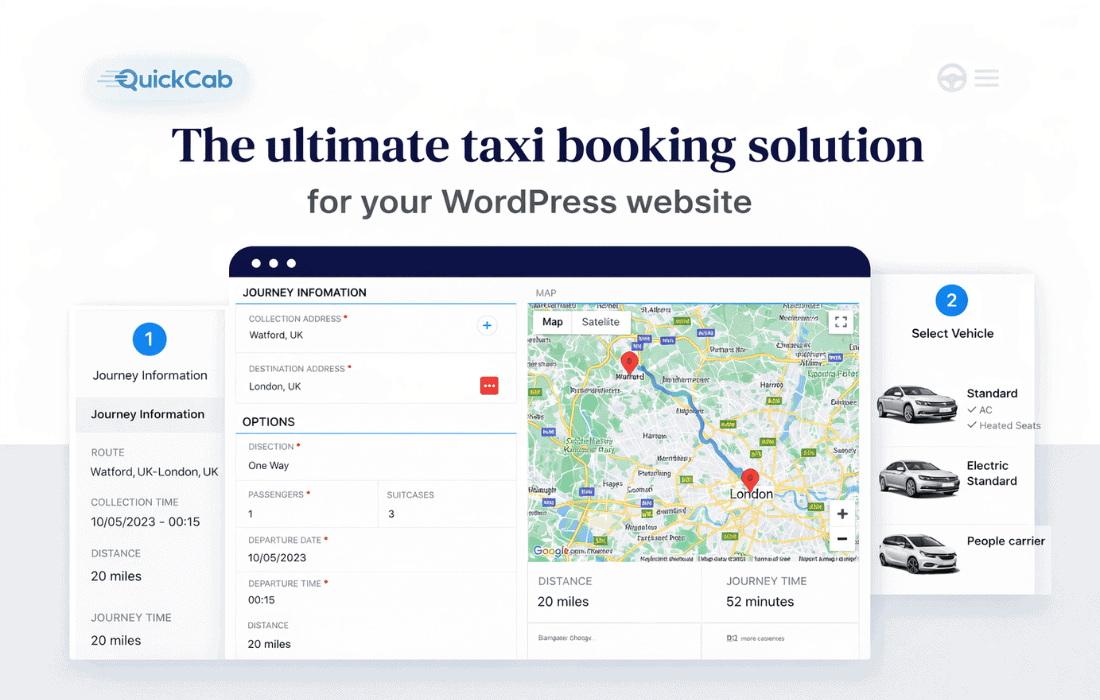
The front-end booking form is designed to be responsive and user-friendly, ensuring that customers can book a ride from any device, whether it is a desktop, tablet, or smartphone. The multi-step process guides the user through the necessary details without overwhelming them with too much information at once.
The booking flow typically involves:
Managing a transportation business requires constant monitoring of upcoming trips and driver assignments. QuickCab provides a dedicated backend interface where administrators can view and manage all bookings. The dashboard offers a clear overview of the schedule, allowing for quick adjustments if necessary.
Key administrative features include:
Every transportation business has unique requirements, and QuickCab is designed to be adaptable. The plugin includes a variety of settings to tweak the behavior of the booking form and the calculation logic. For developers or advanced users, the plugin often provides hooks and filters to extend its functionality further.
Customization options often include:
QuickCab is versatile enough to serve various niches within the transport sector. Its feature set is particularly well-suited for:
Setting up QuickCab involves a few critical steps to ensure accuracy. The most important is the configuration of the Google Maps API keys. Without these keys, the plugin cannot calculate distances or provide address suggestions. Administrators must enable the Maps JavaScript API, Places API, and Distance Matrix API within their Google Cloud Console.
Once the technical foundation is laid, the process of building the fleet and pricing rules can begin. The plugin typically uses shortcodes or blocks to display the booking form on any page or post. This allows for great flexibility in site design, as the booking engine can be placed on a dedicated “Book Now” page or integrated into the homepage for maximum visibility.
While QuickCab is a robust solution, there are other plugins in the WordPress ecosystem that offer similar transportation booking features. If you are exploring options, you may also consider:
In conclusion, QuickCab represents a powerful tool for any transportation-based business looking to modernize its operations. By automating the quote and reservation process, it not only improves the customer experience but also significantly reduces the administrative burden on the business owner. Its integration with WooCommerce and Google Maps makes it a professional, reliable, and highly scalable choice for the WordPress platform.


