

Updates for one year, unlimited sites, auto updates, and regular updates.
$3.99
 BookmarkBookmarked
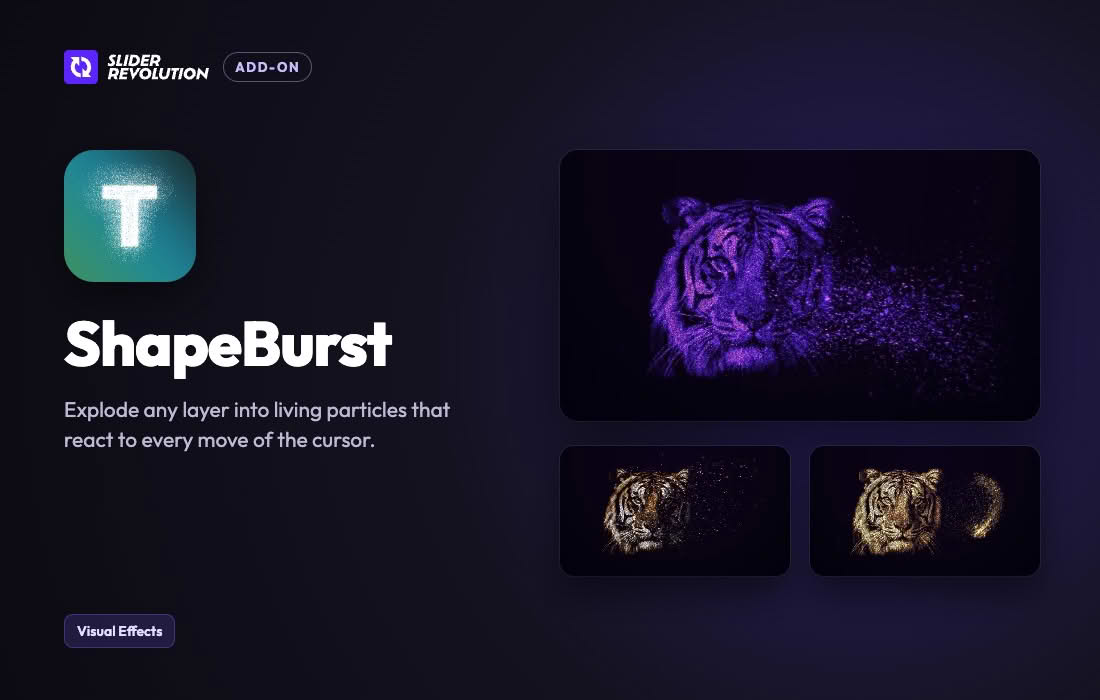
The Slider Revolution ShapeBurst Addon is a specialized, feature-rich extension designed to elevate the visual appeal and dynamic capabilities of the popular Slider Revolution plugin. By harnessing advanced visual processing techniques, this addon introduces unique shape burst effects that transform standard slider elements into captivating, modern web components. Built specifically for web designers, developers, and creative agencies, it empowers users to craft engaging digital experiences that immediately draw visitor attention, enhance storytelling, and elevate overall website aesthetics without requiring deep programming knowledge.
In modern web design, static imagery and basic transitions are often insufficient for holding user attention. The Slider Revolution ShapeBurst Addon addresses this challenge by introducing fluid, organic, and geometric burst animations that interact seamlessly with your content. Rather than relying on traditional slide-to-slide transitions, this addon creates localized explosions or morphing expansions of shapes, colors, and textures directly on the canvas. This allows creators to build immersive hero headers, interactive portfolios, and promotional banners that feel alive and responsive.
Because the addon integrates directly into the core Slider Revolution interface, users do not need to learn an entirely new software environment. All configuration panels, timeline controls, and animation triggers are mapped directly to the familiar Slider Revolution workflow. This ensures a smooth learning curve and enables rapid prototyping of complex visual concepts that would otherwise require custom JavaScript and WebGL programming.
The Slider Revolution ShapeBurst Addon comes equipped with a robust set of tools tailored for high-end web production. These features are engineered to provide maximum creative freedom while maintaining optimal performance across various devices and screen sizes.
The versatility of the Slider Revolution ShapeBurst Addon makes it suitable for a wide variety of industries and website types. By leveraging its unique visual effects, creators can solve common design problems and add a touch of high-end polish to otherwise standard layouts.
Hero Sections and Landing Pages
The first impression of a website is critical. Using the ShapeBurst Addon within a hero slider allows you to create an unforgettable entrance for your visitors. You can make your primary headline or background imagery emerge from an energetic burst of shapes, instantly communicating creativity and modernity.
Creative Portfolios and Agencies
Design agencies, photographers, and freelance artists need to showcase their work in a way that proves their design capabilities. Implementing shape burst transitions when switching between portfolio items demonstrates a keen eye for detail and keeps potential clients engaged longer.
Product Showcases and E-Commerce
When launching a new product, highlighting its key features with dynamic visual flair can significantly boost conversion rates. The addon can be used to emphasize promotional badges, call-to-action buttons, or featured merchandise by wrapping them in subtle or dramatic burst animations.
Advanced visual effects in web design often carry the risk of slowing down page load times or causing stuttering animations. The developers of the Slider Revolution ShapeBurst Addon have implemented rigorous optimization protocols to mitigate these concerns. The rendering engine utilizes hardware acceleration wherever possible, ensuring that animations remain smooth and fluid even on lower-end devices. Additionally, the addon is designed to load its scripts conditionally, meaning resources are only consumed on pages where the slider and its specific effects are actively deployed.
Getting started with the Slider Revolution ShapeBurst Addon is straightforward for anyone already familiar with the WordPress ecosystem. Because it relies on the main Slider Revolution plugin, the installation process follows standard WordPress plugin management procedures.
Slider Revolution (Master Addons / various specialized sliders)
No reliable alternatives known.


